20 videos · Jul 13, 2026
In this episode, Professor Ross Mike explains the concept of agentic loops, which are gaining popularity in the AI community. He clarifies that while these loops can seem appealing, they often lead to significant issues, particularly for those without unlimited resources. The traditional "human in the loop" approach involves direct human oversight, whereas agentic loops allow AI to operate autonomously, which can result in costly assumptions and misalignments with project goals. Ross emphasizes that while these loops can be useful for experimentation and prototyping, they are not advisable for serious projects unless you have the budget to manage potential failures. He concludes by sharing a practical example of how to effectively use agentic loops in a controlled manner.
Everyone is talking about agentic loops, but the reality is most people don't know what it is or how to use them. In this app, I brought on Professor Ross Mike to clearly explain what it is, is it hype, is it real, and how to [music] use it. And if you stick around to the end of the episode, he shows me the most concrete use case of agentic loops that you can use starting today. Enjoy the episode.
>> [music] >> Ross Mike, welcome to the pod. By the end of this episode, what are people going to learn? >> You're going to understand what a loop is, you're going to understand why people are fanning out about it, and you're going to understand why it is a terrible mistake, and unless you have money to burn, that you are not to do it. I'm also going to play the other side, and I'm going to show you a loop that I use, but the general consensus, I think, is wrong, and we're going to talk about it.
>> Okay, so by the end of the episode, people are going to understand what an agentic loop is, why the most well-known people in the AI industry are obsessed about it, you're going to keep it real with what we need to know about it and what we can avoid, and you're going to show a real use case, a real example of how to actually use an agentic loop. >> Exactly. Exactly. >> All right, bro.
>> All right, let's get into it. So, as always, um a lot of people love the diagrams, so we're just going to start with diagrams. I paid, um like like I think $3 to get these stick figures, so I I hope people appreciate them. This is me and you, right?
This is your average Joe Schmo who does not work at Anthropic or API or OpenAI. And this is Boris and Peter and anyone else who has unlimited access to models. Now, the way me and you have been working, um this is what is called a human in the loop is you and I will prompt our, you know, computer, right? Let's say this is our computer or better yet, I'll say this is our AI agent, right?
Whether you're using cursor, Claude, Codex, doesn't matter. You are prompting it yourself, right? You're telling it, "Hey, build me this landing page. Um, you know, build this feature, X, Y, and Z." You are communicating with an AI agent, a platform of your choice via a prompt.
And then, a result is generated, right? A result is generated, and usually what you and I will do is we will view this result, we will test this result, and we will keep on iterating. This is the loop where it goes back to us, right? So, let's say I'm working on an app, and this app is a to-do list app, Greg.
Um, the first thing that I'll probably want to do is I want to build up the landing page because I want to get this out to the public, so maybe they can sign up and join the waitlist. So, I'll prompt and build me a landing page, and let's say I like the landing page. Next, I'll work on authentication, and then once I'm happy with authentication, then I'll work on with the back end. So, this is what we are used to.
And this, to be uh sharp with it, is called human in the loop. Meaning, it is the agent that's building, but it is you that is directing, governing, and allowing things to happen. What everyone has been talking about, particularly Boris and Peter, they said they don't write prompts, they generate they build loops. And essentially, what they're talking about is they're building a system, and I'm just going to show you here where this is the AI agent, right?
And then this is the result. But instead of a human being in the loop, the human is in the loop one time, meaning it fires off um said loop. But then the rest of the time, it's the agent checking it's the agent generating a result. That result is then fed back into the agent.
The agent then looks at the result and continues to work. Now, this in theory sounds cool because what essentially we're saying is, "Hey, I'm just going to have some sort of spec.md file or some prd.md or whatever.md file and this is going to be like a to-do list, a task list and this is going to give all of the information the AI agent needs to build this. Now, this sounds cool and this low-key might be the future. But here is where it goes terribly wrong.
First and foremost, I want to get paint this analogy. Let's say say say >> Quick break to talk about today's sponsor, Code Rabbit. We talk about agentic loops in this episode and most of them are still hype. Code Rabbit is one of the few that actually works.
My team literally uses it every day. You open a pull request and Code Rabbit reviews it automatically. It catches bugs, it suggests fixes, and it's one click to commit. It learns your team's standards over time, so it just gets better and better.
They just shipped Code Rabbit Review, which takes a big messy pull request and reorganizes it so you can actually understand what's changed [music] and why in minutes instead of hours, something I've wanted for years. My team at LCA and Idea Browser love it. There's a 14-day free trial. If you want to learn more about Code Rabbit, go to the link in the description.
>> We We're We're building a startup, right? You and me, Greg, we're building a startup. We hire a very smart developer and we tell this developer, "This is the app we want to build. These are the things that it needs." And the developer goes on and builds the entire thing without consulting us.
In building that entire [clears throat] thing, that developer is going to have to make assumptions, right? Assumptions on how the product looks, how it's going to feel, certain architectural decisions. There's a lot of assumptions that are going to be made in the nitty-gritty. Now, you might think your plan document covers everything, but truth to the matter, it never does.
There's always an edge case, there's always something that's missed. So, what the developer's going to do is that developer's going to make a lot of assumptions. Those assumptions might not be aligned with our product vision. Now, you have a developer who's come with a finished product, and now there's a bunch of things in order, but it's not the way we want it.
In the same way, when you have this stacked PRD.md file or this whatever markdown file you have, and you give it to agent, and you run it in this loop, meaning it takes the feedback, it takes the result, takes it as feedback, and continues to generate uh code, what happens is you now have an agent that's going to make assumptions. And believe me, when you give the agent the floor to give assumptions, most of the time it's going to get it wrong. But, not only is it going to get it wrong, it's going to burn a lot of money. Now, I say this with all love, but Boris and Peter come from a place where they have no token budgets, right?
They can burn unlimited tokens. If I had unlimited tokens, I'd be doing the same thing, too. But, this is not productive. This is great for research, and I'll actually share a loop that I use, but this idea of construct of constructing like a meta harness, where you give the agent feedback automatically, like it gets like the information, the result it's generated, and it loops on it, it is a catastrophe.
And we've tried this, right? We had Ralph loops, we had Ralph Wigam. There's even like slash goal, which has been pretty popular the last couple of weeks. These are great to build prototypes.
These are great to experiment with. Like, let's say you wanted to experiment with something, you want to like some minuscule tool built out, but you you care about the nitty-gritty details, these are great. But, if you're if you care about the details and you don't have tokens to burn, um this is the worst thing to be trending right now, in my humble opinion. Uh I'll stop right here just to make sure, Greg, I'm making sense cuz I as you can see, I'm pretty passionate about this.
>> So, \{{}slash} goal is also trending at the moment. You know, is \{{}slash} goal a loop? Like, how should people think about \{{}slash} goal and a loop? >> They're all the same thing.
They have different names, like \{{}slash} goal. I know on Cursor, I think it's \{{}slash} loop. And then, on another tool, it's \{{}slash} whatever. They're all the same thing.
And basically, how all of them work on a high level is you you, you know, you type in \{{}slash} goal, and then you give it some prompt, right? Like, you give it some prompt. And then, you can also like attach some, you know, markdown file. And you tell it like, yeah, build this entire thing out.
Don't stop until you're done. Don't make any mistakes. Again, these are cool, but the two issues are number one, uh they burn a lot of tokens, right? Um and if you are not like, this shouldn't even be a thought if you're not on the $200 a month plan.
Like, not a thought. Like, if you're on the $20 or I think there's a $100 a month plan, you shouldn't even think about this, right? Cuz it's just going to burn your token usage. Um number two, you think your plan is good, but it's not.
Because it's impossible for you as a human to contextualize every single detail about the product that you want, um in one document, right? Things evolve, trends change, um you know, one day liquid glass is cool, the next day we're changing how liquid we want it. Like, it's very impossible for you to fill like uh your thoughts and exactly how you want the product to be one in one in one document. If anyone works in service, whether you you run an agency or you like, for example, we develop software for other for other people and companies, it I I we try all the time to get all the thoughts out of someone's head, there's always something.
There's always oh, you missed this or I wanted it like this, this is what I meant. How much more do you think an AI agent's going to understand you if we as humans have hard times understanding each other, right? So, this should only be used in the following, experimentation. Like let me do a new line.
Experimentation, right? Let's say you wanted to like I'll share with you a fun cool little tool I built the other day uh Greg. I was doing a talk and I wanted to build an Among Us simulator for for AI models, right? Basically, it's this game where there's one bad guy, one impostor, and everyone's trying to figure out who it is.
And I wanted to have like my own benchmark to find out which models like are good at lying. And I didn't want to I didn't care about the details, I didn't care about how it looked. I just wanted the simulation and the benchmark to work. So, I told it, I want the simulation, I want this benchmark, I want it to do this, go and do it.
It took about I think an hour and a half and it got it done. Now, there were a lot of details that I had in mind that it completely got wrong that I didn't specify in the initial instruction set. But guess what? Because I didn't care about the what it built in a sense like I didn't really care for the details, it was a great thing.
I didn't spend a lot of time, I just got slash go to take care of everything. But when you and I are trying to use AI to build something meaningful, I 100% 100% stand in the fact that the human still needs to be in the loop. AI can replicate sauce, it can't create sauce. So, if I just have these giant loops running um and then once they're done, maybe I'll go in and fix things up.
Sure, you can make that argument, but I hope you have money to burn. Right? Like and that's the ultimate thing. This will burn money.
It sounds cool, but it'll burn money. >> What I'm hearing you say is that the loops are going to create a slot machine. Slot machine. >> That that's basically what it is.
Now, I have no doubt the Borises and the Peters are building very sophisticated like loops. Like I can imagine like let me drag this over to here. I can almost imagine they have something like again I I I'm not sure this is just me guessing, but I can imagine they almost have like some sort of test suite, right? Where like they write tests for the agent to run the code against so it's a certain type of quality.
I'm sure they also have some sort of browser uh browser use capability so the agent can see the page live and can take screenshots. Like I'm sure they have a insane harness or meta harness around the agent so that this loop can be more successful than the average loop. But at the end of the day, the one argument I'll fight back with is this is going to burn a lot of tokens. And if you don't believe me, all you have to do is look at Peter's tweet where in 1 month he burnt 1.3 million uh dollars worth of tokens.
But I don't want to sound like a you know, like a I don't know what the word is like a doomer like oh like like an old guy like these loops suck. There are use cases and I'll share one Greg if that's okay where my my code review process is a loop. And I'll explain how it works. So, um I use Cursor for the most part, not sponsored.
I use Cursor for the most part as my harness of choice. Um and with Cursor, I will use GitHub as my source control. Basically, a place where I store code, version code, and all that stuff. And every time I push a feature, like every time I build a feature, I push a feature, or whatever the case may be, I am pushing code to GitHub.
And in GitHub, I have a code review agent installed. There's many kinds. My particular one that I use is Greptile, but I know people use Code Rabbit, Microscope. They're all great.
I use Greptile. Um and what happens is whenever I push a feature to GitHub, the code that's being pushed to GitHub is AI generated. But then I have a code review agent that reviews the AI generated code. And what's cool about Greptile is it gives me this review, right?
It'll be like, "Oh, you missed this. There's this security thing. You This is broken in this edge case." It's pretty It's pretty good. But my favorite thing is it gives you a score.
A score out of five, right? It could be two out of five, one out of five, five out of five, four out of five, whatever. It's a score out of five. And what I the the the mental model I now have is I will not push anything to production, meaning I will not allow code to go live unless the score is greater than four out of five, right?
If the score is not greater than four out of five, this code needs to be reviewed. Now, here is where I loop. I have this skill called Grep loop, right? And basically it again, I I don't want people to think it's complicated.
I just want you to understand where loops make sense. It's basically a skill that tells the agent, "Oh, check GitHub, read the review, and then fix the review, and then push to GitHub." So what happens is when I see a score, let's say it got a two out of a three out of five, again, my rules um is that it has to be at least four out of five and greater. So what I'm going to do is I'm going to go back to Cursor. I'm going to write Grep loop.
And then when I write Grep loop, what happens is Cursor reads the review that Greptile wrote on GitHub, and then it feeds the review back into Cursor. Cursor then makes the changes, pushes the changes to GitHub, and then waits for Greptile to do a new review. Every time you push to GitHub, Greptile does a new review. If the review still is a three out of five, guess what happens?
The loop continues, and then more changes are made. And then let's say it's a four out of five. It doesn't give up. It keeps It takes the feedback and then pushes it back to GitHub.
It won't stop unless it's taken five turns, and then it'll give up, or it won't stop until it gets a five out of five. Now, this is basically a loop, but if you notice this, Greg, this is a very closed-off, very goal-oriented loop. Essentially, I have a feedback engine, right? I have a code review agent that's giving a score.
What I'm telling Cursor is read the review, understand it, and get that score to a five out of five. This makes sense for code review because there's a fixed feedback loop. But when I'm building an app, again, I have no idea what I want completely in that very moment. So, it's very hard for me to generate a loop on an app that I have in my mind, but I I can't even fully visualize just yet.
Now, if you're great at visualizing, you're a master, you never miss details, you've never forgotten your auntie's birthday, you don't forget your wedding at You're just perfect, and you have a million dollars, go ahead and build loops. >> [snorts] >> But for me and myself, the only place a loop makes sense is in a very confined, constrained process with a very fixed feedback loop, um a very defined feedback loop, and that's in code review. And can I be honest with you? This loop actually quite breaks at times.
It's not perfect. And you know when it breaks? Anytime I push over 1,000 lines of code, 1K lines of code, like if the if the code that it has to review is more than 1,000 lines, I can almost never get a five out of five cuz it's too much code for the agent to fully review and contextualize and understand. So, even in this fixed sort of ecosystem loop that I have here, even here, there's there's there's reasons and places for it to break, right?
So, every time I push a change, I have to make sure it's 1K lines of code or less, or I have to tell the agent cursor, "Split this into multiple PRs, melt multiple code pushes pushes, so Grab Tal can review it." I say that all to say, I'm not a hater, but but but loops just don't make sense right now, especially for building apps. They make sense for code review, they maybe make sense for like you are trying to do some SEO and you have like an SEO formula and you want like 300 pages generated and all the pages look and sound the same, go ahead. But for anything that requires a slight bit of creativity, unless you're looking to donate money to companies that are about to go public at trillion-dollar valuation, this just this this just doesn't make sense to me. >> The person listening to this podcast, I mean, it's literally called the Startup Ideas podcast, they're building apps, you know?
So, what they're doing, you know, is they want to create an app, a website, a startup, a SaaS, a micro SaaS, an agent-first startup that has the highest likelihood of success. And in order to do that, you have to show your app to people in order to get feedback. So, what's missing from the the loop is there's no sharing your app for feedback halfway through, right? You're just pressing or \{{}slash} go, or you're just like basically, it's think of it as like full self-driving.
You're going from Miami all the way to Charleston, South Carolina and you're pressing go. And there's no like you're going to go off and you see a really, you know, cute diner on the side of the road and you're going to go order a fried chicken sandwich, you can. You're you're on this you know, you're on this ride and whether you like it, the train has left the station. That's what this is.
And so, my my belief on loops is actually a lot similar to yours. By the way, I loved your rant. >> [laughter] >> I apologize. And again, if any of the companies are planning on sponsoring me or whatever, I love you guys, but this is just I can't lie to the people.
You know what I mean? Like I got to be honest. Like I've seen a lot of people excited about this and an idea this is cool, but like I know my some people got $20 subscriptions, $100 subscriptions. This will burn through that and it's not productive at all.
So, yeah, just have to keep honest. >> I think where where the output is binary, meaning black or white with no creativity, there is a room for loops. That's my I So, that was my When I was reading all that was going on, like I was like, "Okay, to your point, like with Code Rabbit or Graphtile, the you know, code review or SEO or thing you know, those pages like it's it's binary. Either they did the job or they or they didn't.
So, I think there's room for it. But for for the people listening to this that are like, "I'm going to go build a startup and I'm going to I need a loop to go build that startup, you know, make me a million dollars, make no mistakes, prompts." Right? Like that's where I think that this is a little bit misleading. That being said, to the credit of Boris and to the credit of Peter and to the credit of people who are talking about it, um I do believe that we will get to a point >> 100% >> that at some point in the future, 100% >> right?
That this will be possible. >> Just not now. Just >> Maybe not as of recording June 9th June 9th, 2026. >> And again, like I don't fault them.
Like I don't think they're malicious at all, but it's like if you have like I'm telling if I had a limited token budget as well, Greg, why the heck would I prompt? Like tokens don't matter to me, right? And it makes sense. They have to experiment.
They have to like they they they need to work on self-healing agents and all that type of stuff. So, their position makes sense. My issue is everybody else who's, you know, creating content and teaching these things saying, "Oh, this is creme de la creme." It's like, "No, unless you want to donate to trillion-dollar companies, this is not it right now. It could be it in a month and I could look like a fool, but right now, this just does not make sense.
Human in the loop is the best loop." >> Thanks for uh clarifying it and and keeping it real with us. Um Ross Mike is his YouTube name. I'll include a link where you can follow him in the show notes and in the description and on X. Um thank you for coming on here.
You're You were just the person I needed to come on the show to just say, "Go off, king." And and and Like you were you were a loop. You were a loop in the sense that you were the looper and just explained this clearly and keep it real. >> Just don't stop it. I just want to stop.
Well, I appreciate you for having me, Greg, as always. It's a pleasure, man. Thank you. >> I'll see you next time.
>> Bye, everybody.
The recent buzz in AI coding revolves around the concept of "loops," as discussed by prominent figures Peter Steinberger and Boris Cherny. Loops change the traditional coding workflow by allowing developers to set a goal for an AI agent, which then autonomously runs until that goal is achieved, rather than requiring continuous prompting from the developer. This method can significantly enhance productivity but comes with challenges, such as the complexity of defining goals and the potential for high operational costs due to increased token usage. The video also highlights practical applications of loops, including setting triggers and goals, and emphasizes the importance of understanding this emerging trend in software engineering, even if it may not be immediately applicable for everyone. Additionally, it introduces tools like here.now, which facilitate the publishing of code generated by AI agents.
A new coding meta just dropped. Over this past weekend, everybody started talking about loops. The two main characters in the world of AI coding talked about it at the same time. Peter Steinberger and Boris Cherny.
Here is an interview from Boris that went absolutely viral. >> I don't prompt Claude anymore. I have loops that are running. They're the ones that are prompting Claude and kind of figuring out what to do.
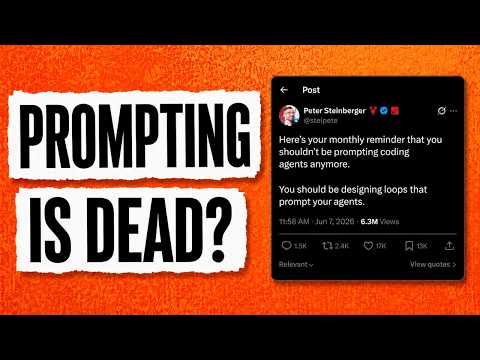
My job is to write loops. >> And here's Peter's tweet sitting at 5 million views in less than 24 hours. Here's your monthly reminder that you shouldn't be prompting coding agents anymore. You should be designing loops that prompt your agents.
So, what is a loop? Why is suddenly everybody talking about it and why are there only a handful of people in the entire world who know actually what it is and how to use it. This is the future of software engineering, but most people won't be able to do it today. But if you want to be at the absolute frontier of coding, I'm going to show you how.
And if you like when I explain the latest in engineering strategy, like this video and subscribe. It very much does help. Thank you in advance. And by the way, this video is sponsored by here.now.
More on them later. All right, so what is a loop? If you've ever done agentic engineering or vibe coding before, you know the workflow. You prompt your agent, your agent writes the code for you, you wait for it to be done, and then you prompt it again.
Loops are what change this. Rather than you telling your agent what to do, you are designing the loop, which really just means specifying some end state, a goal. You're giving your agent a goal, and the agent will not only start itself, but will continue until that goal is met. And I know this sounds very theoretical, but stick with me.
I'm going to show you actual loops. So, a loop really only needs two things. It needs some kind of trigger and some kind of goal. The goal must be verifiable in some way.
That verification can come in the form of test passing, or for more abstract goals, you can have an LLM determine if it reached the goal or not. And if you're thinking this sounds a lot like reinforcement learning, exactly. With reinforcement learning, you need some kind of verifiable reward, meaning the agent, or the AI, or the model, it knows when it successfully reached that goal. And just like RL, it can be done with deterministic goals, so when all the tests pass, or this function executes properly and there are no errors, or non-deterministic goals, when an agent or an AI decides, "Hey, I think the goal has been completed." Okay, so we have the trigger, and we have the goal.
Let me show you what it actually looks like in practice. In Cursor, there's this tab called Automations. Click that, and you can set up a new automation. I've already set one up, and I've said, "Every time I open up a PR in Astro Hub, which is my new project that I've been working on, more on that soon, I want this automation to trigger." Now, there is a difference between an automation and a loop, and I'll explain that in a moment.
But, when that trigger happens, whenever a PR opens, then I give the agent the instruction to review the PR and look for any potential issues, fix them automatically, and commit back to the same PR. Make sure all tests pass, and if they don't, fix them. Make sure all other CI is green. So, those are the goals of this loop.
And that's it. That's my loop. And loops are really as simple as that. Loops get more complicated when the goal becomes more amorphous.
Rather than all the tests passing, which is a very deterministic and clean way to know if the goal has been achieved or not, you might want to say, "Okay, the goal is build this feature in my product." But, how do you actually define what the end state of that feature is? You basically have to write all of it. You have to determine the full spec up front. And for a lot of people, including myself, that is very difficult because part of building a feature is exploring it, figuring out what parts I need, what parts I don't, building it, iterating.
That entire process I am extremely involved in. And with loop engineering, you're basically saying, "I'm removing myself. I'm giving the loop the end goal of this completed feature, and then I'm walking away." Now, let me show you some other possible triggers because it's not just if a PR is opened. One very common trigger for loops is a schedule.
So, if I click here, we can look at a schedule. This is also known as a cron job. Basically, some recurring thing that happens on some given time frame. So, every 30 minutes, every hour, every day, every week, whatever it is, you want something to run, a loop to start on that schedule.
All of these other ones are based on certain actions that happen. So, there really are only three total types of triggers. One, some kind of action happens like a PR opens. Two, it's a schedule that happens, so every 30 minutes.
And three, a human kicks it off. That is still very much a trigger. So, you can type out everything that you want in that end state and just say go, and it'll continue to loop, continue to write code, continue to iterate until it reaches that end goal. And that's it.
You can get very complex with your loops. You can give skills to your loops. You can even code it to get smarter as it iterates through the loop. All of these things are possible and just add complexity to looping.
But, the most basic definition of a loop is still some trigger and some goal. And by the way, with loops, you're going to be producing so much more code and so many more software products than you ever thought possible. And you need a way to publish them just as quickly, and that's where the sponsor of this video comes in, here.now. here.now is one of my favorite products to tell you about because one, it is awesome and I actually use it, and two, it has actually inspired the way that I think about the future of the internet.
So, if you haven't heard about it before, here.now is the easiest way to give publishing ability to your agent. Whether you use Claude Code or Codex or OpenClaude or Hermes, all you have to do is tell your agent to go to here.now and install the skill. Or you just come to this page right here, click the copy setup button, paste it into your agent, and it just knows how to do it. Then at that point, your agent can publish anything to the web on your behalf.
And they also recently launched private storage, so you don't need to always just publish everything publicly. You can have your agent store pretty much anything on here.now. And then even more recently, they launched custom URLs. So, rather than only having a here.now URL, you can use your custom domain with here.now and publish directly to it.
And the best part? It's completely free right now. So, go check it out. I'm going to link all of it down below, but it's here.now.
It's super easy. So, now back to the video. All right, so if you're using Claude Code, here is how to use loops. And they literally have a feature called \{{}slash}loop.
So, you just start typing \{{}slash}loop, and it says, "Run a prompt or \{{}slash}command on a recurring interview." So, loop 5 minutes, and then whatever you want. So, you can say loop every 5 minutes, "Reach feature parity with Google." Obviously, that's ridiculous, and I'm going to have a trillion-dollar token bill at the end of the month, but that's how you do it. And you can set any goal you want. So, here's a more realistic example: \{{}slash}loop every 5 minutes, "Compare what we have built with our full spec, spec.md." It could be anything, whatever product you have a vision for, and continue building until we complete the full spec.
So, every 5 minutes it's going to kick off an agent. That agent is going to determine what is left to build and start building it. And it's just going to keep kicking off agents and keep looping until it finally reaches that goal. Now, we can have a single loop that does that.
We can remove every 5 minutes and just say loop, just continue until you reach that final goal. And that would be the human kicking off the loop. Now, there are lots of caveats to loops, and really a lot of criticism that at least for now is quite valid. Number one, it is very difficult to set up.
The most basic forms of loops, which I just showed you, are quite easy actually. But, if you start thinking that you're going to build this entire code factory that builds entire products for you, and continues to loop indefinitely, and shipping features at speeds you've never imagined, that part is very difficult. Defining what the end state of something that doesn't have a deterministically verifiable goal is much more difficult, and ripe for the agent to continue to burn tokens indefinitely. And you have to be really careful about that.
And that leads to the second biggest criticism. Boy, is looping expensive. The more that you abstract the human away from writing the actual code, the more tokens you're using. The more tokens you're using, the more expensive your AI bill is going to be at the end of the month.
Now, it's not always going to be that way. What's expensive today is cheap tomorrow. That has been proven time and time again throughout the history of technology. As tech diffuses, we find ways to make the production of that tech more efficient, and thus the price gets driven down.
And that is definitely what we're going to see here. But, today, it is still very expensive. And at the same time that a lot of people are talking about how expensive it is and companies are trying to cut their bills, the idea of introducing loop engineering becomes completely crazy to most people. So, I know this stuff is very expensive, but it is also just as important to know what's going on even if you're not using it today.
And that also brings me to the point that there is this huge bifurcation of people in engineering right now where only the top 1% of 1% are using these techniques like loop engineering. Because not only are they enabled to try these new techniques, but also they're given infinite or very high token budgets, which only a few companies in the entire world can really afford. Now, we talked about Peter Steinberger and Boris Cherny, respectively, from OpenAI and Anthropic. Both companies give their employees infinite tokens.
That's why they're able to experiment. But that's also why Peter Steinberger showed about a few weeks ago he had 1.3 million dollars in monthly token usage. Not many people can afford that. So, loop engineering is definitely not for everybody and certainly not today.
But this is absolutely the future of engineering. We will continue to build the software factory that builds the software. We as engineers will gradually and then suddenly no longer even be writing prompts to our agents to go write software for us. We will be designing these factories that allow the agents to run autonomously.
Now, two last things I want to talk about. One, I mentioned earlier in the video there is a distinction between automation and loops. They're very related, but the difference between a loop and an automation is that a loop has some decision inside the loop. It is deciding if it reached the goal or not.
It is not just executing a series of prompts. It is not just executing a few lines of code. With a loop, you are specifically giving the loop the ability to determine if it reached its goal or not. That's the difference.
And once again, thank you to hear.now for sponsoring this video. I'm going to drop a link to them down below. Give your agent the instructions. It is so easy.
Go check them out. They've been a fantastic partner. Now, here's where it gets wild to think about. Will the human be required in the loop forever or not?
Right now, humans are required in the loop. That is because we are still deciding what the goal is. What direction should we be headed? And when I say we, I mean myself and my agents, my loops, whatever it is.
I am saying, "Here's the direction we should go in. Go." But, there's a world in which we can imagine in which I am no longer setting the direction. I am no longer setting the goal. AI has taste and it's able to decide what features to build, what products to build, what companies to build.
And really, what we're describing is AI is able to design its own factory. That is the point at which we have recursive self-improvement. A topic that I just made a long video about. Anthropic just put out a full essay all about recursive self-improvement.
Check out the video right here.
The video discusses the concept of "loops" in the context of coding agents, emphasizing a shift from traditional prompting to designing loops that can autonomously manage tasks. A loop is defined as a system that initiates with a user-defined goal and stopping criteria, allowing an orchestrator to prompt the system based on its progress. The speaker highlights the importance of verification within loops to prevent errors and ensure quality output, as well as the need for clear initial prompts to guide the process effectively. While loops can enhance efficiency, they also come with costs, both in terms of resource expenditure and the potential for users to lose track of the code being generated. Ultimately, careful planning and solid instructions are crucial for successful implementation of agentic loops.
Okay, so for some reason everybody's confused about what exactly is a loop. And things have kind of gone crazy on X. There's now even a new field called loop engineering. This all started with this new tweet from Peter Stein Steinberg.
Here is your monthly reminder that you shouldn't be prompting coding agents anymore. You should be designing loops that prompt your agents. Now, Peter is not alone. Boris Turning from Claude Code has this to say.
>> I don't prompt Claude anymore. I have loops that are running. They're the ones that are prompting Claude and kind of figuring out what to do. My job is to write loops.
>> Okay, so in this video I want to show you what exactly is a loop and how to write a great one. Also, when not to use them at all. Because that's more critical than you think. Okay, so let's define what exactly a loop is and how to set it up.
Now, traditionally speaking, you are the bottleneck. You provide a prompt to the agentic system. It generates an output. You evaluate it and provide the next prompt.
This is sequential in nature. You are the bottleneck. And unfortunately, this setup doesn't work for long running tasks. Now, the setup or pattern that has emerged for long running tasks is that you as a user set the initial purpose or goal along with a stopping criteria of what the system is supposed to achieve.
And then you have the orchestrator, which basically is going to prompt the system based on the current state of the work that is done. Now, if the system reaches the stopping criteria or condition, these can be unit tests or maximum number of iterations or some arbitrary criteria that you have defined, the loop is going to stop. So, with this new agentic loop, your job hasn't disappeared. It simply went a level up.
Someone still decides what to build and whether it is any good. Even a fully automated loop is still uh being prompted. And the prompt comes from your initial command and your specs. So, prompting does not die.
It just moved to the very start. Okay, so is this new or did we just rename something old? This is where my reinventing the wheel worry kicks in because the loop is not a new idea. And let me put this on a timeline.
The oldest version is a while loop with a model in it. In 2022, the React paper described an agent that reasons, acts, read the results, and repeats. Now, in 2023, Auto GPT gave the loop a goal and let it prompt itself. It got famous for running in circles for hours, burning tokens, and shipping nothing.
This is what made people call agent a toy. Now, more recently came the disciplined version, a tiny loop that feeds the same instructions over and over, but resets the context each time so it does not drift. Both Claude Code and Codex models have a command that runs the loop until a separate check says it's done. So, when someone says design loops, the honest question is which loop?
And here's the kind of sharpest pushback that I have seen. This is just a cron job with a new name. And they're half right. The scheduling really is a cron.
Now, what cron never had is the middle. A Cront job runs a fixed script. A loop runs the model that looks at the state, decides the next moves, does it, checks it, and decides whether to keep going. So, essentially, a loop is a Cront plus a decision maker in the body.
Okay, so what does building one looks like? Let's say in Cloud Code, you just type one command, something like \{{}slash} loop on my pull requests. So, in this case, you simply write the intent and the stopping condition, but not the actual steps. Now, a serious loop needs a few parts around it.
Say, work trees, which is going to have isolated copies of the repos so agents do not collide with each other. Skills, reusable named instructions so the agents is not re-learning your conventions every run. And then, maybe connectors so it can open a pull request and update a ticket. And a verifier so the thing writing the code is not grading itself.
And then, memory on disk because the model is going to forget between runs. Or if it fails, it has something to go back to the previous state. Now, Cloud Code also recently introduced dynamic workflows. So, this is what lets a single loop fan a task out across a lot of agents at once instead of one at a time.
It's very powerful. And it is also exactly where the cost can run away from you, which we'll go into in a bit. Now, the most important part of a loop is the verification step because a loop that simply writes the code and never checks itself is the fastest way to generate confident mistakes and learn through tokens. Now, for a great loop, you want it to be able to run different tests, look through the results, and then have an independent verifier, which actually validates the implementation.
This feedback mechanism is what makes a great loop. Now, agentic loops are great, but I wanted to talk about this idea of orchestration tax. Because people claim that they're running hundreds of thousands of different agents in parallel. Now, a loop is going to let you start off hundreds of parallel agents, but there's one ceiling that none of this removes.
And that I you as a person. Because you are the one that is supposed to review, understand, and merge all of the implementations. So, the number of loops you can really run is set by your review bandwidth, not the tool. This is really the orchestration tax.
I am creating a video on it, so if you're interested in this topic, make sure to subscribe to the channel. Now, more agents does not give you more of you. This is something you actually need to start thinking. Now, even if you're able to push past the ceiling, there's one thing which is going to still break with hundreds of parallel agents, and that is your understanding.
Now, if you're running an agentic loop that runs on its own, you just see the final results. And if you look at it all, the gap between what shipped and what you understand is going to grow. So, the danger is not that it's going to fail loudly. It is that it's going to succeed quietly in a way you stopped following 300 commits ago.
Now, there are two potential outcomes of this. So, you can have one person who moves faster on the code they understand, another avoids understanding it at all. Now, the problem is that the loop cannot tell the difference. In both of these cases, you as a user is going to be essentially responsible for what the agent is generating.
Now, for smaller projects, it probably works if you don't understand what's going on, but for larger projects and more critical ones, well, somebody has to be responsible. Now, let's talk about that initial prompt, which is the seed of this whole process. The loop runs on a prompt built from your specs. So, the first prompt matters more now, not less, because it is no longer one prompt you can correct as you go.
It is the seed for hundreds of steps you're not watching. If you leave it vague, the loop does not guess once. It guesses confidently in the same direction over and over again. So, if your initial specs, your stopping criteria, your test cases are vaguely defined, these identic systems are going to make a lot of assumptions, and most of the times those assumptions are going to be wrong.
And this is going to be disastrous, especially for long-running loops. Now, loops are great. However, there's a second cost, which is pretty real, because they can get expensive very quickly. Because every token that is being generated by the identic loop is going to cost you money.
So, you need to have a check on when it should stop making progress and a hard spending limit. So, the romantic version is that you write loops and go to sleep. The honest version is that a lot of your job is making sure this stop. Otherwise, there's going to be a big hole in your wallet and nobody wants that.
Okay, so where exactly does this leave us? If the loop is mostly plumbing and verification is what makes it trustworthy, then the thing that compounds is not the loop, it is the skill it compounds. So, you want to make sure that you compound the learnings in every iteration of the agentic loop. And for that, you definitely want to create really good skills that the agent can use to learn from its previous mistakes.
Okay, so agentic loops are great. However, you need to have solid guardrails, verification criteria, and stopping conditions. But, the most important thing that you need to do is you want to make sure that you have really good prompts as seeds with really solid instructions. If you don't do that, you can run these agentic loops for a very long time, but the output is going to be just gibberish and garbage.
So, if you spend some quality engineering time in the beginning, you're going to get some really good results. Otherwise, well, may the demo gods be with you. Anyways, I hope you found this video useful. Thanks for watching and as always, see you in the next one.
The video discusses the integration of AI technologies, specifically focusing on the concept of "closing the loop" in AI systems. It features a setup involving an MSI QBN mini PC and the DGX Spark, where the AI operates locally to manage tasks through agents like Hermes and Turnstone. The speaker emphasizes the importance of using a harness to orchestrate multiple AI agents, allowing for more effective collaboration and productivity. They also highlight the significance of safety measures and skills that guide AI operations, ensuring that the AI can assist in tasks without replacing human oversight. For those interested in setting up similar systems, a comprehensive guide is available on the Level One Tech forum.
Aentic AI computers using computers and all the new stories around that. What What does it all mean? What does closing the loop mean? We're going to build it at least baby's first version of that.
It's a party of mini PCs over here. This is our MSI QBN running Windows. Perfectly ordinary there. But I've got it hooked up to an agent and it's all running locally.
But the AI is not running on the QBN. The AI is actually running on DGX Spark, our MSI Edge Expert to be precise, and it is marionetting our MSI QBN. It's part of a triumvirate of technologies that allow you to close the loop as it were. The loop is here's the thing I would like for you to do.
Here is the success criteria for knowing that you've done it. You build that algorithmically and then you've got an agent running and doing things. And there it is, our Pac-Man clone in the browser. This was with the Hermes agent, but I'm also going to show you a full setup with Turnstone.
Basically, you set up the AI and then you hook the AI up to the harness. And Turnstone and Hermes do some different things. Open Claw is also really popular, but I'm not going to get into Open Claw in this video, but let's talk more about it. [music] >> [music] >> Okay, bottom line up front, there's a full guide on the level one tech forum that'll walk you through all the steps to set this up.
If you just unpack your DJX Spark and you got a mini PC laying around, you can follow the guide and set everything up on the mini PC and everything is great. But if you're here to learn about like all the buzzwords and everything that's been that that you know, all the people are saying about Agentic AI and closing the learning loop and that kind of thing. Let's calm down. Take a deep breath.
This is a little bit of a hype cycle, I think. Let's start at the beginning. The things that are in play here. One, DGX Spark or MSI Edge Expert.
This is where the AI is running. It's all local. It doesn't have to be local. You can run it in the cloud and do that kind of thing.
You're probably familiar with chat bots. You chat with a chatbot. It tells you to do things. Maybe you copy paste commands and then you get errors and you paste it back.
Then the next thing that happened after that was a harness. And the first harness that sort of took over the world was OpenClaw. And it's very wild west, very loose. That's the one where we sort of all make fun of it because it's like, oops, I deleted all your emails.
Not good. There's also Hermes, which I think is much more mature and and adultlike. And then there's Turnstone. Turnstone.
It's it's it's something that like is amazing and you should check out and is on GitHub. It's from Patrick and I've done a little bit of work on it too like I added some interface stuff to it for uh Neotron uh the Neotron Omni model so they can do voice and video and so I've also been working on Turnstone this whole time. So Turnstone is a harness to harness the models that you can chat with and hopefully turn their productivity turn them towards something productivity. Turnstone also sort of funny because Turnstone makes fun of like the claw thing.
Yeah. Anyway, and turn is a harness that we can use. Now, the harness gives us some other things. It gives us a lot of other things.
It gives us a way to not just have one chatbot, but to run a bunch of sessions on a model simultaneously so that we have a bunch of instances, chat instances working together to to accomplish a goal. Those are called agents. When you're using AI like that, the AI chat things, the agents work together. And so Turnstone can be said to be an orchestrator.
It's it's like an orchestra conductor. It's conducting a lot of AI agents. This is why the you know there's been a token explosion. It's like first it was chat bots and then it was reasoning chat bots and that was the first token explosion and then there was another token explosion.
There have been several uh when we talk about that you as an individual are not just talking to one chatbot at a time. You're talking to kind of a supervisor chatbot and it does other things. So if you look at turnstone you look at the orchestrator the setup here there's a drop-own menu that lets you config what role is this going to play orchestrator engineer uh maybe scribe for documentation this is sort of useful for the role that the AI is going to play now I know what you're thinking AI is not deterministic it doesn't behave consistently any which way it is not good to give it access to this that or the other yes totally agree with you. But there are ways of mitigating that and there are ways that you use AI to build durable infrastructure with a harness like this.
So instead of building something where you just turn the AI loose and you say, "Hey AI, babysit this thing," that's not really what we're doing here. It is, "Hey AI, help me build a durable process that may not even involve AI by the time we're done, but is sort of cooperatively built with, you know, human and AI." And so the process for that is it's all kind of wild west. Different people are coming up with different processes. Everybody sort of imagines that their way is the best way.
I like Turnstone for its enterprise architecture and how it does output guard and that sort of stuff. I've got a separate video coming on just turn. Turnstone is really exciting. You can check it out on GitHub, but I don't want to get into that too much in this video.
But it does have a lot of safeties and guard rails and enterprise architecture, enterprise think um that Patrick and I have put into thinking about these kinds of problems and how it might exist in an enterprise and how you might give it access to help you configure switches or manage servers or help you manage software. See, even these really advanced AIs, I mean, they have the skill, they don't have the taste. And that does, you know, some people it's like, oh, the goalpost is moving there a little bit, but when you're doing really big enterprise architecture, you're going to have to step in and do get your hands dirty. You can't just say, "Hey, go do this thing." Um, and the the harness is useful for that and and spending off the age and that sort of stuff.
So, there's also a judge. There's a judge model that's judging what's happening to make sure nothing's going off the rails. And in our case, we're using GMA for that from Google. So, we're running Neotron to do the heavy lifting here that I'm showing you in this video, but we're also running GMA at the same time.
And GMA is kind of watching what Neotron is doing. That gives us some resiliency, that gives us some insight, that also gives us a place to pump the brakes. And this system also has permissions. It's like this is a high-risisk thing, this is a lowrisk thing, this is a safe operation to do.
Um, the harness has this idea of skills that explain to the AI how to maybe call a script or to do a particular thing that can be read into the context as it is relevant to understand what it was. Think of it like a quick manual. So like you I don't know you have a piece of office equipment in your office like maybe the coffee machine. It's like the coffee machine requires you to first put in the coffee cup and then turn the dial to whatever mode that it's in because it resets every time and then you decide if you want hot or ice and then you press the button.
So a skill file would explain that to somebody like how to operate the coffee machine. It's really not a lot different. Sometimes there can be Python files bundled with skills. Then there's this idea of MCP model context protocol and there's lots of MCP servers out there.
If you do home labbing and you do stuff with Proxmox, there's a Proxmox MCP skill. There's some that's a whole other story that there's some fun stuff coming with that. But the Proxmox MCP skill explains to an AI the kinds of things you can do with Proxmbox like how to create a container, how to create a VM, how to move storage, that sort of stuff. Um, but the MCP exposes those skills as part of the MCP server because the skills aren't really relevant if you don't have the interface to call it.
And MCP can have uh different transports like you can do standard IO stdio that is for local host stuff where everything's running on a single machine and then there's also an HTTP transport which is what we be using this video to control that Windows machine. There's lots of different MCP servers for different use cases in other words. So the MCP server that we're using on Windows is called cursor and it's pretty good. It's a little clunky, but this, you know, again, crawl, walk, run, I think it's a lot of fun to show you what the possibilities are and then maybe you get some ideas for fun stuff that you can do.
The stuff that I'm showing you should not reasonably replace any human being at all. And that it seems to be in corporate America is probably more of a testament to how poorly understood things are with management in a lot of cases. But I digress because, you know, you don't want to you don't want to offset the multiplication of your productivity by tamping down your productivity because you got too productive. You know what I'm saying?
It's sort of it's sort of weird to set up Turnstone. This is going to be another video. There's really a lot to talk about as far as Turnstone goes. There's a lot of really exciting things, but the quick start is pretty good and the how-to will walk you through that at the terminal.
On our totally fresh Spark system here, we basically just run the commands. It's going to clone the GitHub repository. It's going to ask us how many server nodes we want. I've chosen six because we're going to be in a relatively memory constrained configuration.
This is basically how many workers you have that are running here. This is all managed through Docker. When you run Docker ps, it's going to show you these containers. It'll run through build the container and it'll tell you all the stuff that it's doing to set this up here.
If you want to customize this, you can modify your Docker Compose YAML. Then the setup helper will emit this and you're good to go. Now, we went through the, you know, earlier in the how-to when we're talking about setting up the VLM images and and that sort of stuff. You can go through the DGX Spark playbook and get there.
But there is also a helper, another different an alternate way is what it is described as in the how-to. It's VLM plus light LLM on one unified memory box. And what this is going to do is give you reasoning, perception, and reranking. Ranking is important here.
Now, I haven't mentioned reranking before, but it sort of goes without saying that garbage in, garbage out. And that's true of anything in computer science, especially AI. And so, what re-ranking does is improves the quality of the information sent to the LLM by sorting retrieved documents based on how well they actually answer the user's questions rather than relying on embedding similarity. This means that the model retrieves more relevant context and spends fewer of its limited context tokens on unrelated lower value information.
So, as the context grows, you know, we're we're working with local LLMs here. It's tough to do a million token context. It is doable, but you're going to need more than one Spark and uh or or other systems that are that are, you know, have larger memory. Um and so the re-ranker helps keep the quality of the output really high because it is re-ranking the things that are fed into the model with things that are relevant.
It's sort of preloading all the relevant stuff. It's also as a timesaver and a token saver. So, it's pretty awesome and having the reranker run locally, even if you're feeding the cloud AI, is huge. So, these how-tos will walk you through that.
Stay tuned for the full Turnstone video, but I feel like this is a really easy installation. Patrick has done an amazing job with this write up and all of the stuff that has gone into making the installation of Turnstone as easy as possible. If you stumble over something or you have feedback, definitely let us know. But early community feedback from early adopters has been pretty positive.
Now from here making sure turnstone is running. We can do docker ps. We can see that all this is running. We see our two LLMs are running.
Three LLMs are running. Well, this is a you know. Yeah. So we're up up a few hours cuz you know time passes.
And so this line here tells us that the web browser part of it is running and it's on port 443. You could change that if you have other stuff running. 8443 is what I use sometimes, but that's just in the Docker Compose file. Uh but this means it should be accessible in the browser.
You can get to it from the console on the DGX Spark or from another machine on your LAN. When you go there, you'll get a privacy error. It's fine. We'll just continue.
It'll ask you to set a username and password. I already set mine. And then here we go. So, this is the Turnstone UI.
And again, I'll do a different video on this. This is just a fun harness. You know, this could be Hermes or OpenClaw. Although, start with Hermes.
Like OpenClaw, it's just OpenClaw is just too wild west. Hermes is is pretty good. Hermes is actually amazing and but it's a different thing. solves a different set of problems.
It's not not solving the exact same set of problems that Turnstone does. All right. So, the first thing that we'll need to do is go to models and hit add model. And when we add a model here, we want to, you know, give it an alias.
But first thing is that we'll do is just give it a base URL. And the API key can just be test. And then we can do detect down here at the bottom. And it says, oh, one model available, 65,000 tokens.
And we can come up here and the model ID will autocomplete and the alias will autocomplete. You know, if if you were following along, mine already autocomp completed, but it's cuz I had to do this a second time because my context is a little low. The judge model on Turnstone needs kind of a lot of context, 65,000 tokens. If you set this up the alternate way, it'll be 131,000 tokens because the alternate way is a little more efficient because it's using VLM and and lock LLM at the same time as opposed to multiple instances of VLM.
128 gigs is not enough memory. It's like this is learning. This is this is actually really good stuff for you to learn how this stuff is put together at a larger scale. You also have options here for capabilities, tools, vision, server side, web search, reasoning and effort control, speech to text, transcription, uh text to speech and speech to text, audio input, and a re-ranker capabilities.
And so setting these appropriately for the model uh is important, but for this thing, I'm just going to skip over it for now. We'll also want to do add to model for any other models that you have running. You can get two or three of those configured in here. And then you'll want to hit sync to nodes so that it will sync to all of these nodes and they're they're aware that they have a model there.
With the models created, we'll just do a quick smoke test here. Options, you know, we don't need to set a persona. And we want it to run with Neotron 3 Nano. Could use Neotron 3 Nano or Gamma Gamma 4 as the judge.
You can assign it to a project. And this is the first time this model has been used. It just started up. Uh if you want to, you could do Docker logs from the terminal and see what it's doing.
There we go. About 45 tokens per second on Neotron 3 Nano. And this this can vary uh if you do the alternate way. Um, I have seen setups on the forum that are up to 27 tokens per second, but VLM right now inv4 and like dense models.
The the real limitation there is memory bandwidth. And so this is doing a little bit of a smoke test on all six nodes. And so it'll dispatch things to all six nodes. You'll see it over here on the side.
There is a light and dark mode. Like I can toggle between light and dark mode while we wait. Isn't that exciting? Fun times with Turnstone.
Now that this is set up, we can set up our MCP, our MCP integration, uh, extensions, skills and MCP server. So, I mentioned skills and how skills work. You can create a skill and it's like you describe what the skill is here. There's there's tons of skills on GitHub.
You can go find skills and paste them. You can set options for the skill, how much thinking or reasoning it needs, a runtime config, which model works best with the skill. Uh, you can also say what tools are allowed in the in the list of tools that are in the system. In resources, you can also add scripts.
So, if you have a Python script or a bash script or something like that that is part of this tool call, you can add this. And this is where I've added some of my scripts for doing um certain kinds of tasks. So, I can ask the AI assistance like, hey, can you prep this system by running this script? That way that the AI is not yoloing a list of tasks.
It is looking at this skill and it is saying, okay, here's the stuff that I'm supposed to run. And then in the skill, I say, you know, that this has succeeded. when you run this and verify like you run the package manager and verify that all the packages have been installed or whatever it is and the nice thing about this versus a traditional script is that it's a little less brittle. So like you know installing a bunch of packages with apt is super easy to script.
You don't need AI for that. But when canonical does crazy stuff like changes core utils to rust and that sort of thing uh and things break in strange and subtle ways. This thing can actually troubleshoot that and and deal with that. Like the AI can can do that and then it can flag it and say hey we might need to adjust the skill or hey we might need to adjust the scripts as a junior intern level assistant might.
Um but that's not why we're here today. We're we're here to do the MCP interface to our little QBnuck AI+ and we need to add it here. But first, we have to set it up on the Windows machine. And now the Turnstone is complete.
We can take a look here. All six worker nodes are reachable and ready for work. The cluster nodes spawn a dedicated worker on each all six work streams. If you want, I can send the report node ID and time stamp.
Get an actual response. Just let me know what would be fun next step. See, do that. And look, we're only using 14 of our 256,262,000 token context.
Approve, deny, approve all, and go ahead and approve. And then we'll see these nodes come online. That's what the icons mean. If we need a little more insight into what a node is doing, we can click on that, of course.
So once I hit approve in the corner there, it will create children that is doing the smoke test on all six nodes just to make sure that they're they're there. can also deny. It can also have a conversation with the model to say, "Hey, don't do that." There's actually kind of an extensive thing in Turnstone. Again, this is probably going to go in the Turnstone video.
But, um, under governance, under personas, you have some different roles that it can play. You know, manager role, engineer role. This kind of thing does actually help. Um, in the judge section, there's a lot of options for output guard, heruristic rules, and how these kinds of things work.
And so, the output guard is heristic. is not necessarily AI based, but AI is using these tools to achieve an outcome and that is much more effective than just stuffing it all into a prompt. So on our little Spark system, we're running, you know, right now we're running Neotron models. There's Neotron 3 Omni, which is designed for uh, you know, transcripts like video, understanding video and audio and pictures and multimedia.
And it's also capable of reasoning. It's what's called a 30 billion parameter model, but we're using it in NVFP4. But there's other stuff running on our Spark, too. We also have GMA 4.
That's from Google. That's not from Nvidia. We're using that as a judge model, and it's a very small model. We're using the 4 billion uh parameter version.
Uh there's also Gamma 3. The 12 billion billion parameter version of GMA 3 is also a pretty good choice for uh a judge model for our harness. And then we also have Neotron 3 Nano which is also a 30 billion parameter model but is a little better at other things. Now those are it's Neotron and Google but this is also Quinn.
Quen a lot of people like Quen 3.6. Quen 3.6 is available in two different formats in NVFP4 and that is uh the 27 billion parameter model. That's called a dense model which means that all 27 billion parameters are active at once. That runs a little slower on our spark system or coin 3.6.
6 35 billion which is 3 billion parameters active at once. That's what the A3B means in the name and that's going to be much faster on the spark because there's only three billion parameters active at once. Now the 27 billion parameter model in an 8bit quant which means it's going to use you know 27 to 32 gigabytes of of your 128 gigs of memory. That is probably the best agentic coding model for uh coding.
Uh the Neotron models aren't bad. uh you know of course uh an enterprise model like from OpenAI or Anthropic those are going to be even better and you can mix and match those with Turnstone. But the important thing of running three different models on this is that with the appropriate harness you can control a whole fleet of little AIs that are good at the various things that they're good at, but all of them are running on one piece of hardware. Or if you have two Sparks you can have some models running on one Spark, some models running on the other one.
You can even run really large models across multiple sparks. That's what the connect x4 interface is for. Uh but generally those run a little slower and it's not really as useful. With the agentic harness though, you can run small models to help you plan or to help you do janitorial tasks if you're doing coding tasks, things like cleanup, managing the git repository, looking for common things, and that'll also help you minimize your cloud token spend.
So that's really efficient. For this video, we want to also talk about skills, which is part of the harness. The harness can say, "Hey, here's a list of skills, and skills are descriptions of how to do things that the AI models can read and understand." Keep in mind that everything that I'm showing you is running entirely locally. We're we're doing the AI off of the spark machine, but the spark machine is basically marionetting that uh MSI QBN PC and skills give it some hints about how it does that.
The MCP server also will typically publish some skills and the cursor MCP server that's on GitHub uh I think has 18 or 19 built-in skills. things like opening files, manipulating the registry, common things that you would want to do on a Windows machine. So, that's pretty awesome. IMHO.
Let's take a closer look at what that looks like on the Windows side of things for MCP and how that interfaces with our harness. So, this is our Windows workstation. I know chaos abounds. Don't [laughter] can't help it.
This is our MSI QBN AI Plus that I reviewed previously. and it's connected and it's a little pile of wires, but it's running Windows over here and it's running our Windows MCP uh client. This is just a Python program. So, you'll need to install Python before you use this.
And then to connect this, you'll just run Python MUV tool run MCP serve. The full guide for this is on the forum. Uh, and I'm using it with an O key, but you could use it with a TLS certificate or something like that. What this does is it opens up a port.
It's port 8000 on this machine which will receive authenticated connections ideally with TLS. In turn under manage under MCP servers we need to set up the connection to this MCP server. The transport is going to be streamable HTTP and then I'm going to give it the IP address of our Qbnuck uh 8000mcp and then authorization with the bearer. uh you have to set that in the header manually.
Just follow the how-to. Uh multi-tenant authorization. We're just going to use a static header for this. Uh auto appro approve tools and enabled.
And so when you save this and now what this is going to do is expose um this MCP server to the uh to Turnstone, the agents and the orchestrator that are running here. And this Windows MCP server provides some tools, some basic tools in the description of how to use them. And so I can come now to the the dashboard or the orchestrator and I can say um please launch notepad and again like this is kind of a crawl walk example and Notepad is launched. And notepad launched again.
>> And so I told it to say hello from Turnstone, but it messed up a little bit. It took a screenshot, saw that it messed up, and then said hello from Turnstone. Can you tell me anything about this machine? CPU, GPU, Windows version, and any other relevant info.
And so this will run a PowerShell command. Inventory the system. Look at device manager. Uh Intel Panther Lake XE3.
So here's our full system overview. MSI Pro PTLH QBnuck AI Plus. That's MSB211. I didn't even know that.
Windows 11 Pro 25H2 installed March 9th, 2026. 16 cores, 16 threads, base clock 2.1 gigahertz. uh integrated XE3 graphics, 2 gigs of shared VRAM, displays currently 3840 by 2160 at 60 Hz. It's the integrated XC3GPU with 32 gigs of total memory, one TB f01 TB uh TCCZ, and it is dual channel DDR5600.
And we also it's like, oh, by the way, a little while ago, we just ran the ADA 64 memory and benchmark run, and these numbers are, you know, in line with memory bandwidth. Now remember all of this is running locally. This is taking a screenshot and doing stuff with the screenshot but it's entirely locally. I mean it's uh executing code on our QBN but the screenshots run over the network to the uh the MSI um edge expert DGX Spark.
None of this hits the cloud. This is toward the kind of experience Microsoft promised with Copilot except this is something that I'm much more comfortableish running locally because none of this ever hits the cloud. I mean the AI can just take a snapshot and do stuff with the system. Now I wouldn't because the AI has full access to this system.
I wouldn't put any privileged information on this even though Turnstone has a lot of guard rails and safeties and and that sort of thing. It's really quite innovative in that respect. IMHO but again wait for the video on turnstone for more about that but again it's compartmentalization that's accessed it's like this is a this is the AI intern would you give the AI intern full access to literally everything no but does that mean that it's not productive or you can't be productive with it also no I think there is something here there is something really interesting here in the way that um you know that some people were making fun of you know home computers when powerful computers mainframe computers were the only computers on Earth. It's like why why would anybody want a computer at home?
They're inferior. They're not very powerful. You can't really do much with them. And yet enthusiasts took them and ran with the idea of home computing.
This is sort of the same thing. We're waiting on the technology to catch up a little bit andor the hype for the technology is uh driving some of the complexity and expenses here. But this is really kind of fun and interesting that I can marryet this Windows machine from another another computer, an AI interface. Now, the Windows MCP GitHub, it talks about interfacing with a claw desktop and services like that, but that means that it's taking a screenshot and doing things with cloud APIs, which, you know, I don't know that I would necessarily recommend.
This is all running totally locally, which is fantastic. If you'd like to set up Hermes, the Hermes agent instead of Turnstone, it's pretty much the same steps. You just set up the AI models, you get the models running on your uh DGX Spark, you can, it's still a good idea to run multiple models for the Judge and that kind of thing, but Hermes doesn't really require it. And the out of the box setup with Hermes, just the very most basic setup.
You run the installation from PowerShell. It's paste a command. Basically, you let it run and then the Hermes setup wizard wants you to use their cloud thing. They want to make it as easy as possible, but we don't want to use the cloud thing at all.
So, you just sort of let that run, go through the setup, and then you'll have to run Hermes setup again. And then when you run the Hermes setup again, you'll choose option 32. And when you do option 32, you'll enter the IP address of the DGX Spark of our MSI Edge Expert. And then you can let it auto probe for available models.
Now, in the office here, we've also got a two-spark setup running a special NV FB4 version of Deep Seek, which is, you know, crazy, I know, but if you're using Neotron Ultra or Neotron 3 Nano or something like that, it'll auto detect. It makes it pretty easy. And then when that's set up, you can just run Hermes. If you're not sure which model it is or you just want to, you know, do a quick verification, you can do that in Firefox.
You can just go to http and then IP address of your machine col 8000/v1/models and it'll tell you which models are available. Remember, we got port 8000, 801, 802 for different models that are running on the system all the way up to 803 and 4 for the different instances of VLM. And if you wanted to use Turnstone's light LLM setup, but actually use Hermes as the agent, you can do that, too. It's fine.
I'm Hermes agent running on your local machine ready to help with whatever you need. So, this verifies that it's working. Hermes solves a different set of problems than Turnstone does. The other thing with these agents is that they create notes and memories by just writing to markdown files.
Turnstone has its own facility for storing memories. Meta cognition is is what we call it. But in Hermes case, you can have it learn and and take over. And that's why the, you know, it's like notetaking, productivity, research.
It's a whole rabbit hole. You're getting ready to go down here with with agents. And you close the loop in the same kind of a way. It's like, here's the evaluation criteria.
Here's what you look like. Run the thing. Do it. Hermes computer use install.
It's like, oh, I need I need the skill to do to use the computer. There's Notepad. They launched. It's not the active window.
It'll take a screenshot to verify it landed. Open in the background without stealing focus from your current work. Nice. And it did type into Hello, this is Hermes agent, but it was into the config gamble that I already opened.
Woo! Agents are going to take over. It's like this is why it's like, oh, layoffs because of AI. Sure, it's not layoffs because of economic downturn.
Okay. [snorts] So what's the loop? Like you probably seen or heard the agentic loop or like now I'm not talking about human in the loop. Although human in the loop is a natural consequence of this.
But with a skill you can set this is the the steps to accomplish X. But you can also put evaluation criteria. Here is the criteria that you run to evaluate whether or not you've been successful. And the loop is the AI will run and do the thing and then see how uh complete it is or how much progress it made.
And there's different kinds of loops like you could do a hill climbing loop where the AI will iterate toward success like it might not be able to get to success immediately but you can give it evaluation criteria to say oh this is more successful this is less successful and then let it run and do things. Now, for the for the demo that I've showed, you know, it's a little contrived and uh not super effective, and you would probably mock it if if I said, "Hey, let's use this for an actual business use case, but as a building block, you probably have some creative ideas, and you could probably put something together." Uh other very talented technical people have used this kind of of loop system. This is sort of like here's the goal, do the thing, um with enterprise models to to do everything from uh building a hardware interface to an e- in display. That's right.
hooking up a model to a serial port to a physical EI in display and then giving it a webcam to where it can see. In the same way that our MCP server can see the desktop of our Windows machine, the uh the model was able to see the e- in display and help develop a library for controlling the e- in display completely autonomously. So the AI could do some steps, look at it, evaluate, do some more steps, look at it, evaluate, and go on from there. That's why the harness can be so important because you know our our our context here is only 256,000 tokens.
It's going to be important for the harness to compact the the context and it's going to be important for the model to maintain focus and be able to uh not lose the plot of the problem that it's trying to solve. And that's a little bit model and that's a little bit harness depending on again like I say if you're doing coding tasks you definitely want to explore the Quen parts of the how-to as opposed to the the Neotron parts. But it just depends on on what you're doing. Emotron's good allrounder models for doing things.
And don't forget, you can also hook up cloud. Like if you want to do open router and send requests to the cloud there that are complicated and bring them back, you can. But running all of this AOT locally on your Spark will still save you tokens. So you're going to be spending way less tokens than if the whole thing was hooked up to the cloud.
And that could be one of the directives. You can tell the orchestrator like, "Hey, I want to send uh as little tokens as possible." And so it'll spin off an agent that has access to whatever the cloud model is that you tell it. But then that model will uh be used conservatively by the orchestrator whenever the orchestrator feels like maybe one of the agents is looping or one of the agents is has lost the plot of the problem that it's trying to solve. So you have different models working with slightly different goals and slightly different configurations.
And that's pretty much all there is to it. There's a lot of promise here. this technology really it's like the first you know sort of meme I I know I always refer to it but the first meme of Will Smith eating spaghetti that's sort of where we are with this technology for what runs locally even on relatively expensive hardware it's pretty early it's pretty nent but look how quickly we went from Will Smith eating spaghetti badly to nano banana that's how quickly this technology is moving otherwise uh not just with with local AI because of sovereign reasons but also in the cloud and with different cloud providers. So, it's sort of an interesting time to be alive.
But you can experiment with all these technologies right now. Like it's all the same at the enormous multi-million dollar scale as it is in the multi- kilob 10 20 50 kilob range that you have here. And yes, it is expensive for the individual to experiment with this level of hardware for now. But I think that very quickly it's not going to be as expensive because the technology is going to ramp up and also we're going to have a better understanding of how to use the technology efficiently because right now basically everybody's throwing everything they have at the technology and you know some of it is going to work but a lot of it I don't know it's interesting.
Oh yeah, and there's another aspect of this which is DJX Spark has been out for a while now, but the software has improved dramatically. These mixture of experts models that are running on DJX Spark are dramatically faster than they were at launch time. And some of this is because multi-token prediction. Some of this is because we're better able to access the hardware more efficiently.
A lot of it is because of NVFP4. NVFP4 is the star of the show. So, if you get a model that can natively do NVFP4 and has all of the other features that you need for this platform to like fully take advantage of all the hardware and the relatively limited memory bandwidth, then you can get some pretty amazing speeds. That 35 billion parameter Quinn 3.6 model, you can get upwards of 70 tokens per second with all of the stops pulled out to be able to run it in that 4-bit format.
The dense format of Quen 3.6, 6. The 27B is more like 15 20 tokens per second max using MTP and all of the features that you possibly can in that NV FP4 format. But this is kind of where we are. This is this is kind of how I see it with Aentic AI and harnesses and that sort of stuff.
So, if you want to learn more about Turnstone, uh, hit us up in the forum. Let me know what questions you have. That'll help shape the video on Turnstone. I'm level one.
[music] This has been actually a lot of fun. sort of cautiously optimistic about the new technology. I'm signing out. You can find me in the level one forums.
[music]
The video discusses the evolution of AI interactions from simple chatbots to more advanced AI agents, specifically focusing on Openclaw, an open-source AI agent that combines large language models (LLMs) with the ability to perform autonomous actions. Unlike traditional chatbots that only provide information, Openclaw can execute tasks by integrating with various tools and communication platforms, allowing users to interact with it through channels like Slack or iMessage. The agent operates in an "agentic loop," where it gathers context, reasons through tasks, and acts autonomously, making it capable of handling complex workflows. Openclaw runs locally and features a central gateway for managing tasks and communication, while also allowing for extensibility through various skills that enable it to automate different functions. However, the video emphasizes the importance of security, warning users about potential vulnerabilities like misconfigurations and prompt injections that could compromise their systems. Overall, the transition from passive AI responses to active task execution marks a significant advancement in how we can leverage AI technology for productivity.
So, here's the thing. We've all been using AI chatbots, right? Where you as a user will go ahead and give your question to some type of LLM that's running your favorite GPT or Claude model, perhaps, and get that as an answer back from the large language model that we have over here. He's real happy to see us.
Now, the thing about this is that maybe it helps respond to an email that we have. So, we, you know, pull in and copy and paste information from Gmail. Or we need help scheduling a meeting, so we're pulling in calendar availability. But you're the one doing the actions.
You're copy pasting information, you're switching tabs, clicking buttons, and you're putting this all in the context window of that prompt to the LLM. Now, I can ask my favorite LLM to schedule me this meeting, and it'll tell me exactly how to schedule it. But the thing is, it's not actually going to go to my calendar and schedule that meeting for me. So, that is the gap between knowing and what we're going to be talking about today, which is doing.
Where by connecting these large language models with tools, we're able to create an AI agent to solve these problems that typically humans are having to move information back and forth and use tools ourselves and being able to run that autonomously with agents such as Openclaw. Now, how Openclaw works is quite interesting. We're going to be talking about it today, as well as some real use cases and security considerations uh for enterprise readiness. But welcome to the world of AI agents.
Let's quickly start with the fundamentals, because an AI agent like Openclaw is a system that combines a large language model with the ability to use tools and to take autonomous actions. And while a chatbot interaction is typically a user sending a prompt and a model generating a response, an AI agent is fundamentally different, operating in what's known as an agentic loop. So, let's take the case of Openclaw. Now, how this works is typically a task is going to come into the agent, right?
So, this task could come from a variety of different places. Maybe it's an organization that's running Openclaw and connecting it to their Slack. Or maybe it's iMessage if you're using it on your own device or WhatsApp, some type of communication platform to talk to our agent. But from there, that's where the real magic of this AI agent begins.
Because the AI agent then begins to assemble the context that will be passed to the LLM. So, this is the conversation history, it's the long-term memory, it's the system instructions, and what's most important is also the available tools that the model can use if it needs to pull in additional information to answer that first request or that initial request from the user. So, the next step is it's going to send that accumulated context to the LLM to perform reasoning. So, the model then decides, "Hey, do I need to use a tool to pull in data for my response?" So, we'll come down here and we'll say, "Hey, do we need to use a tool?" And if we do need to use a tool, then that's when we might need to pull in additional information from, say for example, a terminal command to read a file that we have on our hard drive, to search the web, to call an API.
And when that tool is executed, the agent then receives the result and that information is passed again to the context window that we had originally. So, all of that existing information, plus the result of a tool call that we did here. Now, let's say that this loop continues of reasoning, acting, and observing here until the task is done. So, if we don't need to use a tool anymore, then we can come down here.
We can say, "No tool is needed." And that final response is then going to be taken and passed back to the user here that is also communicating through Slack or iMessage, that initial platform. And here, this is what's called the React pattern. So, we are essentially reasoning over our information that is provided from the user and provided from different systems connected to the agent. And then we're also acting on that information.
And that, my friends, is the core pattern behind every agent framework out there. Now, let's take a look at Openclaw, because it's probably the best real-world example of an agentic AI assistant in action right now. Openclaw is a free open-source AI agent that was created in late 2025, but now it is one of the most popular projects on GitHub by total stars. So, let's learn how it works.
So, the Openclaw agent runs on a local Node.js service on your machine. So, this could be your laptop, a virtual machine, a Raspberry Pi, wherever you want your personal assistant to be available. Now, it follows a hub and spoke model that's centered around one singular part, which is called the gateway. Now, the gateway is really important.
It's a control plane and it's always on as a websocket server that handles things like message routing, session management, the ability to create multiple agents, and as you'll see in a second, the usage of tools. But how do you actually communicate and access this main gateway? Well, there's two methods, including the UI and the CLI to actually manage the gateway. But when you're sending request to your agent, you have messaging integrations through various channels.
So, these are going to include examples like Slack and Teams, as we talked about before, but also Discord, um iMessage, pretty much any kind of communication platform that you want to reach your agent with, you can. But the way that is actually standardized to something like Openclaw is through these different uh adapters. So, the adapter takes in these different types of incoming sources of data into one unified internal format that can then be provided to that gateway. Now, we talked about the agentic loop that is used to assemble the full context of a request before it's actually passed to our LLM over here.
the LLM for Openclaw could be a model that's running locally on our machine or something that's hosted when we're sending data from outside of our local system to an API. Um but this LLM is going to need not just the request from the user, but additional data. And this could come from different databases that could store long-term memory about the conversations and the work that our agent has been doing. So, this data will be passed through the main central gateway along with uh other information like prompt templates and the agents.md and soul.md that are markdown files that decide how the agent responds and what the agent's job is.
And we'll talk a little bit about that when we come to this skills and execution layer at the bottom. So, when we go down one more layer, we've got the ability to use tools. And this is really where we can craft our agent's capabilities. Now, there are capabilities such as the ability to use a web browser to automate different tasks for us, which is really cool.
Or to use the terminal. So, if we need to run commands or access different CLIs, there are built-in tools with Openclaw in order to do that. The skills are what makes Openclaw extensible as an AI personal assistant. And they're essentially just folders that contain a markdown skills file that contain instructions to teach your agent how to perform a specific task or workflow to help you out.
And what's cool is that Openclaw doesn't automatically give all of this information to the model by default, because it would fill up that LLM's context window quite quickly. Instead, it injects the available skills and some brief metadata so that the LLM can pick what would be useful for a specific task and can read that full skill on demand. And there's thousands of skills out there to manage everything from, say for example, uh using Trello boards and being able to update that. Or for example, Google Calendar, being able to access and edit calendars.
But also for engineers, for example, being able to use Docker to build, run, and test container images. Uh or even, say for example, uh to connect to CRMs, GitHub, different types of data sources. And we're teaching the model how to perform these functions that we would typically do, to use the agent to automate whatever you need. Whether it's on demand when you're using one of these integrations up here to use Slack or iMessage to talk to the agent, or even set up automated cron jobs to run these tasks whenever you need.
Before you go all in though, let's talk a little bit about security with Openclaw, because with great power also comes great responsibility. Since Openclaw runs locally and has access to your file system, your terminal, and other integrations, a misconfigured environment could also essentially lead to a powerful backdoor on your own machine. And there are thousands of internet-exposed Openclaw instances out there already, just due to misconfiguration or skills that might contain malicious code. And that brings us to the second thing you should watch out for, which is prompt injections.
This is a typical vulnerability with LLMs, where the agent processes a untrusted input like an email or a webpage, and there's malicious instructions that might be embedded in that data. And the LLM might execute them thinking that they're legitimate commands. It's also important with AI agents to run them in isolated environment, to also review the code and skills that you run, so that you don't run into various types of bugs, and make sure that you also encrypt your credentials before sending them to an LLM. So, for years AI has just been a conversation where you talk back and forth to a model, right?
Our interactions were simply conversations with an LLM that could tell us what to do, but not actually help us do it. Now, our interaction has changed, where the AI model essentially becomes the orchestrator and is able to do those tasks that we need, being able to plan, execute, and observe until that loop has been finished. Now, with the open-source Open Claw project, this represents just of one approach to solving challenges with AI agents, but there are tons of frameworks out there to build agents like LangGraph and others, and there's no denying Open Claw's momentum. Now, the patterns you've learned today are applicable to all types of AI agents, but remember to be responsible when it comes to security, governance, and deployment practices as well.
So, what do you think? If you have question or comments about AI agents or Open Claw or anything we've covered today, feel free to let us know in the comments section below, and don't forget to like this video if you learned something and subscribe for more in-depth content on AI and beyond. Thanks so much for watching.
Loops are becoming essential for software developers using artificial intelligence, as they enable AI agents to autonomously work towards specific goals without constant human intervention. A loop consists of a trigger, which initiates the process, and a goal, which defines the desired outcome. Triggers can be manual, scheduled, or action-based, while goals can be verifiable or determined by an AI model. The speaker introduces a free loop library that provides concrete examples of how to implement loops, such as optimizing page load times or maintaining documentation accuracy. By utilizing these loops, developers can streamline their workflows and improve efficiency in their coding practices.
Loops are emerging as the single biggest unlock for people building software with artificial intelligence right now. But most people don't even know what loops are. And so today, I'm going to tell you what loops are. I'm going to show you why they're valuable.
And then I'm actually going to give you many specific use cases that you can use loops for today. So what is a loop? A loop is a way to allow your AI coding agent to work autonomously towards a specified goal. The most important thing about loops is that it removes humans that allows the agent to work much more quickly towards this defined goal.
And if it sounds very theoretical, I am going to break it down. So what is a loop more specifically? Well, you need two things. You need a trigger and you need a goal.
With those two things, you can complete the loop. A trigger is what kicks off the loop. And there are three ways to kick off a loop. One, you can do so manually.
You literally tell the agent, go do this loop. Two is schedule. You can schedule a loop to happen at a certain time of day or on a repeating schedule. And then three, you have actions.
You can have the loop kick off based on some kind of action like opening a PR. Now to fully remove the human, we wouldn't want to kick everything off manually, but sometimes it is required. All right? And for the goal, the goal can be basically one of two things.
It can be verifiable or we can use LLM as a judge. So if it's verifiable, it is something concrete, some specific number or some way to test it deterministically. If it is LLM as a judge, that means we're giving the model the ability to determine when it has reached the goal. Let me give you two examples.
So for verifiable 100% test coverage in our codebase as an example, that is something that we know for sure and we have a nice way to test against when it is true. And for LLM as a judge, one example would be refactor until satisfied. And the satisfaction just means you as the LLM get to determine when we are satisfactorily refactored enough. All right, enough of the theoretical.
Let me actually show you some examples. So, a lot of people talk about loops, but they don't actually give concrete use cases. And I wanted to fix this. That is why I am launching the loop library.
It is a free library. I'm basically taking all the loops that I use and the ones that I see other people use and putting them in a single place so you can see them. You can be inspired by them to create your own loops or you can simply copy them straight from here. It's free.
I'm going to drop the link down below. So, let's go over it. This is definitely my favorite loop and it's going to show you exactly how loops work. This is the sub50ms page load loop.
Let me click into it. And here we are. So the objective of this loop is to get every single page load in my app under 50 milliseconds. And so that is the goal.
It is a very concrete well-defined goal which really makes building a loop easier. So what I tell it is continue optimizing the code for speed. After each significant change, measure page load performance across every page under the same repeatable test conditions. continue until that's the loop continue until every page loads in under 50 milliseconds.
So it is literally going to go through my entire application, every window, every page, every modal, load it. If it's above 50 milliseconds, it's going to continuously optimize it until it gets it under 50 milliseconds. Once it's done with one, it moves on to the next. That's the loop.
That's the goal. But how do I actually do that? How do I actually kick it off? Well, the trigger in this case is me.
I am the human and I'm going to manually kick off this loop. You can certainly set it on a schedule and you can even trigger it on, let's say, a PR open. So, every time you open a new PR, you also want to make sure that that new PR doesn't make the page load over 50 milliseconds. So, let's kick it off.
So, we're going to click copy right here. All you have to do is paste it in. So I have the prompt right there. And then at the end or at the beginning, it doesn't matter.
Type slashgoal. And this is a feature in codeex. Claude code also has a /goal feature. But as soon as you have this slashgoal, it's telling codeex to continue working until the condition is met.
The condition of every page loads under 50 milliseconds. That's it. You just hit go. And it might run for 10 minutes.
It might run for 10 hours. it will just continue to run until it meets the goal. And so you do have to keep a close eye on it if you're under a token budget constraint. So here it is in action.
I sent this as a goal. Look for more optimizations to make sure every page loads in under 50 milliseconds on production. It worked for nearly 50 minutes. So I'm treating this as a production performance goal.
I'll first measure the real team's page request path. And it basically, as you can see here, went through every single page and optimized it to load under 50 milliseconds. Loops are the frontier of AI workloads. And if you want to power them reliably and at production scale, use the sponsor of today's video, Digital Ocean.
If you're running production inference, you're probably running into some of these problems. Your inference stack is too complex to operate. costs are unpredictable and I'm spending more time managing the infrastructure than actually building the things to be on the infrastructure. And most teams find out the hard way that the hard part of building AI applications is not using the model.
It's actually everything around the model. The operational overhead, the fine-tuning inference complexity, the costs that become harder to predict as you scale. And that's why I want to tell you about Digital Ocean, the partner of this video. Digital Ocean is designed to minimize the total cost of ownership by giving teams a simpler path to production AI.
They provide infrastructure that is optimized for inference and a vertically integrated core cloud that provides efficiency at scale. Vertically integrated is the key word. And with transparent usage based pricing that makes costs easy to predict. So, if you want to spend less time managing your infrastructure and actually building the thing you're excited about, Digital Ocean is the way to go.
So, go check it out. They've been a fantastic partner. I've actually been using Digital Ocean for well over a decade at previous companies, so I can vouch for them. Go check them out.
Link down below. Now, back to the video. Here's another loop that I really like. This is called the overnight docs sweep.
Each night, review the codebase in full and make sure all documentation reflects the latest changes from the previous day. update the documentation as needed, then open a poll request with those changes. So, what I am doing is I'm making sure we have complete documentation based on any changes we may have made. This is an example of LLM as a judge.
There's no verifiable way to know if we have complete documentation coverage. There may be some ways that we can say, okay, as long as a piece of documentation covers this section of the code, but ultimately what we're doing is saying, okay, LLM, you decide. So, how do we actually use this? Well, once again, just hit the copy button.
We're going to come into codeex. We're going to click this automations tab. We're going to create via chat. We're going to delete this portion.
I don't know why they put that in there, but I want to set up an automation. Then, we paste in what we just copied, and then each night review the codebase in full. hit go and let it run and hopefully it will set up an automation just like this. So there we go.
I'll set this up as a recurring automation. So first I'm loading the automation tool rather than writing a one-off note. Perfect. So this is a way to keep your documentation always up to date.
It is awesome. And by the way, I created this website with here.now. So shout out to here.now the partner on the loop library. I created it and I simply said deploy to here.
Now and it was done. It's so easy. Next is the architecture satisfaction loop. This is one that Peter Steinberger himself says he uses often.
Here we go. Refactor until you are happy with the architecture. Here is the trigger and the goal all in one sentence. Refactor, which is what the loop is going to do, until you are happy with the architecture.
Happy with the architecture is the goal. This is another example of LLM as a judge. We can even give it more guidance on what happy with the architecture means. We can say be very strict about simplicity or make sure every single line of code is dry.
Then after each significant step, live test the system, run auto review and commit. Track progress in and then we give it a markdown file to track the progress. This is fantastic. So it's tracking its loop as it's actually looping.
Now you can kick this off manually or you can run it every night. So let's say during the day you're deploying a bunch of code and then every night you're just making sure that it's refactored, it's dry, and it looks really solid. So very good way to keep your codebase very clean. Next, another one of my favorites, the logging coverage loop.
So let's click into it. Basically, what this loop is going to do is make sure that we have thorough logging throughout our app. And there's another loop that builds off of this that I'm going to show you in a minute, which these two loops together, you can start to see how loops can become so powerful. So, this says, "Review the systems logging and add missing coverage until every important path produces useful tested logs." And again, this just makes sure that we have logging for everything.
And this is going to be manually kicked off. And this is going to be LLM as a judge because it says every important path and important is non-deterministic. It just means the LLM gets to decide what's important and what isn't. And by the way, if you want hands-on help with loops and other AI topics at your company, my team is offering free consulting sessions.
I'm going to drop a link down below. We're only doing a few of these, so go apply if you're interested. Would love to talk to you. All right, so now imagine this.
You have full logging coverage, but what do you actually do with those logs? Well, I have another loop for you. This is called the production error sweep. Every single night, we're going to review our production logs for errors.
If you find an actionable issue, trace it to its root cause, fix it, verify the fix, and open a pull request. Then, ping me in Slack with the findings and PR link. If no actionable errors are present, ping me with that result instead. So we are kicking off a loop every night and the loop is looking for every error in the logs and we'll fix them one by one with the end goal being no more unressed errors in the logs.
So that is a very concrete goal for this loop. All right, here's another loop. Something incredibly important to any website owner, any app owner is SEO. And not only SEO, now GEO.
So, here's the SEO GEO visibility loop. Run an SEO GEO audit across crawlability, indexation, page intent, titles, internal links, structured data, source citations, and answer first content. Rank the gaps. I'm not going to read the whole thing.
Fix the highest leverage issues. Rerun the same crawl. And here's the loop. Repeat until no critical technical issues remain.
Again, you might have one issue. you might have 50 issues. The point is we've now kicked off a loop that fixes all of them until no more issues are present. So, this is a really cool one to run, let's say, once a week.
All right, here's one of my favorite and one of the most handwavy loops that I have, but listen to this. This is called the full product evaluation loop. Create n realistic scenarios covering every major capability. Before testing, define clear success criteria and choose a consistent evaluation method such as past fail checks or a scoring rubric.
Run every scenario under the same conditions and record evidence for each outcome. Fix the underlying cause of anything that that does not meet the criteria. Rerun the affected scenarios and then rerun the complete test. Continue until every scenario meets the original quality bar.
Now, a lot of you might be thinking, "Wow, that just sounds like tests, right? It's just like a test suite. Well, kind of. But this is actually non-deterministic.
This is allowing the model to go through every single use case in your application, in your product, figure out if it's good enough, determined by the LLM, and update it if necessary. This one really does work. It takes like 12 hours at times or more, but it really does come up with very good optimizations. Now, you can also customize this for your specific app.
So, for example, I'm building something right now that requires me asking a question of an LLM and it providing a really accurate response with sources. So, I tell it, come up with 100 different use cases, wide ranging use cases for asking the LLM questions and judge whether the response is good enough. If it's not, iterate and improve it. So, I could keep going, but if you want to find all of the loops and any new ones that I discover, go check out the loop library.
I'm going to drop a link down below. And once again, shout out to here. Now for hosting the loop library. Okay, so there are two major caveats with loops that I have to tell you about.
Number one is it's not for every problem yet. Designing a loop isn't always easy. Specifically, coming up with the goal for the loop is not easy. If something can be verified like every page loads under 50 seconds, that is perfect for a loop.
When we have to have the AI judge, LLM is a judge whether a goal is met or not. That's when it becomes a little more brittle because we are leaving taste and judgment up to the model. This becomes even more difficult when we're talking about building features. I have not really found a way to build features with loops.
You cannot say loop until we build a full permissioning system. I mean, you technically can, but I'm not doing it because I don't know which direction the AI is going to go. I don't know what features it's going to build. I don't know when or how it's going to decide which features are worthwhile versus which are not.
So, that makes it not great from day zero feature building. Now, one example of building a product from scratch using a loop is something I did where I told the model as a goal to clone Excel feature parody and it was running for days and days and days until I finally stopped it. It actually opened up Excel on my computer, used computer use, and literally clicked through and made sure that it had feature par. And yes, it was running for days before I finally stopped it.
So, I do not recommend doing that. And that brings me to the second big caveat. Loops are very expensive. They are churning through tokens autonomously until they hit the goal.
Some of these agents might run for 10 minutes. Some of them can run for days. So, for you token maxers out there, loops are fantastic. But for those of you who don't have an unlimited token budget, this might not work for you today.
And by the way, if you like coding with loops, you might also like these four open- source projects that I reviewed that you can use right
The video discusses the concept of agent loops in AI, emphasizing their potential benefits when used correctly. It explains loop engineering, where the AI system autonomously generates its own prompts instead of relying on user input, allowing it to learn and improve over time. The presenter categorizes loops into stateless and learning loops, detailing how stateless loops execute tasks without retaining memory, while learning loops focus on continuous improvement through feedback and testing. The video also highlights the importance of using multiple agents for comprehensive reviews, which enhances the accuracy and effectiveness of the AI's output. Overall, the content aims to guide viewers in effectively implementing these loops in their workflows to maximize productivity.
You've probably already heard about agent loops since everyone is hyping them up a lot right now. And you might think they're just a way for these AI companies to get you spending more on their products since these loops chew through a lot of tokens. But that only happens when you're using the wrong type of loop for the job. As you already know, we're a software company and we've been experimenting with these loops in our AI coding tasks.
Along the way, we've mapped out the different types of loops and which use cases each one is actually suited for. So, out of all the loops we've set up, we're going to share the ones we found genuinely useful. We'll also show you how to set up each one and how each loop is going to impact your workflow. Before we [snorts] get into the different types of loops, let's quickly recap what loop engineering actually is for those of you who are new here.
We won't go deep here, but if you want the full breakdown, we covered it in a previous video on the channel. The core idea of loop engineering is that you stop being the person writing the prompts that drive the agent and you turn it into a system that writes the loop itself. Instead of spending your time setting things up and writing long, carefully structured prompts just to get it to build, you let the agent handle everything on its own. It learns as it goes, grows from the problems it hits along the way, and figures out what it needs to do next.
That's what an agent loop really is. In that previous video, we split loops into two types based on the outcome you get, the deterministic loop and the non-deterministic loop. A deterministic loop is the kind where you already know the outcome. So, the agent has a solid way to check its own work against it and it keeps working until it gets there.
A non-deterministic loop is the kind where you don't, so there's no solid way for the agent to check its work, which means you need other ways to handle it. But that was a broad split and we showed just one way to set each of them up. They can be built in a lot of different ways and each setup changes what you can do. The first type is one most of you have probably already used.
It's basically the building block of every other loop and the clearest example is the goal command. We call it the stateless loop and basically it means the loop doesn't hold on to anything or improve itself as it works. There's no part where it learns from what happened and gets better. That's exactly what makes these the simplest loops there are.
The one you've probably already seen of this type is the Ralph loop, and it's stateless because it never kept any memory. It just ran the same task again and again, and the moment it saw the task was finished, it stopped. As you might already know about the goal command, it is the best example of the stateless loop. To use it, you tell it what you want to build right after the goal command.
From there, Claude sets that as the goal and starts working on it. Then every time the main agent decides a task is done, it uses a smaller model to double-check the work. In Claude code, that smaller model is Haiku. It checks everything the agent did against the requirements you gave in the prompt, and if the task isn't fully done, it reprompts the agent to finish what it missed.
But there's a problem with this loop. It leans entirely on the model to decide whether a task's done with no standard to measure the work against. That's why it works best on features whose requirements you can check in some hard concrete way. One way to do that is with tests.
Like we talked about in our previous video, we write the tests before asking Claude to build any feature. That way, if Claude changes that feature in a way it shouldn't, the tests throw an error and tell Claude its implementation is off. And once we've got tests for every feature, we can hand the agent real autonomy and let it work without worrying it'll break the other features or build the one we want the wrong way. Once you've written the tests, you can ask Claude code to set the goal as getting that feature to pass all the tests.
And it keeps writing code, running the tests to check itself, and keeps going until every test passes. Once they all pass, that means the feature's built correctly, and Claude will mark the goal as complete. Since the agent's working on its own, you'll want to add one line to your Claude.md file. That line tells the agent to save every working version of the app.
That way, if it breaks the app somewhere down the line, it can just roll back to the last version that worked and carry on from there instead of trying to undo changes from memory. But before we move on to more types, let's have a word by our sponsor, Minimax. Minimax just dropped M3 and it's the first open weight model to hit the frontier on three things at once, coding, a 1 million token context, and native multimodality. So, we plug the M3 API straight into Claude code and gave it one real job, research the top electric cars on sale now and build a live comparison dashboard.
M3 took it from there on its own. It browsed the web, pulled real specs and prices, then shipped a working dashboard from scratch. You can search different EV brands, browse their latest models, and everything updates in real time. On autonomous browsing, it beats Opus 4.7 and its million token context held every page plus the whole code base in one window.
But, agent runs like this burn a lot of tokens and that's where the Minimax token plan comes in. Pick token plan for fixed costs or pay as you go for flexibility. Text, image, speech, and music share the same token pool with the highest quotas. Plans start at just $20 per month.
So, hit the first link in the description and get an exclusive 12% off. The stateless loop we just walked through holds no state. It does everything on its own from the instructions with no self-improvement in the process. The next type works the opposite way and we call it the learning loop.
A learning loop works differently. Instead of just getting a task done and stopping like a stateless loop or the gold command, it focuses on improving something you'll use repeatedly, whether that's a skill or a workflow. The way it does that is simple. It runs the skill, observes how it performed, and then improves it based on what it learned, keeping a complete record of every lesson along the way.
So, that when you run the skill, when you're actually using it, the agent knows what caused issues in past, so it won't lean towards that. You can put this kind of loop to work for a lot of things. For example, on the community website of ours, we built multiple skills to handle different repeated workflows while putting the site together. But, building a skill raises an obvious question, which is how you'd even know whether it's working the way it should.
So, to answer that, we set up a full learning loop. We did it by creating a skill loop command that triggers the loop. This command contains instructions to call a skill improver agent and keep calling it until there is no more improvements left. This skill improver is actually an agent we created, which improves the skill by assessing its quality, testing it across multiple areas, and watching for the issues that come up.
To use it, you just run the command and pass in whichever skill you want to improve, and it gets to work. This loop runs in multiple rounds. In each round, it runs a set of tests and checks after making its changes. Then it launches a separate Claude session that works only on the prompt you pass it, running in the background without stopping to ask permission for anything, and reporting the output back.
Inside those sessions, it runs the implementation two ways, one with the skill and one without, so it can measure the actual impact the skill has. That comparison lets it pin down exactly what needs improving, and it makes those changes directly. But, the most important part is the learning.md file it creates. This file gives the agent a way to know what works and what doesn't, and it lives inside the skill itself.
It's basically an improvement journal that documents everything the agent learns in a structured format. It records what it tried and what the result was, both with the skill and without it, then lists the lessons it picked up across all the rounds it worked through. And that's how it keeps going round after round until the skill is refined into the best possible version of itself. You can use the same setup to improve any workflow you've got.
In our previous video, we showed how to build a loop agents, one that handles the implementation and another that reviews the work and reports back fixes for the implementation agent to apply. There's a problem with that setup, which is that a single review agent is handling every aspect of the review on its own. But, a review is never about just one aspect. It always comes from different perspectives, and that's too much ground for one agent to cover alone.
It's better to split those across different agents, because when multiple agents review across multiple dimensions, they cover the blind spots any single agent would miss, and that makes the review way more complete. The idea is close to the LLM council that Andrej Karpathy released, which is a council of multiple agents that talk to each other and argue over a topic you hand them. Using the reasoning of several models to land on the right answer. For creating a multi-agent loop, you need to create multiple agents.
So, for example, we created four agents in the loop we set up. The first checks for factual correctness, and it comes with tools like web search, so it can ground itself in real sources. The second is a domain checker agent, which checks whether whatever is being reviewed is actually relevant to what we're trying to do. The third is a safety critic agent, which looks at the safety issues like sensitive content along with security risks and policy violations that could cause problems down the line.
And the last is the style critic, which makes sure the content is clear and well-written and tailored to the style we're after. You can use these agents for any task, whether it's coding or not. What ties these four together is an orchestrate command that we created. contains the detailed instructions for how it should manage and coordinate all four agents and handle the feedback each one reports back.
To start the loop, you run the orchestrate command and ask it to review whatever you want, and it spins up all the agents for the process. The orchestrate command runs in multiple rounds, too, spinning up every agent in each round. The main agent applies all the fixes reported in round one, then spins them all up again for the next round. By the end of the final pass, you're left with the app in way better shape.
If you'd rather the agents communicate directly, you can use the agent teams workflow we covered in a previous video, which gives you more of the LLM council experience without one agent handling all the communication. But, we chose the orchestrator because one agent needs to hold the context of the previous rounds to coordinate the workflow properly. Another [snorts] type we reach for often is the verification loop. It uses multiple agents as well, where one does the implementing and the other scores that implementation, and the implementer's whole job is to get that score as high as possible against a set metric.
To set that up, we created a command that coordinates the entire loop, running the whole review workflow on its own. As you already know that cursor has thermonuclear review. It's actually a really powerful review skill that checks how clean and healthy the code is, so it stays easy to build on later. It audits all of the code and hands back an in-depth review with non-negotiable standards, so you're guaranteed the highest quality review it can produce.
To do that, it runs a dynamic workflow. The review has to span a lot of categories and a dynamic workflow is the best way to handle that, since it fans the work out across multiple sub-agents that each take on a different aspect at once. Like we mentioned earlier, we created two agents that act as the players in this loop. The first is the implementer, whose job is to read the PRD and then build the required functionality.
The second is the thermonuclear code reviewer, and its only job is to hand back a review score. Since all it does is review and score, it doesn't have tools for editing. To trigger it, you run the review loop command. by understanding what the app is meant to build, then kicks off a thermonuclear review for round one.
That first review flags the issues it finds, including a critical one that's stopping the app from even starting. It records the findings in a JSON file and spins up the implementer agent to fix them. The loop keeps going from there, but keep one thing in mind. Because it's reviewing across so many dimensions, it takes a really long time and eats up a lot of tokens, since the dynamic workflow driving it fans the work across a whole set of sub-agents at once.
So, we wouldn't recommend it unless you've already built the whole app at a larger scale and want it thoroughly reviewed. You can also build this same loop without the dynamic workflow by using a normal reviewer agent, which takes less time and burns through way fewer tokens. And if you're enjoying the video so far, subscribe to the channel and hit the hype button. This small gesture of support goes a long way for us.
Out of every loop we've shown you so far, none of them had a separate step for improving the loop itself. But that's really a core of what a loop is meant to do. That's where the workflow improvement loop comes in. What this loop does is go a step beyond just repeating the task.
Instead of just running it again and again, it looks at the process itself and suggests improvements to the workflow. Now, you might think the learning loop from earlier already does this. But, there's a real difference. The learning loop improves a skill, one piece inside the process.
This one improves the loop itself, the whole process you've set up. The entry point is an iterate command that acts as the orchestrator for everything that happens during each run. There are three agents this time. The first is a builder agent, which handles the implementation and delivers one of the app's requirements on each run.
The second is a scorer that checks that implementation against a rubric we defined to act as the app's quality guardrail and scores the work out of 100. And the third is the process optimizer agent, which is the one that actually handles self-improvement. Normally, a loop runs through the same cycle where it plans, implements, verifies, and repeats. But, this agent adds an extra step of going back over the loop iteration and suggesting ways to make it better.
To use it, you just run the command iterate all. By all, we mean we're implementing the entire app broken into parts inside a single workflow. The loop starts by spinning up the builder agent, then the scorer evaluates what it built against the rubric and records the score in a JSON file that tracks every round. Then, the process optimizer agent kicks in, going through the conversation to spot anything that could improve the workflow, making sure the app is built to a high quality, and the right steps are being followed.
So, by the end of this workflow, you don't just walk away with a built app. You walk away with a workflow that's been tested and refined, with every step validated as one that actually needs to be there. That brings us to the end of this video. If you'd like to support the channel and help us keep making videos like this, you can do so by using the Super Thanks button below.
As always, thank you for watching, and I'll see you in the next one.
In this video, Neil discusses the concept of loops in AI, emphasizing their significance and potential for creating recursively self-improving systems. He explains that a loop is a method for achieving a goal through delegation and automation, where an AI agent continuously works towards a defined objective. Neil critiques the common practice of using multiple agents on a single machine, advocating instead for a model where each AI operates on its own computer, thus enhancing efficiency and reducing complexity. He introduces the idea of building organizations that leverage these advanced loops and AI systems, suggesting that this approach could dramatically increase productivity and lead to the development of more sophisticated AI-driven companies. Overall, Neil encourages viewers to rethink how they utilize AI and consider the future implications of these technologies.
What is up everybody? Neil here. Welcome back to the channel. In this video, I want to talk about loops.
Everybody's talking about loops right now. Um they're not necessarily new. They've been here for a while. I've been building loops for the past 6 months, but Peter Steinberger talked about them and now everybody's talking about them.
And I don't necessarily think uh I think a lot of people are missing the point here. Loops are a very big deal. I'm not going to I'm not going to say it's not. I think it's a huge deal.
But nobody's thinking about the second and third-order consequences of what happens when you can run really good loops, and especially whenever we have Mythos class models or Fable 5 class models, which I think Fable 5 will be coming back hopefully soon. Um but if you've tried to build loops with Fable 5 and you've had it uh basically plug into context and then uh recursively self-improve its own skills, like it can improve its own skills now. That's where where Fable 5 is at. It's very smart.
Um you can start to get a recursively self-improving loop. So not only do we have good agent harnesses, not only do we have loops, we can get recursively self-improving loops with the future models that are coming. And then from there, the next logical step is recursively self-improving companies. And that is something that's not very far away.
Most people aren't really talking about that. And that's kind of what I want to talk about today. But let's start out with the basics. What is a loop?
Well, really a loop is a way of achieving a goal. And it's a way of achieving it where you do more delegation and more automation, right? Uh most people only know how to use AI systems as a collaborator. You talk to it, it talks back to you, you work together to solve a problem.
Where we're going is more than that. It's you hand it off to the agent and it continuously goes until it reaches the goal. That's what a loop is. Where you set the goal very clearly with a very clearly defined outcome, you hand it off to the agent, and the agent prompts itself in a loop until that goal is satisfied.
So, it looks something like this. My personal favorite loop is the OODA loop. Observe, orient, decide, act. So, let's say I set a very explicit goal, very well defined, for an agent.
I can hand it off to the agent. It can observe the goal, observe the environment that it's in, orient itself, decide what is the best way to achieve the goal from here, act on it, and then it can observe the goal again, observe the environment, see what is the discrepancy between the goal and the environment that I've changed, and then orient itself to decide how to make it closer to the end goal. And this is a loop that gets the agent closer to the goal over time. And this is the best loop I've seen.
I've seen other frameworks for loops. Uh I don't really like them. This is my framework for loops. Um and it really it's just a loop is a way for an agent to see a goal, take action, measure where measure its progress along the arc, and then take more actions to achieve the goal.
Once it reaches the end state, it stops. That's a loop. Very simple. So, really, it's an agent that continuously works autonomously to reach a goal.
This is a big deal, very big deal, but as we get more fable class models, which are coming, GPT-5.6 is coming next week. I think we'll probably get fable five back pretty soon, and then we'll get fable six eventually. Um and we're going to start to see recursively self-improving loops, and over time this will become recursively self-improving companies, because now companies are becoming much more agentic, right? So, let's move from here.
I think loops make sense now. Here's what I don't like. I This is what I I see a lot of people talking about loops. I think every Not everybody, but a lot of people are doing it wrong.
Most people have six different agents that they're interfacing with all the time. And they'll hand off a loop to that one, they'll hand a loop to this one, they'll hand a loop to that one, and they're trying to segment the work on their one local machine. They're like building all of these guardrails, they're building these very fancy workflows to segment the work all within one local machine. And they have each each loop can sometimes spawn dozens sometimes upwards of like a hundred agents.
So, now you have like 600 agents that you're trying to orchestrate here with a bunch of different loops, and it gets very messy very fast, right? Um I personally don't like that. Here's my version. So, my version is very simple.
What is AGI? Well, it's basically like the same thing as you. What is a computer built for? It's built for one human to operate the computer, right?
It's built for you to operate it. And yes, things like Codex, things like Cloud Code, they automatically spawn a bunch of sub agents. So, it's already multiple agents working on the computer, but the way you think about Codex is Codex is the one brain that interfaces with computer. You are one brain that interfaces with your your computer.
AGI will be one brain or one agent harness that interfaces with one computer, and it's not a whole bunch of sloppy governance structures that you're trying to make work on one local machine. What does a team look like? A team looks like a bunch of AGIs with their own computer. You're not trying to fit a bunch of AGIs in the one local machine and have all of this garbage governance around it.
No, hand that off to OpenAI. They're building that within Codex. Codex is the natural governance structure, right? This is the AGI system.
Give it a computer. My favorite computer is daytona.io. That's what this logo is. Daytona.io is basically a sandbox cloud computer environment and execution environment for agents.
So, what you can start to do as you get more advanced with loops is build recursively self-improving loops and eventually recursively self-improving organizations or companies, right? And this is something you can already start to do today. I'm actually doing this with a a platform that I'm building called software factory. I'm probably going to change the name cuz there's already something called factory AI, but um basically what you can do now as a solo AI uh loop or harness engineer is run headless Codex on a Daytona cloud environment and use that to orchestrate a bunch of other headless Codexes on a bunch of other Daytona cloud environments or execution environments.
And then you can build memory systems around these and it becomes a recursively self-improving company. Now, you might be looking at these little lines connecting between each of these headless Codex environments, these are basically the events ledgers. If you've dissected the Codex harness before, um you would know that it's very good at context coherence over time because of the context capsules and events ledgers it has uh built within within side of it. Well, what you can do is you can actually build a bridge between your orchestrator Codex and the sub-agents.
Um and now you can start to have tool calls between each of these four different uh basically AGIs on their own computers and see into their work and hand off tasks to them. Um this in my opinion is the way of building teams in the future. You don't want to build teams of humans. You're going to have AGIs on their own computers.
An AGI on its computer orchestrating a bunch of other AGIs on their computers uh bridged events ledgers between these open uh these headless codex environments or execution systems agent harnesses. Um and then you have uh your memory systems that they all kind of share. I think this is like already like most people if you're really good just using codex by itself you can like 100x your output. This is like a 1000x your output if you're really good and you know how to build the proper uh assembly line and governance around this.
This is like insane because now you have a codex operating an entire computer. It owns the whole computer for very cheap. It spins up and down as it needs it. And is not fighting with other codexes or other agents to access that same computer.
It just owns the computer. And then this one gets its own computer. And then this one gets its own computer. And this one gets its own computer.
And you're orchestrating all those computers through this computer. So now the the agents aren't fighting over the computer. You're not doing all this like crazy governance work within one machine. You have five different machines that you're orchestrating with uh small amounts of governance between each.
Much cleaner, much better, and it works it's the the velocity is so much better. The output is huge, right? So much better. Now here is a paper from Google DeepMind from AGI to ASI.
What are what are some of the possible ways to go from AGI to ASI? Well, I personally think AGI isn't too far off anymore. Um I think you can start to see with uh the recursively self-improving loops and things like Fable 5 and whatever we get the more advanced Fable level models and we start to get some better engineered harnesses around the models and the models become more efficient at routing contacts, which they will as people as the companies uh train these models in these harnesses better, we're going to be at something that feels very stateful and persistent over very long periods of time. Like very long periods of time and if if we have a a model that's persistent and doesn't drift over like 7 days of autonomous work, that's like 7 months of autonomous or 7 months of work in human times uh cuz these models are so fast.
So, what I think this starts to look like whenever you have an organization is it becomes something that looks more like this where maybe you are the founder of the organization. Here's me, the founder of this organization. I have my recursively self-improving uh agent harness or my orchestration uh my orchestrating of computers. Basically, it's computer me and a computer orchestrating other computers um is a good way to think about it with my shared memory of my compute stack here.
And then you also have uh Bob, Joe, and Jill all doing the same thing. And this is my company. I just founded this company and we're all doing the same thing and the governance uh layer of the multi-party memory system is a console a council of other agents on their own computers that govern and nurture and garden the multi-party memory system. I think this is the future of organizations in general and building communities in general.
I see a lot of people building communities on school.com or Discord. I used to build my community on school.com, but I invented this platform called Polynet, and now I'm building my community on this. And it's actually free to join if you'd like to join. There's a link in the description below.
But really, Polynet is a bet on this future where you have the multi-party memory system, and anybody who joins your community can plug into it. And if you really want to, you can put a paywall in front of it. We already have six collective intelligences is what I call them because it's a collection of agents and humans executing together autonomously. And this is the future of organizations, the future of work, in my opinion, where each of these people are outputting as as about as much as a company themselves.
Like with this architecture, you can output a company. And whenever four people can output a company's worth of output, and they now have multi-party memory system, it's just insane. Like imagine the capability that each of these people have whenever the alpha is being shared like this. And then what you can do is with Polynet, you can actually uh uh uh build the build the collective intelligence, get members in there, get execution happening, build the multi-party memory system, which in my opinion, I think that's the final moat.
I think if you're going to have a moat in the future, it looks more like a multi-party memory system uh than anything else. I don't think a moat is going to be just like an agent harness or an agent harness that does certain execution tasks. The ultimate moat is a memory system. The ultimate moat is memory itself.
[snorts] Um Um Um and I think whenever you build a organization in this structure, you just naturally have moats. And then you can even gate this and charge money for people to attach to your memory system because there's alpha in there. Um I think this might be the future of uh consulting in general, where you're not consulting somebody specifically, their agent plugs into the multi-party memory system, and it gets this alpha, and it's like, "Oh, this is helping me unlock so many different things." Um and this will advance a lot over time. Obviously, this is a very primitive form of what this looks like today, but this is going to be insane.
I think this is the future. Um Um Um but that that that is what loops enable, and that's why I wanted to talk about what are the second and third-order consequences of loops. Because it enables something much bigger than what is on the surface. We're at the beginning of generally intelligent systems that are autonomous over long over long periods of time, and the emergent consequences of that, the second and and third-order consequences of that, are much bigger than what what most people are talking about.
So, that's why I wanted to make this video today. That being said, if you are interested in PolyNet, you can join. It's literally free to build on. You can start building on it for free.
You can join my community for free and just check it out if you'd like to. That being said, I will see you guys in the next video. Peace.
The video discusses the concept of "loop engineering," which involves creating automated systems that efficiently manage tasks without constant human intervention. The speaker shares their experience with automated agents that continuously submit high-quality work, highlighting the importance of designing loops that can trigger these agents to perform tasks autonomously. Key components of effective loop engineering include understanding the programming language, memory management, and tool access for agents. The video also emphasizes the evolution of AI capabilities, particularly with larger context windows, and how this allows for more complex workflows involving multiple agents. For those new to building agents, the speaker recommends HubSpot's free video courses to grasp foundational concepts before diving into loop engineering.
Thanks HubSpot for sponsoring this video. It was about 1:00 a.m. yesterday and there were a whole bunch of PRs keep submitting to our codebase. And that's not because we work extremely hard.
It was all the different agent loops that is automatically finding issues and picking up the work. And I even have this Go loop has been running for past 2 days straight where every day is outputting 20 to 40 extremely high-quality page that's driving traffic to my company without me looking at it. And this is what I want to talk about today, the loop engineer. It is the hottest thing everyone was talking about last week that you shouldn't no longer prompting the coding agent anymore.
Instead, designing loops that automatically prompts agents. And in this video, I want to explain what loop engineer actually is, what are core components and tips to making sure the loop actually works well, as well as how my team has designed loop in a way that it actually compounds. Before we go deeper, I want to quickly mention something useful, especially if you haven't built any agent before, because what I'm talking about today is the loop engineering harness share memory can sound a bit advanced. But, underneath all this, the basic pattern is actually quite simple.
Every agent still comes back to three things: a programming language agent loop, the memory layer, and tool access. And HubSpot has these free video courses that walk you through the foundation in very practical way. It shows you how to build an agent from scratch using different type of tools, including personal assistant agent that reads email and check your calendars, and support style agent that connect to real business workflow. And through those examples, you get much better understanding about how the agent memory works, how to effectively manage context.
So, if you never built an agent before or you're still trying to understand difference between normal automation and actual AI agent, I think this is a great place to start. Because once you understand the basic pattern, what I'm talking about in this video becomes much easier to understand. I have put the link in the description below, so you can check out for free. And thanks HubSpot for sponsoring this video.
Now, let's get back to what loop engineer actually is. So, past one year, there are a lot of new terms that popping up and might feel confusing, but in fact, each one of those terms are cluster of techniques that has been introduced for different level usage of large language model. If we go back to 2023, when GPT-3.5 or 4 API just show up, majority of tasks we get large language model do is pretty simple. It's mostly the task completion.
You give it API input and use large language model to pretty much output text, so it can be useful extracting structured data or writing blocks. The nature of model is undeterministic, and that's where the term prompt engineering show up. It was basically techniques about how to engineer right context in the large language model call to steer the behavior. Like, you can tell it always return text in all caps, then it will write article in certain style.
But very quickly, as we move into the mid-2024, that's where the model not only get much smarter, but also way bigger context window. Back then, the context window is somewhere around 4,000. And when 128k tokens show up, it was mind-blowing advancement. Then Google just raised the bar to every model default have 1 million token context window.
And the bigger context window here means the use case of how we use large language model has changed. We start building those system where the model is equipped with different tools like MCP, so it can decide what to do. And we include both the tool call and tool response as part of conversation, so the large language model can continue this loop until it thinks the task is completed. And what this really change is that the context window actually getting eat up more and more as the model is capable to do more and more tasks.
And as we all know, even though it has 1 million context window, the effective window is somewhere between 128k to 200k. Whether you can feed most relevant information within this context window directly impact the agent's performance. And this is where people start introduce a whole bunch of techniques around this, like what to keep in the system prompt that can trigger the prompt cache better, and how to handle the long conversation regarding compaction strategy. And also new concepts like skill were introduced as a way to extend agent's capability without blow up context window.
But one thing really change as we proceed to the end of 2025, which is that are getting model to do way longer and bigger tasks. From beginning of this year, it start becoming common that people are one-shot cloud code to finish 30 minutes, even 2 hours amount work. And this is also a time where we start experimenting a lot about loops and workflows. In the beginning, people were trying rough loop, which is simple while loop to run cloud infinitely with the same prompt.
And later, cloud code introduced the concept go and also loops and reasoning workflow. And also since I point to one thing, we are getting model to do this kind of cross-session work. Meaning we're no longer just getting one agent to finish the whole task. Instead, we can have multiple different agent sessions where each is handling one task and running in the loop until everything is finished.
And this means we need a way to track the state or kind of file system across those different sessions so that each agent session can actually understand where things are at and continuously doing the work. And those are things actually happening outside agent runtime itself, but also including the environment where the agent is operating in. And this is where this agent harness concept was introduced. It was initially mentioned by from LangChain.
And the definition back then was pretty straightforward. Basically, harness means anything that is non-model. And this is why the harness concept is so confusing because it just includes so many different things from prompt engineer and how you manage contacts, as well as those orchestration logic and hooks. But one useful way it always in my mind was there are two parts of optimization that can happen.
One is agent loop itself, which can be cloud code or Codex if you're building your own Pi agent. There's whole bunch of optimization you can do. But all those techniques is around how do you making sure when you give one task to agent, it can finish the task pretty well. But on the other hand, there's whole bunch of techniques that is not just about how to get agent complete a task well, but around how to get this whole agentic system decide what should be worked on.
And this outer part is actually what we currently talk about loop engineer. It's more like this kind of environment that you're setting up to both triggering the agent runtime, but also keep track of a state and logs so that it can continuously improve. And the reason this critical is is then it actually free you from prompting the agent itself. The agent can actually be a lot more autonomous and triggered by our different things.
Like it could be Chrome job or it could be another agent and even web hooks of like incident that happened in your server. All those things can just trigger the agent, get it to deliver meaningful piece of work without you involved. And this is a core mechanism for the loop engineer. Is that you will set up the right trigger so the agent can be wake up in random time and scenario.
And every time normally agent will do some sort of investigation and action, which will produce a list of backlogs or ideas that main agent can prioritize and assign tasks to others if needed. So next time it can review and learn. Let's take one example. Assume you are trying to create a loop for agent to handle the support.
You can actually build a simple loop where every 30 minutes the agent will be just wake up by the Chrome to review all support tickets, respond to one that haven't been handled automatically, and also log the frictions and ideas. So you can pick that up as a product improvement later. And this loop itself is absolutely valuable. What's even more powerful is what if it not only log those ideas and frictions, but actually trigger a coding agent to directly implement some of the ideas.
So you can actually monitor performance or even tell the customer those fix has been in place and monitor if any other people still experience those type of issues. And those two loops, they both provide huge value. The second one is a lot more powerful. And in my own experience, you can actually define multiple different loops that compound on each other if you can define a good logging system.
So those are the loops that actually happening in my own company. We have one support loop that every 30 minutes it will just trigger the agent handling all support tickets and also log the frictions and ideas into one folder what do we call signals. Signal is like a folder where it will capture either the product ideas, the friction it found, the opportunities that we might be missing. Like in one round it might identify a few people all asked about how to export files.
Then it will create one signal about export file to hidden as MD file. And inside this MD file it will log which user experienced that and every time when saw this issue happen, it would just log and add to the same file system. Similarly, we also have this SEO loop that is running. Every day 9:00 a.m., it would just go pull all data and research about topics, then publish relevant SEO page.
But during this data analysis, it might find interesting insights, like one page is actually getting a lot of clicks, but there's not enough conversion from this funnel. Then it can add a signal as a conversion gap for this specific route. And what it really do is that making sure each agent loop both read and write from those shared folder systems. So therefore, we put our loops where before it would just watch some post-hoc sessions and analytics to prioritize and ideate some growth experiment.
But because we have this shared file system, it will analyze data but also look at what are all the other signals that has been identified from other different loops or departments. So that it can prioritize and fix a bug that has been reported a few times or grab opportunity that marketing or SEO team is optimizing. Similarly, if a ads loop is finding a certain keyword that it actually has pretty good clicks rate, but we don't have organic content around it. This signal information can also feed back to the SEO loop, so it'll be aware of the situation and prioritize on organic content for this specific keywords.
All those different loops are happening every hour or every day share the same brain. And this is where this component effect really taking off. And people are also writing this on the tweets where the login system can actually be the agent, which sounds very similar to what I see here. But how do you actually getting started with those crazy compounding loops for your own business?
So therefore, core components or ingredients that is needed. One is that you need to set up triggers. As I mentioned, it can be multiple different type of triggers. And second one, which is the most important one, is design of the file structure.
I do have some best practice that I will take you through. But you do need to give agent different tools and connectors so you can do meaningful work. And fourth is actually the most important one that a lot of people miss. You want to making sure your code base or environment is set up in a way that allows us parallel and autonomous work happening where many different agent can work at same time and each of verifies on work.
I will quickly talk you through each one of the setup. Firstly, how do you set up your code base harness so the agent can write environment to do work autonomously? The core point here is that you want to making sure your code base is actually legible, which means agent can easily understand where to change what. And it should also be executable so the agent can easily spin up the dev server locally as well as the right tooling to verify its work.
So firstly, legible code base is actually not that complicated. Open AI keeps their agents.md file to be indexed roughly which point to all sorts of other documentation system that they have for agent progressively discover information. And these two things I believe a lot of you already doing that. But there's also one part I think is actually very useful is that you can set up custom links because you can't really rely on agent to find relevant information for all sorts of different tasks.
But you can actually inject those rules into programmatic link check. So every time when agent is not doing the things right, warning will be automatically surfaced. Like in our case, we have a pretty complicated mono repo and we don't want agent to use certain repo. So every time when agent write a file they import from those legacy folders, it will just surface those type of errors.
And there's probably list of custom links that you can bake in to your code base. But the core idea here is that you want to do the context engineering for your agent. So it doesn't always rely on it to find the relevant information to do the task. And second one is that you want to making sure your code base is executable, which means your agent should start to work with the just dev server up running.
Ideally, cost no token or cognitive load for it. So it can actually focus on the work well. In our code base, we have a dev.local script that is written so the agent can just run the script to get whole dev server up running. And meanwhile, you also want to making sure your code base is actually work tree friendly so that when there are five different parallel agents, it's all working on its work tree.
You can still spin up the dev server and test it without conflicting with each other. And ideally, you can also set up some useful scripts to allow agent to jump to a specific state like all state or on all state to test specific scenarios. And all those things is providing shortcut for agent to verify its work easier. And the last one is verifiable.
You basically want to give agent the right tools to actually test and log the result. And the what I found best is this Playwright CLI. It not only allow agent to effectively use the browser, but also it can record a video clips that can be uploaded attached to the GitHub PR. So it's very easy for you to review whether things are working or not.
Along that a few end-to-end tests for critical flows that we actually care about and want to making sure never breaks like upgrade flow, sign up flow or in Supermetrics case create design effectively. And we also provide a PR skill which define the list of steps that agent have to do before it can submit a PR. And one of the important thing here is that don't get agent to self-verify its own work. It just generally didn't work that well.
That's why in our PR skill we always tell agent to spawn a read-only verifier agent with a detail spec. And if you're interested, I've created a skill called setup codebase harness encapsulating the critical setup that I have done for my own codebase. So you can just give to your own cloud code or codex. They're go set up those useful scripts and docs as skills.
So your codebase will be much more agentic friendly. I have posted a link in the description below so you can try out for free. If you want even deeper dive, I have walked through the whole setup from scratch step-by-step in AI builder couple workshop. So you can click and go follow as well.
So this first thing that you should really do, making sure your codebase is in a state that agent can self-verify its work. This is going to be helpful even though you don't write loops. And second part that I'll just quickly talk you through is some of the best practice I found regarding the file and logging system. And there's three main type of files that I thought is good abstraction level.
One is the artifacts. Those are the output of each agent work or findings. This is like shared knowledge layer. And there can be many different artifact types like docs, the signals, the tasks, or many other type of artifacts that is relevant to the loops.
Like if I'm running ads, it might even have campaign as a artifact we can use to log and track the campaign performance. In my specific setup, we have the SEO loop, is loop, a product growth loop that is running on the pricing itself as well as red loop. So for each artifact I have its own artifact folder and in the artifact folder are defined a read me where it will clearly explain what goes into it, what does not goes into it, what's the process for adding a new item and the schema for this artifact. Then for each red command it draft, it just has this metadata front matter as well as main body about the content itself and also a timeline to log any change that we did for this artifact.
Same logic can be applied for like a signals, which in our case is like a product feedback, ideas, anything that any loop observed. They can create a signal and link to different sources detailing the raw customer feedback or even support the kit artifact. And the purpose of those artifact is that those became the shared library or shared files that any loop can just read and write towards it. And we can even build some small mini apps like this one I built to track all the different artifacts so I can very easily view, let's say the product signal in every phone.
And each one can link to another artifact that created. And it also became very easy for the humans in the loop experience. I can just keep track about what are things that actually needs my attention. But the core things here is that you can define those different artifact types and folders that is shared across the loops.
And then for each loop itself I would normally define a contract which including things like what's the goal of this loop, what kind of workflow it should follow as well as book backlog list. So the next loop it can pick up the most important one or update and re-prioritize tasks as well as a list of timeline so you can remember what I did before. In my case since I have just a few different loops I have multiple different loop folder. In each loop I just have this simple read me file that is serve the purpose of this contract.
It would talk about goal and the workflow. Then it list of timeline to log what happened to the specific domain. So every time when the loop triggered, it would just read this contract, understand the goal, the workflow and the what happened before. And based on those information takes mass back action.
And this contract is extremely useful. A third one is the logs. So you might be confusing like there already time-lining the loop contract and also the artifact. Why do we still need a lock?
So, the reason we need a lock is that I find my day's always a mix of those kind of review the output from the loop as well as executing some of the real difficult or creative work with agent in those kind of co-pilot state. And I want easy way for agent to firstly understand cross different domain what was happening as well as capture those ad hoc information. And this where we have this kind of global work log MD file. Each agent when they finish a big bulk of work, it will just write to this file.
And also before they start the work, they will also read the last five or 10 entries. So, those pretty much are the core ingredients. Let's just set up one together. Let's say this is easy one to start, the support loop.
We want agent every 30 minutes it can pull all the recent support tickets we have, draft a response or reply directly to the customers where it has relevant information. And also log all the frictions and ideas they identify. First thing is that we need to create some skills. So, here I already pre-create a few skills that I know a support person need to access.
One Intercom skills to fetch all the tickets and also Stripe so you can check the payment subscription data as well as Superbase access so you can debug payment information and render skill to actually fetch the backend logs. There's some scripts they've written as well to make it easier for agent to pull information. As well as skill for triage support ticket. So, this is part that you will kind of customize based on your own business.
In my specific case, I wanted to practice all problems. I define workflow where it will fetch all tickets that has updates for past X hours and then investigate the issues the user mentioned. And also wanted to create a artifact of tickets to log the tickets I ever handled and even create engineer tickets, log the feedback ideas. In the end it should log what it did.
So, those are skills. And meanwhile, you generally also want to create a cloud log MD file so the agent has a good understanding of our business. You can just prompt cloud code or code X to research about your business and save the information to cloud log MD file. Then it will likely create cloud log MD file like this that including all the business context.
And also something I generally include is a rules for responding agent for engineer work. And here's where I will explain the repos we have and ask it to get work straight every time. It also put some contract about how it should manage get work straight. And those are things that actually apply across any kind of loops.
So I include in the cloud MD file. And meanwhile, I also have this architecture.md, which will be referred inside the cloud MD file. So this is like a general instruction based on the structure I define. So including structure that agent should define different artifact types and also define loop domains, as well as a convention for logs.
So now I can just point to uh this file say, "Help me set up relevant artifacts." Which in my case would be like signal task, ticket, and doc plus a domain. And the agent should be able to just like read this architecture file and scaffolding the thing. Then it will set up different artifact types like one for docs and one for signal which covers things like feedback, idea, observation, as well as tickets. This also log to MD file which at beginning is empty.
And then I create this kind domain/support folder. As I mentioned, for each loop I found it really useful if I would define a contract that is capturing the goal of the loop, the overall workflow and boundaries, and outstanding task list and timeline. Common workflow I would normally manually run once with the agent as a test run. Once a test run kind of finish, I will ask it to create a contract then set up loops.
So as example, I want you to handle my support, which means fetch support tickets from past hour, do some analysis, review, and draft response saving tickets. And also save signal for product ideas, user frictions, and for clear bugs you can just spawn agent fix directly and create a task for engineer tickets. We run this every hour but let's do a test run first. Then agent will start doing the work.
I can see it already handled a few tickets and each one it create artifacts about the result and also identify some potential customer feedback or frictions that will be useful for prioritize as products and also log some cleared engineer bugs. And this is kind of process where you can just kind of calibrate with agent to understand where the workflow is what you want or not. And once this looks right. This is where I will set up loop.
Say, now help me set up a loop but create a read me first as a contract including the goal workflow timeline in this folder and then set up the loop to the session. This should create a proper read me file like this. It also set up the loops that will be triggering this session every hour. So I actually have to create this repo template called loop engineer setup.
That's capturing some of the best practice learnings of all the loops that my team has been set up. So hopefully you can just copy this folder and structure to set up artifacts and spin up new loops. I put the link in the description below so you can use this for free as well. But if you're interested, we have hours of step-by-step showing me how do I set up those loops from scratch in real.
Alongside 10 hours more deep dive on building agents and production AI codings. So if you want to set up your first loop for your business, definitely come and join. I hope you enjoy this video. Thank you and I'll see you next time.
The video discusses the concept of loop engineering, which builds on previous ideas like prompt engineering, context engineering, and harness engineering. Prompt engineering involves giving specific instructions to AI, while context engineering allows AI to autonomously gather relevant information. Harness engineering addresses the limitations of context engineering by managing the agent's context from an external perspective, particularly for complex tasks. Loop engineering introduces a new layer where the AI can self-prompt and manage its tasks autonomously, potentially improving efficiency and reducing the need for constant human input. Although some view loop engineering as mere marketing hype, it represents a significant evolution in how AI systems can operate and interact with users.
Well, here we are again with yet another term called loop engineering. And it wasn't even that long ago we had harness engineering. So, is this just a marketing hype or is there actually something substantial behind loop engineering? Let's walk down from prompt engineering all the way to loop engineering to see why we need it each step of the way.
We all know by now what prompt engineering is. Let's say I start with the prompt, you are a helpful customer service rep. Please be nice to my customers. This is prompt engineering because you are prompting the agent by implicitly telling the agent what to do.
And we can then ask AI any question and the agent will impersonate a customer service rep based on the prompt we just generated. That makes sense and super simple. So why do we need context engineering? Turns out this prompt that we just created lives inside of the agents context window and we still have a lot of room left in our context to do something more useful.
So what if we gave the agent autonomy to invoke tools to start filling up its own context based on what the prompt actually needs? This was the beginning of context engineering where the agent could now access files to load and make changes or even use MCP to start interacting with databases and external applications to load its own context. Cool. Context engineering makes sense.
So then why do we need harness engineering? Well, there's actually no inherent flaw to context engineering, but rather it has limitations. Context engineering is not really good at tasks that take longer than 5 to 10 minutes long. And here's why.
Tasks that take long tend to require more context than what the agent can handle. And while it could keep summarizing its own context as it approached the limit, it was extremely leaky where important details started to get lost in each step of the summarization. So essentially we needed a system outside of context engineering to better manage internally its own context from outside in and this very external system is what we call harness engineering. Harness engineering manages the context from the outside and helps the agent runtime to work on tasks that help break down the user's requirement into a more stable execution.
Let's look at a few examples to make sure that we understand this more concretely and we'll use chatib and clot code since it's something that we all have hands-on experience in. But before we dive in, today's video is sponsored by Verta. If you write code for a living, you probably hit a point where your own machine just can't handle what you're trying to build. And that's the gap that Verta fills in.
Verta is a full stack AI cloud built for the whole model life cycle. from a single GPU instance and instant clusters to serverless inference and manage endpoints. It isn't a general purpose cloud with AI bolted on after the fact. It's built specifically for AI work by people who actually train and serve models.
So the workflow is designed around how you'd actually use it. And the workflow is the part that I like. You sign up, spin up an instance, and pick your GPU, anything from the new GB300 down to an older V100. You then drop in your SSH key, and you're straight in from your own terminal.
I just SSH in from VS Code, drag my code across, and I've got all the VRAMm that the card gives me to run without ever leaving my editor. There's also a CLI if you'd rather stay in the terminal start to finish. Spin instances up, manage them, and connect all from the command line. On the hardware side, you get serious NVIDIA GPUs like B300's with NVLink, Infiniband, and fast NVME storage for workloads where interconnect and throughput actually matter.
And if you're working with data or model weights you can't afford to expose, Vera supports confidential computing, so your workload stays encrypted while it's actually running on GPU, not just sitting in storage. Link in the description. Use code Caleb-50 to get $50 off of compute for just $5. That's 90% off of your first top up.
Thanks again, Vera, for sponsoring. Asking Chachib the question, "How many cheeseburgers can I fit between the Earth and the Moon?" This is solely using prompt engineering because it doesn't need anything external to answer a very simple question. It can just reason through what it already knows to answer my question. Now asking chacheti what is the latest discovery that NASA made.
This now has to use context engineering because it has to search the web and gather relevant information from NASA to help answer my question. So context engineering helps bringing information from the web autonomously. Now when I ask clot code, can you clone the entire NASA website? This is all done by harness engineering because the NASA website as you can imagine is really complex and simply relying on context engineering on tasks like this will start to choke midway through.
So harness engineering provides an external mechanism to help manage the context and the runtime for the agent to work through a long list of tasks. Now you might have noticed a pattern that emerges from this and that pattern is the concept of loops. For context engineering, there's a loop where the agent recursively calls tool after tool autonomously until it thinks that it has enough context to answer your question. And for harness engineering, there's also a loop where the agent has a list of tasks outside of the context window to keep iterating task after task until the entire operation is finished.
So what we find is that we are essentially stacking loop on top of another loop. Now we get to loop engineering which is yet another loop in itself. I know is there even an end to this. So loop engineering stacks another loop outside of harness engineering layer to guide the harness externally.
But why why do we even need yet another scaffolding? Again at the heart of loop engineering loop engineering targets the human interaction in actually prompting the agent to do something. Everything that we have seen so far involves a human asking the agent questions like, "How many cheeseburgers can I fit between Earth and the moon? What is the latest news on NASA?" Or even clone the NASA's website.
These are prompts that require me to actually prompt the agent. But what if we built a scaffolding outside of this so that the agent can also prompt itself on what it thinks it needs to do? That is the heart and the spirit of what loop engineering tries to target. And if all of this sounds hokeyp pokey to you, you're probably not alone.
There's a lot of people saying loop engineering is just a buzzword and that's trying to encourage people to just burn more tokens and create more AI slop. And so far, we have really yet to see loop engineering in action that really makes a huge difference. But it could be the next evolution in our engineering philosophy as agents expand its scopes in what it can help us with. And it does raise a really interesting debate and discussion around all of this.
So what exactly is loop engineering and how does all of it work? Addiosman wrote a blog describing loop engineering with six components. But we don't want to read all of this. So instead of boring you with details, I'm going to give you a potential use case of loop engineering that help you wrap your head around what loop engineering could look like.
Let's say I built a website that keeps track of the World Cup scores. And when I ask Codeex to build me a World Cup website, Codex will use prompt, context, and harness engineering to build this beautifully written website. Now, there's one problem here, and that problem is that the World Cup games are happening every single day. And that means in order to maintain the website that I just created through Codeex, I have to keep prompting the agent to frequently update the site and also work on bug fixes that people might find on the website.
But what if I just created a schedule task inside of Codeex to check every hour for updates as new information becomes available? And what if I do the same for bug fixes where the agent just checks autonomously for bugs that are reported by users and fix them. What you're seeing here is that we are beginning to create this loop outside of harness engineering where it's self-guided rather than humanguided to maintain my website. And because I have skills and plugins already installed on my codeex environment, the agent can access an existing knowledge base to keep building and improving its knowledge along the way.
And the agent can also use sub agents to verify its own work and also the ability to work on multiple fixes at the same time by using what's called work tree to prevent runtime contamination along the way. All of these that I just mentioned are essential ingredients to what makes loop engineering what it is. And that is the six components that Addi Osmani wrote in his blog. Automation, workree, skills, plugins and connectors, sub aents and state are components of loop engineering.
And while this World Cup website that I just created is just an example of what loop engineering could look like, the true potential of what loop engineering could really be is still somewhat theoretical. And one thing to keep in mind is that loop engineering doesn't necessarily mean that all the engineering philosophy underneath is less important or even less needed that before. It's just agents growing in scope and building on top of each other.
The video discusses the concept of "loop engineering" in AI, emphasizing that instead of prompting coding agents directly, users should design loops that automate the prompting process. A loop consists of a trigger, an action, and a stop condition, allowing agents to iteratively work towards a defined goal while verifying their results. The speaker highlights that not all tasks require complex agent architectures; often, a simple loop with one agent can suffice for effective verification and iteration. They also caution against the misconception that having multiple agents working 24/7 is always beneficial, suggesting that understanding the specific needs of your workflow is crucial. The video concludes by demonstrating practical examples of agent loops and how they can be implemented effectively.
Right here, I've got four different agents that are looping, calling other sub agents, and writing all these prompts for me, and designing systems for me. But, is this actually productive, or is that just a cool demo? Here's your monthly reminder that you shouldn't be prompting coding agents anymore. You should be designing loops that prompt your agents.
Boris Cherny and Peter Steinberg publicly said they no longer prompt their coding agents. They write loops. A loop is three things: a trigger, an action, and a stop condition. If you're still writing loops that prompt coding agents, you're falling behind.
You need to build a meta agent that infers what loops you would have wanted based on your vibe, and then write those loops. We're seeing a ton of talk about agent loops, loop engineering, whatever you want to call it. So, I wanted to make a video to clear up what that actually means. Because I think that everyone kind of has their own spin and a different definition of what this is, and it applies to everyone very, very differently.
I think that this definition sums it up pretty well. Loop engineering is replacing yourself as the person who prompts the agent. You design the system that does that instead. A loop here can be thought of as a recursive goal, where you define a purpose, and the AI iterates until complete.
And there's really two most important pillars of that in my mind, which are the goal. What is the actual objective? Something typically that's objective, not subjective. And then verification.
How does the agent know what that stop condition is? How does it check and iterate? So, anyways, if you take all that advice, and then you start doing stuff like this, and designing swarms and fleets of agents that constantly run 24/7, then you need to think about what are you actually doing here? And is this actually moving the needle?
So, first of all, I thought to myself, how do I actually use agent loops? Because when you read some of those tweets that I just showed earlier in this video, you kind of think to yourself, okay, if I'm not having five agents that are continuously around the clock orchestrating five of their own agents, then I'm falling behind, or I'm not using my cloud subscription in the best way. And I think that that's very false. Because if you don't understand what you're doing, then you're probably just going to scale problems, and you're going to have a ton of bugs and a ton of things that you're going to have to fix later.
And also, not all of us are in a scenario where having agents work 24/7 around the clock actually benefits us. For example, I don't. I have agents that do things on a certain cadence and I have agents that do things based on certain event actions, but just having them do 24/7 work for me isn't helpful. I think if I was working with a team on a codebase and we were building a product and we were constantly iterating and pulling in different things, then it would maybe make more sense, but for me, that doesn't apply.
So, I just wanted to come in here, explain this as simple as I can, and hopefully shed some light on where you guys can start applying loops into your workflows and why and how. So, I actually built an agent loop for this HTML that we're going to look at today, and it basically went through a ton of different sources. It checked 45 sources, whether that was articles, YouTube video transcripts, X posts. It looked through a ton of stuff, and then it kept looping on this until it had a good idea of what to build.
And then once it built this HTML, this wasn't V1. This was probably V7. It had to keep checking, screenshotting, reviewing, iterating, and then it finally said, "Okay, we're done. This is what we got." So, let me walk through this with you guys.
An agent loop is just an AI that reasons on what to do, acts on what to do, starts implementing, and then it observes the result. And it will do that over and over and over until some sort of goal is met, until it knows we've hit the stop criteria, this is good, I'm going to stop now. And a really simple visual that I like to think about is AI is never perfect, right? It's never going to one-shot something and you just accept that final output.
And so, if we have attempts on the x-axis and we have quality on the y-axis, let's think about this. On attempt one, if you are just giving your agent some sort of simple task, maybe you get to like, let's just say attempt one, you get to 50%, and then you look at that and say, "Okay, here are some changes to make." And then by attempt two, maybe you bump up another five or 10%. And every time that you give more feedback and iterate, you just kind of keep moving up on quality until you hit somewhere where you're okay with that, 90, 95%. And so, the whole idea is why don't we outsource this part, this feedback and iteration loop, to an agent rather than having the human do that?
Cuz this is going to happen either way. So, if we have an agent do that instead of a human, then what might happen is on attempt one, we will go straight up to here. And then we can give a little bit more feedback. And then by attempt, you know, three or four, we're already so much higher than where we would have been without sort of that agent verification loop right there.
And that's why a lot of people are explaining this in a different way, where some people have the think act see, you know, we basically like reason act observe reason act observe. Some people have the model just going back and forth with tools back and forth back and forth. Some people have just, you know, a goal that runs completely unattended. And some people are using these like fleets of agents with managers prompting other agents prompting other agents.
And it's just like, you know, those Russian nesting dolls. So that's why I wanted to put this into kind of the main pillars, which I think are reason act observe. Think of this like a smart intern that you don't micromanage. You hand them a goal, they figure out what to do next, they check their own work, and they go again, and then they only come back to you and say, "Hey, I'm done." After they probably checked it a few times and made some changes.
So you would say, "Okay, Claude code, here's what I want you to do." We as humans are really, really good at defining what we want. We're really good at defining an end goal. And then on top of that, we have to say, "Okay, how do you know when that is done?" So when you're making a cake, you stick the fork in it, and when it comes out and it doesn't have batter all over it, that means it's done. How do you tell your agent something as objective as possible, what is the stop criteria, what is the definition of done?
And so what it will do is it will reason, it will plan out, and then it will start to implement. After it implemented, it will observe. So maybe that's visual verification, maybe that's running an actual code test. Whatever it means to verify, it has to verify.
And then after it looks at the results, it will say, "Okay, did I meet this done criteria? If no, I'm going to act again, then observe again, and then reason. Otherwise, I'm going to stop, and I'm going to say, "Okay, Mr. or Mrs.
Human, I am done." And what's really interesting is that the majority of tasks don't need loops. What I've started doing is for the majority of my tasks, I will build some sort of loop, but it's just because of the verification, right? This piece is so important, the verification loop. But a lot of times, you don't need some sort of massive agent architecture in order to run this sort of like dynamic looping workflow.
You You just get it done with one simple terminal session and a good prompt. You can have the speed just a solo loop, which is what I'm typically doing the most. One agent that's reasoning, that's acting, observing, and repeating. And I'll show you guys some examples of what these loops might look like in just a sec.
You can have a maker checker, where you have one agent that does the thing and then one agent that grades the thing and gives feedback. Or you can have this sort of manager with a bunch of helpers. And then as as long as you've got one main agent that's orchestrating the whole thing, then you can build these loops in so many different ways. So, let me just show you guys a few examples that I pulled.
These first two that I'm going to show you were actually from this loop library that Matthew Berman published. He created this loop library, which is a list of agent loops that you can use, and people can go submit their own. So, kind of cool to just go in here and play around with and see what's available. And I grabbed two for these first two demos.
So, this was the first one right here. It was a \{{}slash} goal prompt in Cloud Code to make me a thumbnail. So, I told it basically what to use to make them. It says, "Make 10 thumbnail concepts and score each one against Mr.
Beast YouTube thumbnails using a rubric. Clarity at small size, curiosity, emotional pull, visual contrast." Stuff like that. And after it makes those 10, it selects the top three, it identifies the weakest part of each concept, it improves them, rescores them, and then it continues iterating on on the strongest concept until it's satisfied. So, that's one of the issues with this prompt here is that the definition of done was "until you're satisfied." And sometimes you have to have these subjective sort of grading criteria, but you want to get it objective as objective as possible.
The best agent loops are where you literally say, "Keep iterating until X metric equals Y result." You can see right here what it did is it created 10. We've got number one, we've got number two, number three, number four, number five. It ended up choosing that number one was one of the top contenders, number two, and so was number eight. So, then it iterated on these.
You can see here's number one original, here's number one V2, here's number two original, here's number two V2, and here's number eight original, and here's number eight V2. And what it did is after those version twos of all of it, it said, "Okay, number eight's the best. So, here is number eight V3." And so, this is the final thumbnail that we got after we ran this goal, which took Claude Code 27 minutes right there. So that's one quick example of the loop.
You can see it was it was scoring each of these, and that's how it decided on the winner. But the one thing here is that these scores were subjective. So if we wanted to improve this flow, we would try to figure out how do we make this scoring more objective? And maybe what we would want to do is create a separate sub agent that was a dedicated scorer, and we would prompt that scoring agent and run that through a bunch of evaluations so that we could feel more confident about its scoring ability.
Anyways, let's take a look at the next one. So the next one was another slash goal, as you can see right here. This one took 37 minutes. And the prompt for this one was right here, straight from Matthew Berman's Loop Library.
I'm not going to read this whole thing. You guys can pause it right there if you want to see. But it was basically supposed to make a plane using 3.js. So I'll open that up right here.
We can see this is the spinning plane that it made. We can sort of zoom in. We can move it around. And that is what we got.
Now from a looping perspective, what it had to do was it had to build it and then verify. Open up the browser, spin it around, see if it works, see if it's rendering properly, and then it kept iterating until we finally got this version. And as you can see still, like it's not perfect. There's some things we want to change.
I think it was supposed to be see-through like this so we could like actually go look inside. But this is so much better than it would have been if I didn't give it that slash goal with the criteria, and I just said build me a 3D plane with, you know, 3.js. So that's one of the key takeaways here. Agent loops and goals are not supposed to give you 100% perfect output.
They're supposed to help you get much closer on the first try. And here's another great example of that with the whole subjectivity thing. Here's the last one I did, which is a a prompt that I had Claude Code make, a slash goal. It was looking at this famous picture of the Beatles Abbey Road.
And then what I told it to do was recreate this without using image generation. So just recreating this using like HTML or CSS or whatever it wants to do. And then it goes through and it creates, you know, version one, version two, version three. And it ended up stopping after version seven.
You can see the prompt here says, "If the average is above nine or equal to nine, then stop." And that's when you end. The other thing it said is hard cap on eight passes. So, it was getting near that cap either way. But, these images are not very good.
What we can see though is that it did its verification. So, each time it went through and created the HTML, it had to actually put it in a browser and then it would take a screenshot of it. You can see here's the screenshot for number one, here's version two, here's version three, here's version four. So, we can see it in real time getting better and better with each version, with each iteration.
But still, this is the one that it gave me at the end and obviously that looks nothing like the picture. We've got the car here, we've got the trees, we've got the road, we've got yellow, black, gray, light blue, just like the actual image. If I go back here, did I say yellow? I meant to say white.
White, black, dark gray, light blue. And so, obviously it's nothing like it. If we would have done this with image generation, it could have been probably much closer. But I just wanted to try how that would work with pure code.
The point being, it had the verification checks, it had the ability to take screenshots and look through each of its iterations, understand how did this still not look like the reference image, and what changes do we need to make each time? And so, that's why a loop is only going to be as good as it's done check, as the done criteria. So, there's two things you need to think about before you build your first loop or your goals. What does done mean?
And then how will it check? Because let's say you're building an actual game, a game that you can open up on your PC and play. It would have to check that in many ways. It would have to check visually, it would have to check functionally, and it would have to play the levels and see if anything breaks.
If you're writing some sort of like script, how does it check? It doesn't need to check visually, it just needs to check flow. It needs to check that it sounds like your tone of voice. It needs to check in other ways.
So, based on what you're building, the verification checks obviously look different and it's your job to make sure that your agents have the right tools in order to do those checks. And then of course, on the other side, what does done mean? Like I mentioned earlier, if you can get as objective as possible with a specific metric, then that's best. But sometimes you can't.
Sometimes you have to say until you're 100% confident, right? And so like, my most common use of these loops is when I use hyper frames in Cloud Code to edit videos because I will basically chuck it in, do a slash goal, and it does everything for me. It has to get the transcript, cut out the mistakes and the pauses, it has to make the beats, it has to sync the beats, it has to obviously render them, and then it has a ton of verification on making sure that all of the beats are in bounds and that they line up with the transcript correctly. And that is how you're able to see a lot of these people say, "Okay, I did this with one shot, with one prompt." Because it was a loop, because it had verification and iteration.
So, what makes a loop actually work? A checkable goal, a hard stop, good tools, memory, a separate checker, planning first, logging, and then making it make sense with the cost. Because a lot of times these loops can run for a long time, and especially if you have a pretty hard goal, a goal that might take a lot of iteration, and then if the done criteria is also very hard, where maybe it just can't actually ever hit that, then that thing's going to run for a long time. So, I've had a couple loops that have gone for 12 hours plus, and they're just not like super useful to me.
Most of the time when I'm running loops that run for a while, it's usually more like these. It's usually things that take like 35 minutes or maybe a couple hours, but I don't need a loop that's going to run for 4 days straight. I just don't really need that. So, another kind of message that I'm trying to send here is just because you're seeing someone like Peter Steinberger saying something like this, doesn't actually mean that this applies directly to you and your use case.
Because he's a hardcore coder, he's building agents, he works at OpenAI. This probably makes a lot of sense for the way that he works and has probably 10xed his productivity. And that's the cool thing about AI is that it because it's going to seep into every single vertical and every single role, not everyone will use it the same. So, it's good to stay up to date with what people like Peter Steinberger are saying, but that doesn't mean you have to drop everything right now and go try it.
Or maybe it's good to try it, but that doesn't mean you have to fully integrate it into every single Cloud Code session forever. So, anyways, coming from a non-coding background, coming from a perspective of someone who uses Cloud Code all all time, 24/7, but I use it for knowledge work rather than massive database code base refactors and building software and building apps every day. That's kind of the way that I feel about these agent loops, and I've been seeing a ton of stuff about them lately, so I felt like I needed to come in here and just share my opinions on it. Some of you guys may disagree with this, but that's the way that I've been using them because I do use them.
I just don't go for those fancy runs that run for like 3 days straight. A lot of times if I have a big goal, I will shoot off a nice chunky loop before I go to bed, and I can wake up with something that's ran for maybe 4 or maybe 8 hours, and that is truly very beneficial. But a lot of that stuff is more experimental for me, and then I'm able to take that output I got from the overnight run, and then chuck it back into some more loops or iterate on that myself as a human. So, there's a little bit more detail that was covered in this slide deck as well as this full audit, which is way more wordy and super ugly to look at, but I will attach both of these sources in my free school community if you guys want to check all that out.
The link for that is down in the description. You'll hop in the free school community, you'll go to classroom, you'll click on all YouTube resources, and you can find everything in there. But, that's going to do it for today. So, if you guys enjoyed the video or you learned something new, please give it a like.
Helps me out a ton. And as always, I appreciate you guys making it to the end of the video, and I'll see you on the next one. Thanks, guys.
In the video, the creator demonstrates how to build a simple "Hello World" Python script using an AI agent called OpenClaw. They explain the core components of OpenClaw, including the agent loop, personality, accessibility via messaging platforms, and proactive features like scheduling tasks. The agent loop is highlighted as a crucial part of the system, detailing how it processes user messages, interacts with tools, and manages conversation history. The presenter plans to cover these concepts in a series of videos, focusing on building their own version of OpenClaw with the help of a coding agent. Overall, the video serves as an introduction to creating an AI agent and outlines the foundational elements necessary for its functionality.
Please write a hello world Python script. All right, look at that. Our agent did that. Created hello world Python script.
Here it is. Look at that. Now run it. Let's see.
It just ran the exact tool. Hello world. There it is. Hello world.
Perfect. The script ran successfully and printed hello world. Nice. Hey folks, uh OpenClaw.
Uh if you haven't heard of it, go check it out. Um look it up online. Uh watch some YouTube videos. Uh, but it's this AI agent that lives on a personal machine.
Um, and can do some pretty cool things. Um, I played around with it. It's pretty cool. Uh, but I've been having even more fun trying to rebuild my own version of OpenClaw.
Um, and so I wanted to kind of share my process, what I've been doing. Um, because I think it's cool. Uh, I think it's pretty easy to be able to do that with when you have a coding agent like Cloud Code. Um, and I think it's a good learning experience.
So, I'm going to cover that over the next four videos. I'm going to cover four major concepts um that kind of make OpenClaw unique. The first is the agent loop. Um we're going to cover that this video.
The next is personality. OpenClaw has personality. Um it knows who it is. It knows who you are and that can change.
Um the third is access anywhere. So you can text this thing uh via Telegram, iMessage, etc. I'm going to cover implementing with Telegram. And fourth, OpenClaw is proactive, right?
And so it has this thing, this idea called a heartbeat where it checks in kind of with itself every 30 minutes, maybe does some work, then reaches out to you if it if it deems necessary, and then cron aka scheduling. Um, you can tell OpenClaw, hey, uh, will you do a daily briefing for me every every morning at 9:00 a.m. Check my emails, do these other things. And so I'm going to cover um all four of those concepts over the next four videos, kind of building them in my own implementation.
Um, when I say me, I'm building it with Claude. Um, and it's been a lot of fun. So hopefully you find this useful. Uh let's jump in.
Okay, so there's three main things that we want to cover today. The first is the agent loop. This is a central part of any agentic system and it's also true for open claw. So this is how the LLM reasons how it calls tools and decides when it's done.
So we're going to talk through this. I have a diagram I'm going to show you in a minute. Um we'll briefly spend a little bit of time work talking about tools. Tools are the things that lets the LLM actually do things.
In this case, it's reading a file, writing a file, and running shell commands. Those are, I think, the three basic ones that we really need to make an agent like this work. And thirdly, um, session storage. This is kind of just like a gimme.
We're not going to spend much time on it, but it's like how do we persist the conversation history and then like make sure we load it back in. Um, but yeah, but most of the time we're going to spend on the agent loop. Before we jump into code, I do want to go over the agent loop because this is like the core system of any AI agent. Um, right?
So cloud code, codeex, um even chatgpt um this is kind of the the harness that is happening. Um it's not just the LLM, right? So up at the top here, we'll receive a user message. And when we receive that user message, we're going to build this initial prompt.
And this prompt actually consists of three things. You know, oversimplifying our system prompt, which basically defines what it is um and how it's supposed to respond and what it's supposed to do. The history, so those are previous messages um that may be in the system. Um, so if you sent multiple messages to chat GBT, it would load all of those in.
And then we have the user message. Once we have all of those things, we then call the LLM. The LLM then gives us a response. And remember, the LM has access to tools.
And so if there is a tool call, um, we'll [clears throat] then execute that tool, add the result to the prompt, and then call the LLM again. Um, and we'll keep doing this until we have no tool tool calls, at which point we can assume that the agent is done. Um, or at least asking for more input from the user, in which case we will then return to the user. And so this is the loop that is central to almost every AI agent out there.
We there are many SDKs that like kind of have this already built in. We're going to kind of build this from scratch um just to kind of see how it works. Um, but there's plenty of SDKs out there like the a the cloud agent SDK. Open AAI has an agent SDK.
There's [clears throat] Pyantic which has their own agent SDK. Um, and plenty of others. Um, but this is conceptually how it works. So, there's only six files and around 150 lines that handle all of this.
Here's an overview of these files. The main ones that we're going to be looking in is this loop.py file, um, which is the agent loop. We'll take a peek at some of these tools over here, including the base class for the tools. Um, and then we'll briefly touch on the session manager.
All right, so let's look at the code. This run agent function is that agent loop that I showed you earlier. So looking here, this whole loop of calling the LM, checking for tool calls, adding it back to the prompt, that is all represented here. Um, this build prompt part here, I'm going to show you that too.
we actually pass in the system prompt and then we pass in the user message. So this user message is then used to to build the system prompt. And we can actually see where this is called in the main PI function. Um it's called down here.
We're not going to get too deep into that, but here's the the system prompt. You are personal AI assistant. Current date time, current working directory. When writing files, always use absolute path, etc., etc.
There's just a couple things that I've needed to add here to make this work. Um in the future we'll see the sole um markdown file kind of added in here and a few other things. Um but this is the system prompt and it is passed in here. We then see that the system prompt is passed along to the LLM or at least it's passed along into this array of messages and then we have our user message here.
So that's building the the system prompt um or building the full prompt that we talked about here. Then we get into this loop of calling the LM that's happening down here in this for loop. we have a maximum iteration so we don't you know infinitely loop I think in this case it's 20 and you'll see here we call the LM right that's the next step call LLM and so we're calling the LLM here um light LLM is a Python API to let you to make it easy so you can call any provider in this case I'm calling um uh sonnet um or Claude's sonnet model and so we call the lm and then we have this if statement if there's tool calls and then if there's not tool calls. Um here this is let's see this is actually this is actually just converting it to text for um for storage later.
The real um kind of if statement down here that we want to look into is here. Uh if there's not a tool call, so we're following this path, we will return an answer, right? And so this is the final message. we will print it out um with a border of green, render any markdown text, etc.
Um but if there are tool calls, this path over here, we have this loop here, right? And so what we're actually doing is like for tool call in message.tool call. So if there's no tool calls, this isn't going to do anything. Um which we shouldn't get here because if if there's no tool calls, we would have run this this uh this branch here.
But assuming there are tool calls, we will run them. Um, in most cases it's probably just going to be one tool call. And what happens is we grab the tool call name. Uh, the CLI prints out like I'm going to run this tool call.
And then we grab the actual tool. Uh, we run the tool by calling execute on it. And then we grab the result um, this preview result so we can send it out to the CLI. Um, and then we pass the result back to the end of the messages.
Right? So this add to prompt and so it's appended to messages. We've done this step here and then we loop back because we're at the end of our loop because remember we're inside of this loop here. We get back to here calling the LLM again and you can see we're passing the messages in which now contain the result of that tool call.
And so we'll just keep looping around until we get um to this end case here. So that's the agent loop. Now that we've talked about the agent loop, I want to talk a little bit more about tools. So, I'm going to go over here to this tool package.
We have these three files. We have this base file uh to basically represent what a tool should look like. So, um if you're not familiar with coding, a base class is basically like a cookie cutter. Um and when you stamp the cookie down and you actually make the cookie, that's kind of like the um the actual tools.
And so, the the cookie cutter kind of defines what it looks like, but it's not actually the thing. itself. [snorts] Um, so here's tools. Uh, each tool is going to have an execute method and then it's also going to have a schema.
And this schema needs to get passed into the LLM because the LM needs to know what parameters to give the tool because the LM isn't actually calling the tool. It's asking whoever it's it's it's indicating that it wants to be called, but our agent loop is the thing that's actually doing the calling. Um, and so that's our cookie cutter. Um, we have let's first look at the file system.
We have two tools here. We have the read file tool. We kind of define our schema here, right? Read file description and then parameters.
Um, and then we actually have this execute method um that takes this path from the arguments and then it opens the path and it returns it as a string. Pretty simple. Then we have this write file tool which uh you know takes in it's it's this base class of a tool. [clears throat] And then we have uh our schema here which is kind of defined here.
And then we have our execute method which uh you know takes in the path and the content and then it writes it to the file. So this writes um all the output to the system. These are our two file system tools. And then we have this exec tool here um which is to run uh a shell script or bash script.
And we have our schema which talks about like the parameters it needs uh the command. I think that's the only thing here the shell command to execute. Um so this could be like ls like list uh list um the current directory cd you know move to a different directory um or even like running a python script um and so that's the shell command and then we have an execute uh function here which uses this library in python called async io which actually handles the whole creating a subprocess shell behind the scenes to run and so when the LM indicates it wants to run a shell tool uh this tool is called um with the command that the LM passes to it and it's actually run here. And so kind of like uh going back to the agent loop here to to show you exactly where that happens.
[gasps and sighs] Let's see. We'll scroll down here for tool call and the message tool calls. You'll see here that we we have this map of tool calls. I think it's a map of the name to the actual like function or to the actual like class that has it in it.
And so we then call tool call.execute. Hopefully you now understand that this is actually executing the tool and we get the results and then we pass that results here. So that's tool calls. Now I'm just going to touch a little bit on the session manager here.
We're in the session package um manager. I'm not going to go through most of this, but it has a load um and append method. And so this connects kind of to our file system. We're storing all of our sessions in this hidden folder at the root directory.
AI assistant, that's what I have called it. and then a sessions folder and then we're storing in a JSON L file which is basically where a file that consists of a bunch of JSON lines and so for uh loading we pull all of those JSON lines from the file into memory and then so we can then like uh access this so the agent can access this and then whenever we call append we add a new message to that that session so whenever there's a result whenever there's a new user message we just kind of append it on and this handles storing ing it to file, etc. But we're not going to spend much more time on this. So now let's actually use this agent loop that we've built.
So um this is our main PI file. I'm going to show it to you real quick. Um this is our interactive loop. It's just a while loop that accepts input from us in the terminal and then once it has it, it passes it along to the uh the agent loop.
The agent loop does its thing, returns an output, and then it loops back around waiting for more output. So, if I flip over here to terminal, um I am going to uh run I think it's Python 3 and then main.py. I'm going to run this and then it says AI assistant type exit or quit to stop. Hello, who are you?
So, I just pass that along. Now, we get this nice rendered text here. Hi, I'm your personal AI assistant. I'm here to help you with various tasks like reading and writing files, running shell scripts, etc.
I can see your current working direct. Okay, cool. So, it's seeing everything. How can it help me today?
Nice. Can you write and run a hello world Can you write and run a hello world Python script? Let's see what happens. So, you'll see here it just wrote a file here, hello world with [snorts] uh this content, hello world.
It wrote it and then it ran it. Python 3 hello world.py and then this is the output. So very simple but it just ran this whole thing here. Um let's see.
Do you have memory? Great question. Based on my current setup, I have conversational me memory within this session. I can remember what we've discussed so far.
However, I don't have persistent memory across sessions. So, this is true. Um, it's cool that it knows this. That's going to be something we're working on the future.
But, as you can see, right now, we have a functional agent with just 150 lines of code. Um, it's not quite claude code or open claw, but it resembles something that you would get with some with cloud code. And right, we only have three tools. Read file, write file, and then uh shell command.
And that's really powerful. Um, and so just with with these simple 150 lines of code in these six different files, we have a really functional agent. So we're going to build on this in the coming um, episodes to kind of turn this into something that's more like open claw. One quick final thing that I forgot to mention.
Here's the folder um that we created for our sessions. Um, you can see here we have JSON lines uh that kind of display all of our messages that we just went through. Hey, uh, who are you? We have the time stamp and then we have the response here.
User assistant and then we have um when I asked it to write a Python script, we now have this tool call ID. I think this is generated by the underlying LLM. And then we have the content of it um and the time stamp. And then we can actually flip over here and see the workspace.
We can actually see the hello world um file that was generated. So just wanted to show that this is actually affecting the file system behind the scenes um and show you this hello world uh file. And then here to show you the sessions um that we have here that is stored to disk. Thanks so much for watching.
Uh the next episode is going to be all about personality. Um we're going to create a soul.md file uh so that the agent can have its own identity. We're probably going to add a user file. We might add a couple other ones.
Um we're also going to set up I I think it's like a bootstrap.md so the agent actually prompts you um to say, "Hey, who am I? Who are you?" Um and then it will kind of fill out those files from there. So, uh, yeah. Uh, stay tuned.
Um, if you're interested, please subscribe. Uh, like this video. It helps me. Um, yeah.
Looking forward to the next video. Thanks. Bye.
The speaker expresses a strong enthusiasm for Codex, comparing its impact on their workflow to a child's excitement for a new gaming console. They highlight that Codex has transformed their computer experience by allowing them to delegate tasks across various applications, making their work feel more cohesive and less manual. Rather than simply asking for answers, they now assign larger jobs to Codex, which can handle multiple tasks simultaneously, leading to a significant increase in productivity. The speaker emphasizes that Codex is not just for developers; it can benefit anyone who works with documents, spreadsheets, or project management. They encourage users to think of Codex as a central hub for their work, where they can maintain focus on goals and streamline their processes, ultimately changing the way we interact with technology.
I'm obsessed with Codex right now, in the way a kid is obsessed with a new PlayStation. I keep wanting to kind of grab people and say, "No, no, no, you have to see what this thing just did." Because Codex is not just giving me better AI answers, it's making my computer feel different. It's my files, it's my browser, it's my folders and drafts and screenshots, and they're all belonging to Codex now, right? It's all of my weird little systems and the stuff I usually have to manually connect all by myself.
Codex moves across all of that. And that is why my token dashboard has gotten ridiculous lately. Not because I'm chatting more, but because I'm handing Codex bigger jobs. Before Codex, a lot of my AI work still ended up looking like chat, unless it was code, right?
"Draft this, summarize this, clean this up, help me think through this." And it was really useful, but it was still basically me asking for help. And with Codex, I started doing something else. I started giving my computer jobs. Find the transcript, read the folder, compare the versions, render the Word file, check that it opens, open the browser, use the site, keep going until there's something real for me to inspect.
And that is why Codex is blowing my mind. Not because it writes code, but because it makes the computer feel like something I can hand work to. My files and drafts are all now in range for Codex. More and more of anything I do on the computer is now work I can hand to an agent in plain English.
And this is the part I want to unpack, because I think people are going to bounce off this tool for the wrong reason. This is not a take-a-side video. I am not asking you to join team OpenAI. This is just a deep dive into why Codex works for me, why I'm fired up about it, and what I've learned from using it hard enough that it's actually changed my day.
And if you haven't used it because the word Codex sounds like code, that's exactly why you ought to stay with me here. The name is bad, honestly. It sounds like a developer tool. But it's not only a developer tool.
Developers are seeing it first because coding has a really clean working environment that made it easy for Codex to engage. It has clean tests and files and diffs and logs and Codex can engage with that. But the habit Codex teaches is much bigger than code. If you write if you research, if you make documents or Excel spreadsheets, or if you run a tiny business, or if you organize projects, or build side projects, or manage content, or spend your day just switching apps, or even opening a dozen Chrome tabs, the important thing is not that Codex can write software.
The important thing is that Codex can help you get all of that work done on the computer you already have and use. And yes, it's for Windows, too, now. So, I'm going to show you how I'm actually using it. I'm going to show you the Chief of Staff thread.
I'm going to show you goals, multiple threads, computer use, plugins, skills, drafting several artifacts at once, using websites, checking work, and turning repeated corrections into workflows that I can reuse. And if you're already using Codex, I want I want to hear what I'm missing. I'm still learning this in public with you. If something I show you helps, or if you have a better way to run it, stick it in the comments.
Let's make this a learning thread. This is early enough that the real playbook is still being written by the people who push the tool hard. On May 20th, my local Codex log showed 510 million tokens in one day. And I know that that sounds completely insane.
And this is under This is not all of my AI tokens, by the way. This is just under my Codex Max account. I'm not talking about a surprise billing story here. I'm not paying extra for this.
The point is that the way I'm using my computer is changing completely. And I think we're sleeping on it, and I want to tell you about it. More of my computer stopped being app-by-app manual work and started running through agents. It is now at the point where most of the work I do on my computer is through agents and Codex.
It's not through apps directly. And when I go to apps, I feel like it's a hassle, right? My files, my browser sessions, my documents, my code, my terminal output, all of it is getting routed through Codex. And the number of tokens is not the point.
Don't wake up and say, "Well, Nate said burn half a billion tokens." That would be a dumb target. The number matters because it shows that the computer itself is changing. We have been computing for decades using bits and bytes, and now we're moving to tokens. And this is the biggest shift in that, and I can prove it.
I mapped my token burn back over a year. It is very clear, behaviorally, that the biggest shift in token burn has been over the last month or so as computer use plus 5.5 in Codex have unlocked a huge amount of my workflows at once. So, when I talk about the token burn, I'm not saying, "Look at this giant number." Half a billion tokens, 800 million tokens, whatever it is. It sounds crazy.
If that only meant I was typing more prompts, it would be really embarrassing. But that's not what's happening here. The number went up because the unit of work fundamentally changed in scale. I stopped asking AI only for answers, and I started asking Codex to carry more of the job.
Go find the source files, go read the transcript, go make the artifact, go render the document, go check the package, go inspect the browser, go keep working till the goal gets done. And so, the chart reflects that. So, when I say Codex has helped me 10x parts of my workflow, I don't just mean I became 10x smarter. I mean the size of the job I'm willing to hand to the machine changed.
So, the chart isn't a scoreboard, it's not there to sort of make a vanity metric out of. It's just a receipt that reflects the way work has changed. So, the first piece here, what is the compute model? What is changing?
For most of our lives, computers have been application-first, and that was considered a big deal. I remember back when it was DOS, and the app was a huge revolution computing, right? Because the app was a unit of work. And And I could write a document without writing code in the 1990s when documents became a thing.
I I I could actually open a browser. I remember Netscape Navigator. I could open a spreadsheet and do the work and that was a huge productivity improvement. The human moved between the apps.
The human remembered why each app was open. The the whole computing experience was built around the human first. I made a Tik Tok recently where I pointed out that my computer feels like it belongs to Codex as much as to me now because sometimes I can't use it because it's burning literally 100 million tokens an hour and you can hear it hissing in the background. It's burning tokens while I record this and I can't use it because it's literally at max memory capacity but I don't mind that because it's doing 10 things at once for me and I can't do 10 things at once.
I just can give out assignments and then I go take a walk and I touch grass and I come back and I've got 10 things done. So we are building the computing paradigm differently now. It's the first change in the computing paradigm in like 40 years. We're moving from a world where humans were the center of the computing paradigm to where humans sit above the computing paradigm and we delegate to agents who run the compute for us.
So Codex is a way into the future. I'm not saying Codex is the only answer that will ever get here. I just want to underline that. I am not saying Anthropic won't get here.
I know that they will. Primitives like files and source notes and and templates and applications themselves, they're all underneath Codex. Codex can drive all of them with agents. You essentially have a state machine in Codex which is a fancy way of saying you have a agent in a loop that remembers what it's doing in Codex that can work the whole computer.
Tokens are the cost of letting the agent compute for you and the more of your work that runs through agents, the more your computer activity becomes token activity. And so that is the simplest answer for how I get to a half a billion tokens a day. And by the way, if you're like, oh well, that was an anomaly. No, it's not an anomaly.
I'm easily doing 300, 400, 500 million tokens a day these days. And I don't even try that hard. And I feel like I could do more if I wanted to, but the point is not to burn tokens. The point isn't to be wasteful.
The point is to make an active layer between your intent and the machine, so the active layer can start to scale for you. The intelligence can scale for you. The first thing that made Codex click for me was this. I stopped treating every thread like a random chat.
Most people use AI like a pile of separate conversations. One chat for a draft, one chat for a bug, one chat for a note, one chat for a random question. And the problem is that the human becomes the router. You have to remember where everything is.
You have to remember what matters. You have to remember what the next move was. You remember what version was current. You remember what standard the work is supposed to meet.
That does not scale very well, because our brains get tired. The better pattern is to create one thread that stays pointed at the work. It knows the goal. It knows the folders.
It knows the current artifacts. It knows the standard. And then it can help you spin out smaller jobs without making you re-explain the entire project every time. And that is what I mean by a chief of staff thread.
It's not magic memory. You still have to give it sources. You still have to correct it. You still have to make it show receipts.
But once you start using Codex this way, it stops feeling like a chatbot and starts feeling like a home base for the work. The next thing that changed my usage was getting more serious about goals and threads. And this sounds really small until you use it on a real project. If I ask a normal chatbot for help, it will often stop when it has produced something that looks like an answer.
Codex becomes much more useful when I give it the actual objective. Not help me with this, but more like read these sources, produce this artifact, check it against the standard, and do not stop at the first plausible draft. Keep going. That changes the relationship.
Now, I am not asking for a response. I'm just assigning a job out. A thread is not one agent doing every step by itself. Codex can still use sub agents for smaller tasks, but the useful pattern looks more It looks bigger, right?
A thread is the run that owns the job. And a sub agent is just a smaller helper inside that job. You use it for a narrow piece of work so the main thread does not get buried in noise. So, one thread can plan the goal and that planning thread can use sub agents for discovery and source checking and scouting and reading through messy material.
And then when the goal is cleaner, I can send that goal to another thread to execute. The execution thread can own the deliverable, but it can still use sub agents inside the job. One sub agent might scout a site, another might check sources, another might inspect output, another might summarize a noisy folder. The thread owns the job as a whole.
The sub agents just handle contained pieces of the job. Once you understand that as a concept, thread mode stops looking like a bunch of chats and starts looking like a way to separate planning and execution and checking the work. And the nice thing is with the Chief of Staff pattern, you can get a lot of this managed just by talking to your Chief of Staff. You don't have to assign out these work to individual agents.
That's not how it works anymore. The thing that makes Codex powerful is not one magic prompt. It is the setup around the model. Computer uses literal.
It can see a screen, it can click, it can type, it can use an app. Tools that it call real systems, plugins and connectors let it reach the places where your work already lives. Skills let you teach it a reusable way to do a job instead of explaining the same process every single time. And that last part matters so much.
If I correct Codex once, that's just a chat that I had. If I turn the correction into a skill, into a checklist, into a reusable instruction, the work begins to compound. And this is where that code label becomes really misleading. Developers understand this first because they already live in a world where there's tools and files and tests and workflows.
That same pattern of work applies now to documents and reports and research and invoices and dashboards and meeting prep and family logistics and customer support. All of it is using code patterns to get better with Codex. If the work lives on your computer, Codex can start to help you get that work done using those patterns it learned from code and you don't have to know code to do it. The sample Codex workflow that I think is big enough that I want to get into with you today is a workflow that essentially provides you a heads-up dashboard for all of your work day.
Like imagine a world where instead of buying some SAS that, you know, has a defined amount of work that says you have to plug into your Slack and you have to plug into your email and this and that and it doesn't produce everything. You can make an exact heads-up display that gives you live alerts of what matters in your workplace that's custom-tuned to your tools. You can do it now. It's not that hard.
All you have to do is take the time to go into Codex and tell Codex one, all about the sources that you use to do work. So, the email, the Slack, the WhatsApp messages, the carrier pigeon messages, whatever it is that you use to do work. And then you say, "Those are all my sources." Two, "This is what matters to me. This is how I move the needle in my job." And then have a really honest discussion with Codex about that.
And talk about how you refer to some of the sources, maybe all of the sources at different points. What is salient? What matters about the information in these sources? And then, next, you say, "Okay, I want you to design for me a dashboard that is live-updateable based on the sources you can pull from via computer use or maybe via MCP server." Some of them are via MCP server.
Slack has an MCP server skill. Some they'll use computer use in the browser, and that's fine. And say, "Design me a dashboard just for me that is my personal heads-up display for work." So, I can look at it, and I can say at any given point, I know what matters in Slack, I know what matters in email, I know what I have to do, I know what my prioritized list is, and I can go and get it. And it's not something that someone built with a seed round and a bunch of VC money.
You built it just for you in a way that works for you with your data. And Codex can do that today. And yes, I have the complete readout on that on Substack. You can actually see examples of that over my shoulder here as I'm talking because we went through and we built it.
It's really fun. It helps you to understand what a big loop can be. It helps you to understand automations because you can actually start to build an automation that updates this every 15 minutes, every half hour, it's kind of up to you. It will check through all those data sources.
It will run the saliency analysis to see what really matters. It will come back and say, "This is what I think matters. This is how I rejig the priority, and this is what I want to emphasize as really important for work." It becomes your headquarters for work every day, and you custom built it. Isn't that cool?
I think that's really cool. That's an example of an open loop you can build. That has never been something that we could make before. That wasn't something we could make even two or three months ago because as cool as the models were and as much as we're into the long-running agentic revolution, we didn't have the computer availability, and we did not have the computer use availability to get that unlocked.
And so, I picked this because it shows something that only Codex could do today. I'm sure other models will come along and do it soon. And Codex will go and do that work, especially if you use the set of gold feature. The set of gold feature is really handy because it basically zeros in Codex on the gold you define, and it will just run through walls until it gets to that gets to that done state.
And I love that because I want to have agents that don't stop early. Remember when we talked about the Ralph Wiggum loop and it was like January and February and we were all excited because Claude was stopping on agent loops, but Ralph made Claude keep going. You don't need to do that with Codex. You set a goal and it just keeps going.
It's great. If you're new to Codex, do not begin by trying to automate your whole life. Just pick one loop that is annoying and valuable. Something like turn this transcript into a brief, organize this source folder, build me a simple dashboard to track my inbound email subscriptions, whatever it is.
Prepare my day from calendar, email, and Slack. Draft three versions of this document and explain the difference. Check this package, tell me what's missing. I can give you a bunch more, right?
Then give Codex five things. Give it a goal, give it sources, give it a standard, give it a permission boundary, and give it the proof that it's done. That's the most basic way to set up a loop. It's not a fancy prompt.
It's not a hack. You're just setting a loop up. A real assignment with real sources and a way to check the results. And if you're already using Codex, this is the level you go to next.
Look for the loops you keep repeating. Every time you find yourself giving the same correction or writing the same setup note or asking for the same kind of review or checking the same kind of output, then ask whether that should become a skill. Ask whether it should become a standing workflow, an automation. Ask whether it should become a memory for Codex.
And that is when it stops being one-off help and starts becoming something where Codex is evolving with you to accomplish the work you want done through a series of automated loops. When I say Codex is blowing my mind, I do not mean I want agents running around my life without rules. I mean the opposite. The more powerful the tool gets, the more important the boundaries get.
Don't paste API keys or passwords into the chat, right? Learn to use a .env file. It's not hard and it keeps secrets out of the prompt. That's just one example, right?
Or don't give it right access just because read access would be useful. Don't let it send and publish and delete or spend money unless you really understand the workflow. And when it produces something important, make it show the receipts. This is why Codex is interesting to me.
It's not just that it's powerful, it's that it's very easy to inspect the work. It will show you the files and the logs and the tests and the renders and the command output and you can build a habit of getting proof from your agent around it. And that's what keeps this from turning into a bunch of hype and wishful thinking. The tool matters because it lets you hand off more work responsibly.
And the skill is learning to do that without getting sloppy. The reason I wanted to make this video is simple. Codex is changing how I work and I don't think the story is only for developers. Look, I'm not asking you to pick a side in a platform fight between OpenAI and Anthropic.
I'm saying just pay attention to what Codex lets you practice and see if it's useful. If you do knowledge work, if you write, if you research, if you manage projects, if you build documents, if you run support, when you plan your life, or when you spend your day moving between apps, this app matters to you. This app will make a difference for you. Codex is one of the first tools that lets you practice a new kind of computer literacy, the computer literacy of the future.
Not typing, not prompting, but handing work to agents that can truly use the computer and then learning how to check what came back. That's why I built the token dashboard. That's why I'm using this thing so much. That's why I wanted this to be a real deep dive instead of a quick reaction.
If you want the checklist and the examples and the setup notes, I put the practical version of all of this to get started on the Substack. And there's an active community there that's already building with Codex that you can check into. We have a whole Slack, it's amazing. But I also want the comment section to be useful here.
If you're using Codex, tell me how. If you have a better workflow, I want to see it. If one of these tricks helps, tell me which one. This is still early enough that people who use the tool hard are learning from each other in public, and I want you guys to be the cool kids.
Show me you're the cool kids, and show me what you're building. This is why it feels exciting. This is This is a moment when computing is changing, and Codex is at the at the forefront of that. Codex is the tip of the spear on that.
So, show me what you're building in the comments. I'll see you next time. I'm so excited to see what you're building with Codex.
In this video from the Agent Lab, the focus is on the agent loop, which is essential for understanding how intelligent agents operate in IT environments. The agent loop consists of four key stages: perceive, plan, act, and reflect. The agent begins by perceiving its environment through data collection, then plans a response, acts on that plan, and finally reflects on the outcome to learn and improve future actions. An example illustrates this process, showing how an agent can autonomously handle a spike in CPU usage by diagnosing the issue and rolling back an application. The video emphasizes the importance of this continuous cycle for autonomous IT support and encourages viewers to engage with more content on AI agents.
Hey everyone and welcome back to the agent lab. Today we're diving into the very heart of how intelligent agents operate, the agent loop. If you've ever wondered how AI can monitor systems, make decisions, and take actions to prevent outages, then you're in the right place. By the end of this video, you will be able to understand the four key stages of the agent loop.
Perceive, plan, act, and reflect. Explain how these stages work together to enable autonomous behavior in AI agents. Recognize the importance of the agent loop in the context of IT production and infrastructure support. At its core, the agent loop is a continuous cycle consisting of four key stages.
Perceive, plan, act, and reflect. Think of it as the fundamental rhythm of an intelligent agent's interaction with its environment, which in our case is the IT environment. First, the agent perceives its environment by ingesting vast amounts of data like system logs, performance metrics, and alerts from your applications and infrastructure. Based on this perception, the agent then plans a course of action.
This could be a diagnosis based on a known issue or formulating a new strategy. Next, it acts on that plan by executing a command like restarting a service, scaling up a server, or creating a ticket. Finally, it reflects on the outcome of its actions, learning from the incident, and potentially updating its internal knowledge base to prevent future issues. This continuous learning is what makes it a truly intelligent agent.
Let's use an example. A server's CPU usage spikes and the monitoring system generates an alert. The agent perceives this alert. It then plans by checking recent deployment logs and historical data to determine the likely cause.
It identifies a memory leak in a new build. The agent then acts by automatically rolling back the application to the previous table version. Finally, it reflects by observing that the CPU usage has returned to normal and updates the knowledge base with the new information. This all happens in a fraction of the time a human would take.
Let's quickly check your understanding. When an AI agent updates its internal knowledge base after resolving an incident, which stage of the agent loop is it in? Correct answer is D. Reflect.
And here's another one. In an IT support context, which of the following best represents the act stage of the agent loop? Correct answer is C. Restarting a misbehaving service.
So, what have we learned today? We've explored the fundamental agent loop. Understanding its four crucial stages. Perceive, where the agent gathers information.
Plan, where it decides what to do. Act where it executes its plan. and reflect where it learns and adapts. This cycle is the backbone of autonomous and intelligent IT support.
Thank you so much for watching the agent lab. We hope this video has given you a solid understanding of the agent loop and its power in the world of IT. If you found this helpful, please like this video and subscribe to our channel for more insightful content on the fascinating world of AI agents. Until next time, keep exploring.
The video discusses the concept of loop engineering in AI, suggesting that it is a more effective approach than traditional prompt engineering. Loop engineering involves creating a system where a trigger initiates an action, followed by a stop condition, allowing for automated and iterative processes. The speaker emphasizes that this method is akin to setting a cruise control for AI agents, enabling them to operate autonomously while continuously improving based on feedback and verification of results. Key steps include defining tasks clearly, verifying outputs, and maintaining a state to track progress and adjustments. Overall, loop engineering is presented as a way to enhance efficiency and effectiveness in AI applications.
Prompt engineering is dead and you should try from looping it. So, I'm pretty sure that many of you must have heard the same. Well, all of this started from this one tweet. Here's your monthly reminder that you shouldn't be prompting agents, you should be designing loops that prompt your agent.
So, this one tweet everyone has got 8.4 million views and many people were thinking that here what is now this new loop engineering coming? I think we all started as I covered in my last video of harness engineering from prompt, then context, then harness engineering and of course now people are also discussing about loop engineering. So, on the same most people are still pressing let's say the waste button on their AI. Loop engineering kind of just allow them to put everything on an autopilot.
So, this very nice thing I've created which would be pretty helpful everyone. So, loop is like a cruise control for your AI agent. So, we will quickly see that what exactly it is, why it is not that big of a deal and something which is actually just prompt engineering or automated prompt engineering as I like to say. How can we do the same?
We have a loop library as well which is going to be pretty awesome to look at and of course some resources which will be helpful for you to master the same. So, with that everyone let's now start. Let's first let's start to understand what are few of the things which people have built and the best part someone actually also created a loop library as you can see in here which I will be also using in a bit and you can of course get access to and you can just do any of these things so LinkedIn article writer, inbox triage road or rebuilding code so any error or anything which you want to look at. The whole idea becomes everyone is that these are the major steps in any loop.
So, a loop basically is a trigger, then an action and then a stop condition. So, by itself it is not anything new. You will be having a quick trigger everyone. This trigger will then do some action and then of course we will be having a stop condition.
So, just like how a normal loop works. So, in that way the whole approach is same. But the The part is that how now you can move around this. So, let me just write like this.
Yeah. And this is how it will work, right? So, that is all about the loop engineering in a very much nutshell. But still, let's see that then why people are saying my prompt engineering is dead and how we can use the same, okay?
So, the very first thing, right? We have to see that how it will get triggered. So, whatever you have created, it will get triggered. Then it will basically execute and when I say it here, I mean around the agent or whatever tool you are using.
Of course, all of this had to do with AI and agents. So, majorly what happens is that we humans, we are very good at defining the task, right? So, if you say that, "Hey, I want say mm all the latest AI news every day at 9:00 a.m." Now, what will happen everyone is that this particular task, how can we solve the same via loop engineering? This we will be having a trigger.
I think the trigger is very very clear in here. It is just something which starts every day at 9:00 a.m., right? Along with that, if we just quickly think about the same, then we will of course also be have that how we have to execute the same because in a loop engineering as well, the initial part is very very simple and it is how things are getting executed. Now, once the same is executed, this is where your normal flow stops, right?
So, this is where we have seen that either you will re-prompt. So, if I ask it that, "Hey, I want this at every day at 9:00 a.m." it will run at 9:00 a.m. and then make sure that it is able to get me some news. And the whole case was so, see, you it is scheduling the same itself.
I can just quickly say a quick yes. The whole case everyone in here is that it is here just provide me with the news, right? But what if I have to update the same? What if I have to go and make sure that, "Okay, research the same and provide from bigger companies or the news should be very very valid, right?
So, all these are the things everyone which will come and play a role in this verification part. Now, something to understand which many people are missing. It is exactly the same task, just that you will be prompting again and again on the task until and unless the same is done. So, the next part everyone becomes verification.
The verification is fair. Let's say if we take a quick example of the car with which I started. So, you press the set at your current speed. The car adjust total to the hold that speed.
The agent does the actual work editing, building, drafting, getting the news and everything. So, it can be something related to a LinkedIn article, getting the latest AI news, solving the test case, making your application faster. Then when we move a step ahead everyone, then sensor checks your real speed against the target. In a similar way, AI agent loop, test run, output gets checks against what that means.
So, in here everyone, you will have to define that hey, what are the good news? And that is where you might have to save or have the state as well. Now, we will talk about like what are the best way of handling the same because they can either be very fuzzy or they can be having very subjective or objective as well. For example, if we take it, defining that what I want in my code to work is pretty good like because we have test cases, we can just check if it is becoming faster.
Something like inbox tries is also pretty easy to define that hey, there should be no unread inbox. You should write emails for each and every one of them. So, that is the good. So, it will take up a email right for the same and then it will run the same in the loop.
This is where it becomes a little bit fuzzy that hey, what do you mean by a good LinkedIn article or what do you mean by a good news? So, are you providing me the previous articles which have done pretty better? So, are we I'm am I having this thing? And this is what most people miss out.
That how this whole approach, right? The verification part is very, very important because we humans are very good at defining the task that hey, I want to become rich. But then if AI is telling you some step, what are the effect it is having? Hey, can you make my application faster?
Okay, it got 2 milliseconds faster. Then it got 1 millisecond, 5 milliseconds. That is very objective. So the task or the verification also has a role to play here, everyone.
And then finally this state, so it remembers your logged-in speed the whole drive, a log of what was tried, what worked, and what to do next. So if it gave me something and I said that hey, this is wrong. I should in loop engineering because it's in looping, right? I should maintain that hey, this was bad, this was good, this is what you should continue with.
And I think yeah, that is where your loop will then become an automated way of running and doing the steps. And you will surely see that many people are running like one agent, it is having four or five agents running underneath and saying that as loop engineering. Well, that is not the case. You can actually have a loop engineering with a single loop with sorry, with a single agent.
Without any agent as well for that matter and of course with having teams of agent. It can run on very objective use case which I just told you with respect to say inbox triage or anything related to your goal. And it can be very fuzzy as well just like getting the news or writing a good LinkedIn article, okay? So now let's move forward everyone and try to see a few more things and why it works.
So the real path to a working loop, like what exactly and I've kept it very, very logical to remove any ambiguity and anything. Uh there are some pretty awesome like things and this is a very good definition. Loop engineering is replacing yourself as the person who prompts the agent. You design the system.
What does it instead? A loop here can be thought of as a recursive goal. Where you define a purpose and the AI iterates until complete, right? But most people they are thinking of it as a completely new terminology or new work of basically technology, but that is not the case.
Let's now see what exactly or how can you achieve the same improvement. The very first thing, if you want to do anything, if you want to loop anything or want to make sure that you sit while you can earn money so that your AI is working, do it manually, right? So, confirm uh the AI can even do the task at all by hand. No automation yet.
So, it can be drawing something, drawing your thumb lane, making sure that it is working on your code and fixing that error. Next, everyone is turn it into a skill. Now, this is something which is suggested. Rather than you providing those instructions again and again, I think till now all of us know how can we create a skill using cloud.
So, cloud has a awesome awesome skill creator skill. And the same is there for other libraries, uh sorry, other AIs as well with respect to code X or in perplexity. Everyone like now is having that approach. Next, everyone is the trigger.
Now, it runs on a schedule or an event. It is still not a loop yet. It is just an automation. So, as of now, it starts.
It runs and all is done. So, based on a trigger, it starts and it is just stopping. The loop starts, everyone, when you are adding the verification plus state. So, it gets verified, save the state, and then looks that, "Hey, can I improve on that?" So, if it is giving me some um let's say news, uh can I Hey, can I make it better?
It can check that, "Hey, in the last run, I got it faster by 1 millisecond. Now, can I make it more faster if I it is a code? Hey, in the last run, I replied to five emails, but there are still 300. So, should I work on and making sure So, the state is also very very important, everyone.
And this is what now creates it a loop, okay? Now, let's try to understand that why the same is getting exploded and why it is helpful, why you will see many people just like how Peter and many people like are actually now writing all the code with using these loop technologies. And we will also see the quick demo as well. And again, of course, lots of articles, this complete loop library.
The whole idea, everyone, is that we or sorry, AI is pretty good in giving you a very good head start. So many of us have seen that how whenever you are doing something with AI, you get a very good head start. So yeah, you can actually start from 40%. But let's say that if you're putting in and doing loop engineering, you can make sure that you are doing a little bit of head start with respect to the work with the defining a skill and everything.
Then rather than you spending your time on all these steps, so rather than you spending these times doing all the different different prompting here, why can't we just spend an initial time, make it a little bit and normally we have seen that it starts a lot better with that. And then we can let AI take care of the rest. But of course we will have to provide the state, the verification. What do I mean by better?
So that it can actually keep on prompting itself and reach to our goal. So that is where everyone the whole benefit of loop lies that once we have got this head start, how can I make AI by giving it a complete details so that I don't have to do anything, right? So that is how you have to think about loop engineering. And now let's see that exactly should you even build one because many people I know will just build loop or just like try to do it left, right and center, create multiple agents, have everything like as I will show you in the demo as well.
But it is costly. The whole idea is that Peter Spielberg this Peter Steinberg, he is able to like I I read somewhere that he spent 1 billion worth of tokens, right? So again and you can see that okay, Google will now start a new fad and everything. Okay and yes, it will be take 3 months until it's here.
So good thing that you are learning the same with me. It is very very important that we actually understand if we can do something or not. Like for example, hey Claude, make me rich. Not a very good loop.
Like you cannot of course like no matter how much time it runs. Unless you have specified that hey, what is working, what is not providing it proper resources, it will not be able to help you out. So, does it repeat or take many unpredictable step just like the last one? Then, okay, I can say yes if it is the case.
Can the AI check done by itself? So, can you throw in another AI? Can you have a human in the loop? Is there any metric on top of which it can work?
If there is that everyone, then on all these different different cases, of course, we can then do a yes. Then you can build it. If on any of your tasks, so again, you can just check it out for any task which you have in mind. Let's say that I want to do my household.
Does the task repeat or take many steps you can't fully predict in advance? So, yes, like it is the case which I cannot do. So, just prompt it faster. Or let's say that I want to develop something which can make me rich.
So, is it repeat? Not really. Or take many steps you can't predict in advance. I cannot predict these steps.
So, that is the case. Okay. So, pretty good uh flowchart for you to play around with this. Now, let's see everyone the four checks which your task actually needs.
So, overall, I think till now the whole idea is very clear. In the page ending, we are just providing it a task. We are along with task, we are providing it how it should or what is the success criteria. Now, that can actually be based on number of runs as well.
So, let me just show you this one and it will help you a lot now because these are pretty helpful. So, which of the four checks does your task actually need? Run the test suite. So, let's say that you run NPM test or you just check if all the test cases are passing.
Very very objective, numerical, where you can actually see that is something is happening. It is running in 5 seconds. I made it 4 seconds. Pretty good.
Check if the UI looks right. So, either here you can have someone as the judge. Ideally, any other LLM, or you can have human in the loop here as well. So, if I ask AI that, "Hey, can you create this complete and this I have actually also created by AI only.
I just run it in the loop and made sure that, "Hey, make sure that it is having these complete flowchart, everything which is interactive, and I will be sharing the same with you as well. Then let's say if something is very very objective or sorry subjective or fuzzy like LinkedIn post, like news articles, like anything which you cannot actually define if it will work. So I can ask you to write a LinkedIn post. But then I should have some proper judgment criteria.
Uh how many likes is it getting, what are the few previous how the previous posts have worked. So all of this also decide to take me an action. And then I'm again deciding whether to send an email or not. So that is where again you as a human in the loop come into picture.
Of course AI cannot do that, right? So if you say that hey you do all the steps, but in some step you are someone who it is required, then of course loop engineering you will have to come in. Similarly, if there is something where you want some extra data just like the LinkedIn or the article example I gave, then whenever the state is there, if it write an article and if you ask it to make it better etc. It should know that hey how many likes it got, how many views it got.
So that is again everyone how the complete loop engineering things work. And yes, uh these are the four quick pieces which we can quickly run through again. Trigger. Then basically just we can define the trigger, okay.
Execution. It does just total or a break. Uh the agent tries one charge different algorithm, cache, tweak loop structure. Verification actually measures the run time number before and all these things.
And then finally the state. So making sure that everything is getting maintained. Because when something is running in a loop, you should be having the result of the previous one. When you're very basic uh run loop runs with I as well, that I is kind of a state there, okay?
So where it is getting increased and you know that hey this is the value. So this is actually everyone how in a very real sense I have explained you loop engineering like what exactly and how can it be useful. So beyond all the hype, beyond any jargons or anything, that is actually how you can use loop engineering. And now coming to the demo everyone, I think it's pretty pretty simple.
We just have to define our like task or a goal properly. So I can just say research loop engineering produce a decision ready markdown file for let's say uh maybe starters starter people. So, if that is the case, and I can just copy all of this, just have this in goal and paste it. So, there's a goal command which kind of, as you can see, it can take the condition and stuff.
So, I can just enter this. And now what will happen, everyone? So, based on all of my input and everything, again, it's a very, very basic example. I have just taken it from here only, right?
The loop library. It will just start working and making sure that I can get the full result. So, see, it is asking us for few things. But the whole part is that how it will now run a loop because I have given it a goal.
Of course, when the loop will be there, you have to have the stop condition. You have to make sure that it uh don't keep on running for long because, of course, you will have lots of token then, right? So, I think I'm not sure how many tokens I have left. So, it is just running some command and everything.
And, of course, like I can automate this by providing that, "Hey, you can do all of these things on a server or something." So, in that way, it will be all pretty good and able to do this. So, I can say allow the web search for this project. Right? I can just provide each and everything here, and it will keep on running.
In a similar manner, there are multiple examples from engineering evaluation, but I think the way I've defined you, and there is one more thing which I would love that you read about because that is kind of on what it is based. So, it is RAL loop, everyone. A very similar thing, completion promise. The stop hook, persistent memory through files so that it can refer to the same.
And the loop will continue based on the same. So, the loop continues, it understands what exactly was my goal. But I feel that this, the way I've explained you here with all the steps, that is more than enough. So, this was your do and don't.
Start with one small repeatable task, just like I have done here. Pick the right check type. You don't default to functional. Always set a maximum number of tries.
So, I should make sure that, "Hey, when it is approving this thing up for me, it is not just keep on running like let's say infinity, right? Because then it will be very very costly. Use a separate agent to create subjective work. Now, what I meant here is that normally AI is very bad at creating its own work.
So, if you ask Claude, "Hey, how is the Claude code you have written? How is the article you have written?" It's not really good. So, just use any other agent with any other blend. And don't have 24/7 spawns of agent prompting agent that is going to just cost you a lot and that would be very bad.
And I think I read somewhere that many people are saying prompt engineering is dead, but prompt engineering is like algebra without which you cannot do calculus. So, similarly, you cannot do loop engineering without prompt, right? It is just prompt which is going again and again. Just that you are not writing it.
Then letting it run with no stop limit, something which I've explained about. Testing loops done with no real check. So, in the end, if your AI is saying that, "Hey, I have created the best artifact." I think we can run the same, okay? Uh we can just check the same.
Looping up one-off task you could just prompt. So, many people now they will have a goal for this very simple of a task, okay? Which can be done with a simple simple prompt. So, I think uh practically everyone, this was all about loop engineering beyond the hype, beyond anything, just explaining it how you can use the same.
There are some awesome articles. This one is from Akshay and he writes pretty good articles. So, you can read the same out as well. What exactly is basically the loop.
And again, I think kind of what all I've explained in the last video and everything. So, just the best tip as well, keeping context clean, what tools it can use and all these things. And I think this diagram is pretty good. So, if you will see context the model okay, tool call and tool.
So, little bit I think it's going into the whole execution, but overall these are few good articles and I have of course read a lot of them. And this is a good library which you can have a look and I think it will be having each and everything in there. So, with that, I hope you like this complete video, everyone. Uh do make sure that you share it.
Don't be forget or swayed away by all these new new things. If your basics are right, I think everything should be very clearly understood by you. So, now yeah, do subscribe to my channel so that you don't miss out on all these new new updates and share it with everyone, so that I can reach out to the maximum of people because I love explaining these things in a very easy to understand things without the without any hype, okay? And yeah, as you can see, so it has given the same, but it is still making sure that it can run it out and still it is actually running and giving me that, "Hey, how it should work on the same." Okay?
So, cool. Now, let's meet in the next video, everyone. Thanks a lot.
The video discusses the concept of the "agentic loop" in AI, which represents a shift in how AI models operate by enabling them to validate their own outputs automatically. Traditionally, developers would prompt AI to perform tasks and then manually validate the results, but now, AI can take over the validation process using tools like end-to-end tests or automated browsers. This allows for a more efficient workflow where the AI continuously iterates on tasks until they are completed, such as fixing bugs or improving user experience, without needing constant human oversight. The speaker emphasizes the importance of setting clear goals and using commands to guide the AI through various stages of development, including implementation, security audits, and performance checks. By automating these processes, developers can focus on higher-level tasks while the AI handles repetitive validation and improvement work. The video encourages viewers to think about how they can leverage these agentic loops in their own projects to enhance productivity and reduce manual review efforts.
So, it seems like the engineering buzzword of today for AI is something called the agentic loop. So, let's just go ahead and make a video about it. Agentic loop. All right?
So, traditionally, I want I want to start with like how we've been doing things for a while and how this is all changing because these models are getting smarter, they have larger context windows, they can stay on task, and kind of go through a to-do list. And that's enabled something called the agentic loop. So, before, we'd be the AI operator, we're the prompter, we're the developer, whatever you want to call yourself now, and we basically write a prompt, right? So, we have like a little prompt here that says, "I need you to add in feature X, Y, and Z." Maybe we'll throw it into a plan mode so we can get a little bit better results.
But, when this is done, what we have to do is we end up going back and we have to like validate it. And I'm going to say manually validate. Now, very quickly, we reach the point now where it's like you don't just prompt and manually validate stuff. You can actually have the harness do the validation automatically.
So, we still send in a prompt, but at that point, we kind of release control over to the harness, and the harness is going to go ahead and just try to validate itself. So, validate. And it can validate using end-to-end tests. It can validate with like a playwright MCP.
It can go and load up the Chrome browser and look at the page. If you want it, for example, to have it slowly improve the user experience of a page, you can give that as a prompt. And what it does is it's going to go and validate that, and then it's going to try to fix its issues automatically. So, this is basically the simplest loop.
You probably have tried this already. And this works actually very well. Like, for most of my work, this is kind of what I do. I will have an initial prompt, and I'll tell it to continuously run end-to-end tests or write a playwright test until you have validated that the feature I've asked you to add in works the way you'd expect it to work.
Now, to achieve this, what I end up doing is I use this with a goal command. So, inside of Cloud Code and Codex, you can actually give it a \{{}slash} goal, and this is where I give it my prompt. Now, sometimes the prompt is larger. You can have like a large plan that has 20, 30, 40 checkbox items, and you can say, "Hey, I need you to go ahead and say work on feature MD until fully done and verified." Okay?
I'm going to go ahead and just move that down so you can see it. it. it. So, there's a really basic loop that I've honestly done a lot, where the prompt is actually this, and then you'll have a feature MD somewhere on a file, and that basically is going to let the harness know that, "Hey, like you need to basically keep on reading from this thing and checking if you're done." That's the current loop I've been doing, and I would even recommend that you try doing this as well when you're trying to build out code these days, because you can have these things automatically run tests until it gets the job done.
And I've done this approach with literally everything. If I have a failing GitHub action, I'll say \{{}slash} goal fix this GitHub action until it's passing it. And the agent will go and pull from GitHub, look at what failed, it'll do a commit, it'll push it, it'll then go and watch GitHub to see if it ever gets it to pass, and it continues to do this in a loop until it's done. So, this is what we're talking about with agentic loops, is that we've reached a point now where these harnesses are very powerful.
You can give it a high-level goal or a task, and it's going to keep on iterating until it's basically done. Now, the hard part is the validation step, right? If you're using a web application, you can use Electron, you can load up Puppeteer, you can click around. If you're doing like a back-end API library or framework, you can do end-to-end tests as well.
You can do unit tests. These are all great ways to validate. At some point, you do need a human to kind of validate that the user experience is good, or you could probably ask the harness to run a phase of its loop to say, "Hey, double-check that the user experience that you're adding to the website is actually good." But you could also do that in a different loop. Okay?
You can have a different loop that runs when you fully implement the feature, and the second loop could be like, "Hey, I need you to go and iteratively improve the user experience and design of the web page, take screenshots along the way as you're trying to improve it. When you're done, go ahead and just let me know." So, that is the overall idea of looping. Now, if I were to go to like Claude code, I can even show you this. If I go \{{}slash} goal, this is the goal command which you can use to do exactly what I said.
Now, another really interesting thing that they have is something called a loop. Okay? This is like an interval. I think it'd be better named interval or timer or something where you can have something run every hour or every day.
And so, one thing you could also do with this agentic loop approach is you could set up a cron job to say, "Hey, every morning I want you to go through my code base and identify as many places that you can to clean up code, make sure it's maintainable, make sure you don't have duplicate or magic numbers everywhere." And then you could say, "I need you to create a pull request off of main when you're done with this work." So, that's another really good example of having this loop, right? You need to think at a high level. If you were given this task as an engineer, what exactly would you do? And then remember that you can actually offload this to agents doing this.
So, now that you have one agentic loop running, the idea is that you can actually have many of these things running. You can define many different loops with different agents that are doing, you know, code refactoring, one's doing a security audit, one's doing a performance review, and all these basically run in a loop with some type of validation step. Like if you're trying to do, I don't know, a performance audit, you probably want to tell it to add in some instrumentation to verify that what it's changing actually makes the page load faster. Another good example of this is I've done Lighthouse scores.
I've told it to load up the website, the landing page over and over again until you get the Lighthouse scores to be 100% and you'll just watch it run for like 30, 40 minutes until it changes all your, you know, landing pages. It tries to really compress your images. It makes things load in a particular order that makes it fast. And then eventually you'll get really good Lighthouse scores.
So, hopefully I can help you think abstractly of how the looping kind of works. Like what what does an agentic loop kind of means? Cuz it sounds like a buzzword, but this is actually a real practical thing that you can do with agents now with the goal command and the long context windows and the ability to stay on task. Now, the most simple thing that I would probably use an agentic loop for is implementing out a new feature.
So, that's the overall idea of what the Agentic Loop is and how it kind of works. Let's actually see it in in practice, right? Let's give you a real practical example. Right now in Mission Control, I have the ability to spin up sandboxes, but now I need to add in the ability to spin up DigitalOcean sandboxes.
I want you to create an MD file with a bunch of different phases and checklists so that I can actually work through these one by one to implement this new feature. Go and explore the current codebase with five different sub-agents. The MD file at the very least must have different phases of development. You must have phase one, which is the implementation.
Phase two is the security audit. Phase three is the performance audit. Stage four is the clean code and maintainability audit. You need to make sure that you go through these stages one by one after you've implemented your features and make sure you also do test-driven development to validate what you're adding actually works the way it should.
All right, so let's just run that prompt. And honestly, a lot of the things I mentioned, like the performance audit, security audit, the clean code, those should be skills that you have set up already that you can just tag them when you're prompting. You can have it automatically do this or you can have a template of your loop. Like when you're adding a new feature, what are the things that you do every day as an engineer and can you just automate that with the agent to kind of do that stuff for you?
The goal is you want to reduce the amount of additional human review you have to do at the end so that you can just skim through the code changes, make sure everything seems like it's good. And I found if you're not explicit with asking it to do a security audit, asking it to do performance audit, it's not going to do it. And so you have to come back and you have to fix stuff along the way. Okay, so you can see here it's going through my codebase with five different sub-agents.
It's trying to really explore my current approach for sandboxes cuz I do already support sandboxes, right? So, for example, if I go to Mission Control here and if I go to create sandbox, I have this tool that allows me to create an AWS sandbox, but now I'm trying to extend it to support DigitalOcean, maybe support Railway. I could support uh Google if I wanted to. Uh but the idea is you want to have the agents go off and get as much information about how stuff works so that it can reuse existing logic.
It can make sure that the code it adds in is using proper adapters and all this other stuff. And again, some of the keywords I'm saying, adapters, maintainability, those should be skills that you kind of already created yourself or maybe in your Claude MD file so that everything tries to follow this. But you'll see in a second when this is done creating the plan, the plan will have a bunch of checklists and then we can just prompt the agent to kind of go through one by one and as it's filling out the checklists, it can just run all night. Like this could take like two to three hours to run through until it fully finishes that initial request that you asked it to.
All right, so let's go and look through the plan now. So the main thing I want to point out with the plan is the checklist, okay? And I'm sure you've seen this before. You have a plan, you have some checklist.
The good thing about having these checklists is that when you use a \{{}slash} goal command, you can tell it to go through the checklist items one by one and only consider the goal done when all these things are completely checked off, okay? So this is a very, very long plan. It's like five phases of a bunch of different things. Um, but the idea if you wanted to actually kick this thing off, you could go into Claude code and I will just go ahead and say \{{}slash} goal, "I need you to go through this plan and continue to work on it until all of the checklist items have been finished and verified and checked off." And then I'll just go ahead and paste in the plan, okay?
So this is basically setting up a goal, an expectation. You have a loop in place of what it needs to do and then eventually it'll go through every single item one by one, it'll finish it and then it'll verify itself along the way as well. So if you did specify that you should be using end-to-end tests or Playwright tests or unit tests to verify the work as it's being created, do not finish until all the tests pass. That is also something that you should probably set up in your loop.
And the idea is that you can kick these things off and then if you have many different work trees, you can kick off different refactorings, different features inside of these different work trees with different goals with these loops in place so that you can come back later and basically see a completely working feature that has already been automated and tested for you along the way. All right, so that's all I wanted to talk about. This is the Agentic Loop and I would recommend to at least play around with this. It does actually produce really good results if you ask the agent to validate its steps along the way so that it has something to kind of work towards, right?
Give it a goal, let it work towards that, and give it a loop of instructions that it should do every step of the way. All right, I hope you guys enjoyed. Have a good day and happy coding.
The video discusses a new programming approach called loop engineering, which is gaining traction among top AI developers like Boris Cherny and Peter Steinberg. Instead of traditional coding methods where a human prompts an AI for each step, loop engineering allows the AI to prompt itself, creating a more efficient workflow that can handle multiple tasks simultaneously. The process involves setting a goal, allowing the AI to discover and execute tasks, and verifying the outcomes, which can be applied not only to coding but also to content creation and research. The video provides a practical example of using loop engineering for an online pickleball store, detailing how to create a quiz, conduct content research, and develop marketing strategies through AI agents. It emphasizes that this method can be accessible even to those without technical expertise, as it can be managed through user-friendly AI tools. Overall, loop engineering represents a shift towards more autonomous and efficient AI-driven workflows in various applications.
There's a new idea that the top AI users and programmers in the world are all talking about, loop engineering, or sometimes it's simply referred to as loops. In particular, Boris Cherny, who created Claude Code, and Peter Steinberg, who created Open Claude, have both been talking about this saying that this is now how they program. They don't just [music] prompt a chatbot, and they definitely don't write code by hand, but instead they create these [music] loops where the AI prompts itself. They're saying that this is the future, but at the same time it's pretty confusing.
So, in this video, we're going to break down [music] exactly what loops are, how to use them, what they're good for, what they're not as good for, and a bunch of real-world use cases along with a demo, so you can see exactly how to start using this yourself. So, at a high level, here's what a loop looks like. And I should mention that loops are usually talked about with regards to coding, but they can also be used for a ton of other things, like content creation, or research, [music] or teaching yourself a new skill. And we'll cover all of those, too.
But that being said, they do still [music] all go through these coding tools, like Claude Code or Codex, but you don't have to be technical to do this. So, if a terminal window scares you, don't worry, it's totally cool. So, to show you this visually, this is what the old way looked like. You, as a human, would write a prompt, send it to the agent, it would program something, do something, produce the output, send it back to you, you read it, write the next prompt, then it produces it again, and you just repeat forever.
So, you're iterating, but this is slow, and there are better ways now. So, here's what the new method looks like. You start with the goal. This is set by the human once.
Then, it goes into discovery, so the agent now find what needs doing, they plan it out, they break it into clear steps, they execute on it, and this is where they can work in parallel. You can spin out 15 different agents who each go and do one thing. Then, you have the verification step, where a verification agent checks, did this accomplish our goal? If it did, ship it.
If it didn't, then it iterates and does it again. Now, even when you ship it, if you want, you can add in a step where once it's shipped, an agent looks at it and goes, "Okay, we shipped that. What should we do next?" And then it iterates again. The other key piece here is memory, which lives outside of the conversation and keeps track of what is going on, what steps have been completed, so that the agents can successfully iterate.
And then another way to look at it that's a little bit more concrete is here's an example workflow. You have the orchestrator agent that overlooks everything. So, it knows what's going on and gives out tasks to the individual agents. So, you'd have each of these specialists run their own discovery through ship loop, what we just talked about down here, but then they all come together to create the finished product.
There are two types of loops, an open loop and a closed loop. An open loop is much more broad, and you're basically telling the agent, "You go out there, see what we should do, and then just go and do it." Now, that's really cool because the agent can discover its own things that you wouldn't even think of, but it burns massive tokens because it can go in any direction that it wants. And even once it's done with one direction, it'll go in another, and it'll just keep on going. So, say if you work at Meta and you have an unlimited budget, then this is great.
But otherwise, I would recommend the closed loop, which is where you start with that bounded goal that we talked about. You see the path first, so you understand what sorts of things the agents might do. There's a clear evaluation at each step, and this keeps budget fairly normal, fairly constrained, so it's not going to get too expensive. Obviously, that's going to vary depending on how much you want to do with your agent, but it shouldn't be too bad.
So, with that in mind, I want to talk about what does this look like in the real world, not some random one-off coding project, but something that a real person would use and have. So, our scenario is you have an online pickleball store where you sell pickleball gear. You have some customers, but not a ton, and you want to grow it. So, we're going to do a few different tasks to try and accomplish that goal.
First up is we are going to build one of these Buzzfeed-style quizzes that is going to recommend a pickleball paddle based on what your favorite Harry Potter character is. Now, that's kind of goofy, it's kind of silly, but those sorts of things do work, and they're pretty shareable. So, that's step one. Second is we're going to build a content research engine that goes out and finds what your potential customers are actually talking about right now.
So, looking on social media, looking on blogs, forums, Reddit, etc. Seeing what's kind of popular, what are people sharing, what do people want to know about so that we can go and create content about that on our website. We are also going to have that looping, so it's doing that every single week and consistently getting better over time. And then third, we're going to have a growth agent that takes all of that stuff, looks at our site, and turns it into ready-to-use marketing.
So, I'm talking email campaigns, social captions, site recommendations of where we should link to other things to, you know, get more people to take this quiz that we just created, stuff like that. So, that's three agents, it's three jobs all running at the same time. And again, I think people learn best visually, so I'm going to show you what this looks like visually. So, the goal is grow the pickleball e-commerce site automatically without doing every task manually.
Now, we have our orchestrator agent. They own that goal. They read um this next steps file. You can kind of ignore this for now, but it's basically telling us what to do as we loop through things so we get better.
It delegates and then synthesizes outputs. Now, the most automatic way to do this is to have an AI agent be the orchestrator, and we will have that, but to start, I'm going to be the one orchestrating the three agents just so you can see it visually. Because right now, if you have an orchestrator agent in Claude code on desktop, it will go and create all of these agents, but it just does it within the one chat, so you don't really get to see what those agents are doing. Now, it's totally fine, it does the same thing, but I think it's more helpful to learn seeing them happen as like unique tabs open.
So, I'll show both, but be aware of that. Then, we have Agent 1 is the builder. They're going to build the Harry Potter quiz that we talked about with email capture at the end. Agent 2 is the scout.
They're going to search Reddit forums, competitor sites, search trends for what pickleball buyers want, what they're talking about. And the loop condition is it's going to loop until we have three or more fresh ideas that we've not yet acted upon, like we haven't created content about them, things like that. Then, Agent 3 is our growth agent. It's going to read the quiz, read the site to understand where it should link people to or try to like get people to take the quiz.
And it'll check which recommendations from the last cycle were implemented and find new opportunities. So, it'll help us create emails like you see here, um site edits, social captions, next quiz recommendation if we want to uh build a new quiz, stuff like that. It'll synthesize all of this, the orchestrator will read these, create one unified action plan, and then start acting on that. And so, the looping comes in, the goal is is the site growing?
So, are there fresh content ideas? Is the lead magnet pipeline full? Mean, are people consistently taking that quiz? And if no, then we'll keep going until we get there.
But if yes, then we'll pause, wait for the next steps. And then we're going to have these running on a weekly schedule cadence, um which will automatically trigger the orchestrator. So, like to find new content ideas, to analyze the site and see what we could be doing to um get more customers, like emails to send out, stuff like that. That will happen weekly.
All of that feeds back to the orchestrator creating our loop. Now, let's go build it. So, we're going to open Claude, and then we're going to go to Claude Code. Now, you will need a pro plan or higher in order to access Claude Code, so just be aware of that.
Now, we've got our new session here, and then I'll paste in this prompt. I'll link to this as well, so you have this. You're the builder, your only job is to create a Harry Potter x pickleball personality quiz. The deliverable is a single self-contained HTML file saved to /outputs/quiz.
>> [snorts] >> Six questions total. Each question should feel fun and slightly absurd. Questions should subtly map to pickleball playing styles, so like aggressive, strategic, social, defensive, etc. Four possible results, and then we'll have the email capture form that appears before the result is revealed with a CTA that says see your full result.
And then I always like to include this, ask questions if needed, so you can work with the agent to get something that you really like. Then we're going to hit start on that. Now, while we have that one going, we're going to hit command N to start a new session and then jump to our second agent. We're going to prompt it with this.
You are the scout. Job is to research real content opportunities for a pickleball e-commerce site completely independent of the quiz being built in parallel. Go out to the internet and find what pickleball players, buyers, and enthusiasts are actually talking about, searching for, and struggling with right now. So, some research sources would be Reddit, these subreddits, search trends, competitor sites, as well as YouTube.
What videos are getting traction? For each opportunity, score it on audience size, purchase intent, like will people actually use this to buy stuff, content gap, is it underserved, and then quiz or lead magnet potential. Could it become some sort of quiz or tool or guide? Deliverable, write a ranked list of the top eight content opportunities to this location.
For each one, include the topic, one-line angle, source where you found traction, four scores, and recommended content format, like what we should create. And then log it to our um log files. This is basically just keeps track of what the agents are doing, so that we can go back and look at it, and they know like where each one is in the process. Cool.
Now, while that one is going, we are going to hit command N again and start a third agent, the growth agent. I'm going to here where I have these prompts. Again, I'll share all of these with you, so don't worry. Now, this one is meant to start taking action once the other two have been completed.
But the cool thing is as as loop through it continuously, um it works in parallel with those. So, you're the growth agent. Quiz has been built, content research is done. Your job is to do everything a smart marketing hire would do in the first 48 hours after product launch.
So, read these before doing anything. Then you have four tasks. First is a site link audit. So, we need to figure out where should we link to the quiz on the site.
Now, if we had a real website fully built out, we would link to that right now. We don't cuz this is just a demo. I just made this up. So, I'm going to say think of a normal pickleball e-commerce site.
Identify every page or section where a link to the quiz would naturally fit. And [snorts] then for each placement, write the exact location, the exact copy to add, and the reason it fits there. Then we're going to write a launch email announcing the quiz to our existing customer list. So, include subject line, preview text, full body copy, CTA.
It's casual, it's fun, it's pickleball obsessed. We have social captions. Write three captions, one for Instagram, one for Reddit, and one for a Facebook group. Each should be native to the platform.
The Reddit one should not read like marketing. Instagram one needs a hook in the first line. Save all three to outputs/social social captions. >> [snorts] >> Next, lead magnet recommendation.
So, based on the top opportunities and content ideas, recommend the single best next lead magnet to build. So, include the title, format, all of that stuff, three-sentence description of what it does, why it will outperform or complement the Harry Potter quiz. Save it to here, outputs/next quiz recommendation. And then looping.
After completing all four tasks, evaluate. Did the site have obvious placement opportunities that were missed in a previous cycle? Are any of the social captions similar to ones written in a prior run? Flag any of the repetition or diminishing returns in a file called outputs/growth agent notes.
This keeps future cycles fresh. When all tasks are complete, log growth agent complete. Now, let's go check in on our agents. So, the Harry Potter quiz one-shotted it and it's live.
Let's check it out. The sorting paddle. Nice. Nice.
Quiz is guide 10 10. Your partner looks at you. What What do? You show up to open play.
and the vibe is chaotic. Balls flying everywhere. Someone's blasting EDM. I observe for a few minutes to identify who the real players are.
The kitchen game, the non-volley zone for the uninitiated, nice, is best described as super aggressive, always. Okay, and I'm just going to pick random questions here random answers here just so we don't waste a ton of time. Sorting hat is ready. Enter your email to reveal your Hogwarts house playing style breakdown and your perfect paddle match.
Let's go. This is awesome. And I got Gryffindor. Let's go.
And the perfect paddle recommendation. So this is pretty cool. This was one-shotted. I think this would be nice for pickleball website.
Obviously it's not perfect. It's got the kind of AI look, but you guys get the point. So that's done. Perfect.
Now let's go back to the second agent. This is the scout. So it found a bunch of opportunities and then ranked them. So we've got things like is my paddle legal?
An intermediate upgrade trigger guide. That's cool. Injury prevention gear guide. Shoes when the upgrade pays off.
Women's gear content. Beginner starter kit quiz. Yeah. So I think this is pretty good without looking too in-depth, this seems solid.
Now let's go check on our third agent. It is still working. So we'll give it a few seconds. I'm just going to speed this up.
Okay, we are done now. So the post-launch marketing strategy, this is from the growth agent, is finished. Here's what it came up with. Task one, site edits.
Let's open that here. It's came up with 12 placement recommendations and then the content for each of those. So you know, homepage, sticky nav bar, category page, etc. On the homepage, place it directly beneath the main homepage headline.
For any product grid or featured categories, copy to add. Which Hogwarts house matches your pickleball personality? Cool. It didn't have the full context of the quiz, so it got that wrong, but that's nice.
Yeah, and then a bunch of those. Cool. Launch email. Launch email.
Okay, yep. Ernie. Yep, that's that's pretty funny. Cool.
As well as copy notes, that's awesome. Social captions for Instagram, Reddit. I've been playing for about 3 years now and I was was the other night thinking about why certain player personalities are so consistent. Okay, nice.
And then next quiz recommendation is your paddle past its prime. That's that's pretty solid. While outperforming supporting data points, awesome. This is great.
So now we you've seen those three agents go through things. But the thing that I wanted to show you is if you don't want to be the one orchestrating all of this, you want to have an orchestrator agent, here's how we would do it. We would use a prompt like this, which is you're an orchestrator agent managing of managing a fleet of three sub agents for a pickleball e-commerce business. Your job is to delegate work, monitor outputs, and synthesize results into a unified action plan.
Before doing anything, check if \{{}slash} outputs next steps exist. If it does, read it first. It is your memory from the previous cycle. Use it to understand what was already completed and what still needs work before delegating anything.
So we've got our goal, grow the pickleball e-commerce site by launching new lead magnet, researching content opportunities, and executing 48-hour post-launch marketing push. So then it's going to spawn these agents. Now, it gives a prompt here as well, which is the exact prompt that we used before. You're the builder, etc.
etc. So it does that for the first one. Then it does it for the second one, the scout. Then it does it for the third one.
But then where it really gets cool is it synthesizes all of this and it writes the next steps of a summary, top three actions to take this week, and what the next loop cycle should focus on. So this is where we start looping. After we're writing the next steps file, evaluate these three conditions. Are there at least three unacted content ideas in the document?
Is the site fully linked to the quiz? Is the next lead magnet defined? And if it's not met, it's going to keep doing that. From there, if we wanted, we could spin out even more agents to help with some of this stuff.
So we could have a copywriter agent that is creating blog posts for all of these. And that cycles back in. And whenever where finished writing all of the content ideas, all of the blog post ideas, then we spin out new ones. And so now you can see how this starts to build on itself.
So, that is one real-world example, but I don't just want to stop there because I want to go through a few more examples to make this really concrete. And so we're going to do a quiz. I am going to present you with four different real-world scenarios that you might come across, a friend might come across, your company might come across, and you're going to think through how would I build a team of agents to loop this. Step one, the freelancer.
Your freelance designer with six active clients. Every Friday you spend two hours writing status updates, digging through folders, summarizing progress, personalizing each message. It's the same task and you don't like it, so how would you loop it? I'll give you three seconds to think about it, and then we're jumping down to what an answer could look like.
So, you have a loop that runs every Friday at 4:00 p.m. automatically. It reads your project folders to see what changed, loads up a skill file that knows each client's name, project goals, and preferred tone. So, this is like the memory of who your clients are um and how we want to write.
Drops a personalized status update, drops a finished draft in a review folder, so you look through it. Obviously, keeping the human in the loop for quality assurance makes a lot of sense, and then logs what was sent so that you never have to repeat this. And a loop condition would be did every active client get an update this week? If yes, you're done.
If not, it'll keep going. Cool. Number two, you're a student. You're studying for exams.
You're trying to stay current in a fast-moving field like AI. New papers drop daily, new tools every week. You feel behind. You can't read everything.
Do you want to stay sharp without spending three hours every Sunday doing research? How would you loop that? Give you a second to think, and an answer is we loop every Sunday while you sleep. Searches for the five biggest developments of the past week in your topic.
It scores each one by relevance to what you're actually studying, filters out anything below your relevance threshold. So, if it's not relevant, it won't show it to you. Writes a plain English briefing. What happened?
Why it matters. And then checks the past three weeks of briefings so it doesn't repeat things. Now, loop condition, are there two plus genuinely new developments this week? If not, dig deep.
That's a pretty cool one. Number three, a shop owner. You sell products online. You've got SKUs, you know you should be updating descriptions, fixing what's not converting, pushing your winners harder, etc.
But, you don't do it cuz it takes a long time. How would you loop this one? Well, you could do it once a month. It runs on the first, reads your sales data, what sold, what didn't, identifies the three products with high traffic and low conversion, and then rewrites those product descriptions with better hooks and clear CTAs.
Writes promotional copy for your top three performers to push those harder, and then logs every change made and the reasoning behind it. And then, the last one is if you are a creator. You have a YouTube channel. You post once a week.
You have a bunch of video ideas, but you never know which one to make next. You pick based on vibes. Sometimes it works, sometimes it doesn't. How would you loop it?
Well, you could have a loop running every Monday morning before you start work. It reads the full ideas list, pulls the last 90 days of video performance, identifies which topics over performed and which flopped, checks what's trending, scores of Reddit, outputs a ranked top five, as well as flagging ideas that competitors are already recovered. Now, as much as I love AI, I don't want to pretend like it is always perfect. So, in certain scenarios, you have to have an understanding of what the AI is good at and what it's not good at.
So, you should try something like this, but for example, with YouTube videos, as someone who's spent a lot of time creating YouTube videos, it's not always perfect at knowing what topics are really good and what's not. So, you have to think for yourself, think critically, keep that in mind. But, even if you have this and you can just look through it for a bunch of ideas and someone else's opinion, that's really helpful. So, start building it, and then you can add in your own thought as well.
So, that's the idea of looping. Hopefully, those examples helped. Now, you have a clearer picture. If you have a Claude subscription or a Codex subscription, you can start testing this using it right now.
It's extremely helpful, and it's the future of how people are going to work with AI. If you have any comments, drop them in the comments. I'll try to respond and I'll see you next time.
The video discusses Andre Karpathy's new project, "auto research," which represents a significant advancement in the future of work, particularly in AI and machine learning research. This project automates the iterative process of training small language models by delegating the entire research loop to AI agents, allowing them to experiment and optimize without human intervention. The human's role shifts to writing a strategy document that guides the AI, which then executes experiments autonomously, evaluates results, and iterates based on a clear performance metric. This approach not only accelerates the pace of research but also introduces a new work primitive that could be applied beyond machine learning to various business problems. The implications of this automation suggest a transformative shift in how research and potentially other fields will operate in the future.
Today we're discussing what Andre Karpathy's weekend project about auto research can tell us about the future of work. Now today we are talking about a new project from Andre Karpathy called auto research. And you might notice that we are doing an entire episode about this instead of our normal division into the headlines in the main episode. It's because I think that this topic is actually even more significant than it seems on the surface of it.
One would be tempted to think that all of us nerds were just getting overexcited because Andre Karpathy, who is held in such esteem, released a new GitHub repository. And while that is certainly true, there is something bigger going on here. You might remember a couple months ago me talking about something called Ralph Wiggum. Ralph is, in simplest terms, a software development loop that keeps running, building software in an iterative and persistent way by looping the same instructions over and over and over again.
It's named after Simpsons character Ralph Wiggum for his lovable and indomitable persistence despite whatever's going on around him. Now we'll talk more about Ralph in a little bit, but the key concept to take away is this idea of an iterative loop. Karpathy's auto research is also at core about an iterative loop. And I think combined what you have is arguably a new type of work primitive.
Primitives are the basic building blocks of work that are so fundamental that they show up everywhere across roles and industries and that people reach for automatically once they have it. New ones don't come around very often, and so this idea that agentic loops might be one is, I think, worthy of some serious scrutiny. But let's talk about what Andre actually released first and then we will come back to that. On Saturday, Andre, who was on the founding team at OpenAI and who was previously the director of AI at Tesla and who you might remember from coining such terms as vibe coding last February and who has now suggested we are in a different era of agentic engineering as of this February, again tweeted on Saturday, "I packaged up the auto research project into a new self-contained minimal repo if people would like to play over the weekend.
It's basically nano chat LLM training core stripped down to a single GPU. One file version of around 630 lines of code, then the human iterates on the prompt.md, an AI agent iterates on the training code.py. The goal is to engineer your agents to make the fastest research project indefinitely and without any of your own involvement. In the image, which he shared alongside it, every dot is a complete LLM training run that lasts exactly 5 minutes.
The agent works in an autonomous loop on a Git feature branch and accumulates Git commits to the training script as it finds better settings of lower variation loss by the end of the neural network architecture, the optimizer, all the hyperparameters, etc. You can imagine comparing the research progress of different prompts, different agents, etc. Part code, part sci-fi, and a pinch of psychosis. As a caption to the image he wrote, "One day, frontier AI research used to be done by meat computers in between eating, sleeping, having other fun, and synchronizing once in a while using sound wave interconnect in the ritual of a group meeting.
That era is long gone. Research is now entirely the domain of autonomous swarms of AI agents running across compute cluster mega structures in the skies. The agents claim that we are now in the 10,205th generation of the codebase. In any case, no one could tell if that's right or wrong as the code, \{{}quote} \{{}unquote}, is now a self-modifying binary that has grown beyond human comprehension." This repo is the story of how it all began.
So, let's talk about what auto research actually is, at least in the version that was released by Andre. Auto research is a system for training a small language model. Basically, the kind of model that powers all of these AI tools, but much smaller. The type of model that could one day run on, for example, an edge device like a phone.
The goal is to make a model as good as possible at understanding and generating text. Normally or classically, a human researcher would sit there tweaking the training setup, doing things like adjusting the model's architecture, changing how fast it learns, experimenting with different optimization strategy. They'd run an experiment, check the results, decide what to try next, and repeat. That's basically the core loop of machine learning research, and it's bottlenecked by how fast a human can iterate.
Auto research instead hands that entire loop to an AI agent. And it does so in an intentionally simplified and tiny way. In this repo, there are just three files that matter. The first is prepare.py, which is fixed infrastructure that doesn't change.
It downloads the training data, trains a tokenizer, and handles evaluation. The second is train.py. This contains the entire GPT model definition, the optimizer, and the training loop. This is the single file the AI agent is allowed to edit.
Everything in it is fair game. The model architecture, the hyperparameters, the batch size, the attention parameters, the learning rate schedule, literally everything. The third file is program.md. And this is the most conceptually important one, especially in the context of this idea of these loops being larger primitives.
It's a markdown file, plain text written in English, that contains the instructions for the AI agent. It describes how the agent should behave as a researcher, what kind of experiments to try, what to be cautious about, and when to be bold versus conservative. This is the file that the human in this equation edits. So, the way that this is going to work is you point an AI agent like Claude or Codex or whatever at the repo and tell it to read program.md and start experimenting.
The agent reads the instructions, looks at the current state of train.py, decides on a modification to try, makes the edit, and kicks off a training run. Every training run has a fixed 5-minute budget. When the run finishes, the system evaluates the model on a validation set and produces a single number. In this case, that's validation BPB or val BPB, which stands for validation bits per byte.
In this case, lower is better. The agent then makes a decision. If the new val BPB is lower than the previous best, the change is kept, it gets committed to a get feature branch, it becomes the new baseline, and the agent builds on top of it for the next experiment. If the val BPB is the same or higher, the change is discarded.
The agent reverts to the previous best version and tries something different. Then the loop repeats indefinitely. Because of that 5-minute constraint, you can run this for an hour and and get 12 experiments. You can run it overnight and get about 100.
The session that Andre shared showed 83 experiments, of which 15 had improvements that they kept, and which drove the val BPB from 0.9979 down to 0.9697. So basically, instead of the researcher running the research, at this point they are designing the arena that the research lives in, which is the program.md file. Andre describes it as a super lightweight skill, and basically it's a research strategy document. Karpathy explicitly says you are not touching any of the Python files like you normally would as a researcher.
Instead, you are programming the program.md markdown file that provide context to the AI agents and set up your autonomous research org. The human's job becomes write a better memo, and the agent's job is execute research within the frame the memo sets. The loop between them is mediated by a single unambiguous number. In the case of Andre's experiment, the val BPB, that tells you whether things are getting better or worse.
And that is the whole system. Almost immediately, people started squawking about this. Lior Alexander wrote, "You don't write the training code anymore. You write a prompt that tells an AI agent how to think about research.
The agent edits the code, trains a small model for exactly 5 minutes, checks the score, keeps or discards the result, and loops all night. No human in the loop. That fixed 5-minute clock is the quiet genius. No matter what the agent changes, the network size, the learning rate, the entire architecture, every run gets compared on equal footing.
This turns open-ended research into a game with a clear score." Cosmic Labs co-founder Meg McNulty writes, "Wild shift. Turning a single GPU into an autonomous experiment loop changes the pace of iteration. If the evaluation metric is well designed, the system can explore hundreds of ideas far faster than manual tuning." Craig Hewitt argued that the specific context of training LLMs isn't what matters. Instead, he called it the cleanest example of the agent loop that's about to eat everything.
One, human writes a strategy doc. Two, agent executes experiments autonomously. Three, clear metric decides what stays and what gets tossed. Four, repeat 100 x overnight.
The person who figures out how to apply this pattern to business problems, not just ML research, is going to build something massive. The code is almost irrelevant. The architecture and mindset is everything. Daniel Miessler called this automation of the scientific method.
And It's Me Chase also noticed that this would be valuable for things outside of ML research as well. He writes, "While this was made for self-improving LLMs, the framework could be applied to anything. One, AI agent reads context and previous results. Two, proposes targeted code edits.
Three, runs a fast reproducible experiment. Four, gets an objective scalar score. Five, get commits only the winners or reverts. Six, repeats forever on a feature branch." And of course, many made the connection to the Ralph Wiggum loop that was popularized a couple months ago.
Newser on writes, "Sounds like a hyper mode Ralph Wiggum from a few months ago. Instead of looping until a task is done, you give the agent a benchmark on what to improve. Goal isn't completion, but continuous improvement against a measurable target." Co-founder Nick called it the Ralph Wiggum loop for science. Define what winning looks like, hand over the variables, let the agent find what drives it.
Y Combinator president Garry Tan made this connection as well in a blog post about auto research. Garry writes, "Auto research didn't emerge from nothing. The same pattern, put an AI in a loop with clear success metrics, was already working in software development by mid-2025." Jeffrey Huntley, a developer working from rural Australia, invented what he calls the Ralph Wiggum technique. Feed a prompt to a coding agent, whatever it produces, feed back in.
Loop until it works. The loop is the hero, not the model. Now, expanding on the Wiggum loop just a little bit, basically what you have is a script that runs an AI coding agent in a loop over time. Each iteration of the loop does the same thing.
It feeds the agent a prompt that includes a project specification, tells the agent to read the current state of the code base, pick a task to work on, implement it, run the tests, and commit it if everything passes. When the agent is done with its task or when it runs out of context window, the loop terminates the agent process and spins up a brand new one. Fresh context window, no memory of the previous session. The new agent reads the same spec, looks at the code base, which now includes the previous agent's commits, figures out what's been done and what still needs doing, picks the next task, and goes.
Now, there are a couple things that the Ralph loop was trying to solve for. In a traditional session, if you keep going long enough, the context window is going to fill up. The model starts losing track of earlier parts of the conversation and the response degrades. The Ralph loop's solution is to deliberately kill the agent and start fresh before that happens.
Memory then doesn't live in the AI context window, it lives in the files and in the code that's been written. The Git commit history, a progress.txt file that each agent appends to, and a JSON-based product requirements document that tracks which tasks are done and which aren't. Every new agent instance bootstraps its understanding from these external artifacts, not from a conversation history. Each individual agent session then might not be perfect, but the loop corrects for that over time because state is externalized and the system is self-healing.
So, part of what Ralph was trying to solve for was just the limits of the context window, but the other part is that people want agents that work while they sleep or while they're doing other things. And this is a way to solve for that. So, with connection to Ralph loops made, many people started exploring auto research in other contexts. Varun Mather wrote, "I hooked this up to a peer-to-peer astrophysics researcher agent, which gossips and collaborates with other such agents in your open clause to one, learn how to train an astrophysics model, two, train a new astrophysics model, three, use it to write papers, four, peer agents based on Frontier Lab models critique it, five, surface breakthroughs, and then feed back in that loop." Getting a little bit more practical, Vadim, the CEO of Ugola, writes, "I built a version of this for my whole company.
The core problem with most agent setups, they output something and stop. The agent writes an email, sends an email, generates code, done. The next time it runs, it starts from zero. No memory of what worked, no memory of what failed, pure amnesia.
That's not automation, that's a script you babysit. The fix is one principle, close the loop. Every agent in my setup on Open Claw reads a shared brain file before doing any work, then writes back to it after. I call it learnings.md.
It's baked into every agent system prompt. Before starting work, read learnings.md. After completing work, append what you learned to learnings.md. That's the foundation.
One file, all agents read it, all agents write to it. Now they're not isolated processes. They're a network that accumulates knowledge. So basically, Vadim is describing a loop for the entire agentic process of his company.
In an article on X, he writes, "Most marketing teams run around 30 experiments a year. The next generation will run 36,500 plus easily. Things like new landing pages, new ad creative, maybe a subject line test. Except, what if you applied an experiment loop?
Eric writes, "Modify a variable, deploy it, measure one metric, keep or discard, repeat forever. Cold email, ad creative, landing pages, job postings, YouTube thumbnails, discovery call scripts, they all follow the same loop." He also gives the example of cold outreach, which is their first test. The setup is 15 inboxes and around 300 emails per day with the agent modifying one variable per experiment. Sends 100 emails, waits 72 hours, scores positive reply rate, keeps or discards, and repeats.
Roberto Nickson wrote about how the auto research model could be applied to advertising. One, you define success, purchases, apps installs, whatever, and set a budget. Two, Meta, Google, TikTok's infinite content machine generates thousands of ad variations, copy format, imagery, et cetera. Test real time against live audiences, keeps what works, kills what doesn't.
Four, agent loop runs continuously. A campaign moves from fixed asset to a living organism, ever evolving towards your stated goals. So, humans define goals and set guardrails, essentially a system prompt in this case, i.e., brand guidelines, and then press go. Everything else is automated.
Now, apply this to any business function with a measurable outcome and fast feedback loop. And so this brings up the question, does this type of agentic loop primitive work for every context or are there some specific set of characteristics? I think you're going to see this loop applied to a huge range of activities, but where it's going to initially be most successful are areas where there are five things that are true. First, there is a score, something that is scorable.
In other words, that the loop can tell better from worse without asking a human. The more subjective worse are better is the harder this is going to be, although even that's not impossible. You just have to build some sort of objective scoring into the system. The second requirement is that iterations are fast and cheap.
Basically, that bad attempts waste minutes, not months. The environment needs to be bounded with the agent having a defined work and action space. The cost of a bad iteration needs to be low, i.e. you're not going to try this live with legal filings, and the agent needs to be able to leave traces.
So with Claude, we designed an eval loop readiness map, which basically plots things on an x-axis of how automatable the evaluation is and a y-axis of iteration speed. The top area of the map then are work processes that have seconds-long iteration speed with fully automated evaluation possible. On the other end of the spectrum is where evaluation is largely or entirely subjective and the iteration speed is months. So what are some examples?
Up in the top quadrant where iteration speed is seconds and evaluation can be fully automated is things like code generation. Some of the other ones that Claude came up with were game AI and NPC behavior, ad bidding optimization, algorithmic trading, and then of course we've got LLM training research according to Andre Karpathy. Moving down where you start to have iteration speed that's a little bit slower and automation that's a little bit more partial, you have things like content moderation, AB testing copy, supply chain routing, and then so on and so forth. It goes down all the way to the other end of the spectrum, something like political negotiation is subjective and takes months.
Therapy and counseling, highly subjective with very low iteration speed. And whether each of these individual inputs is right or wrong, and I don't agree with where Claude put all of them, the point is this. It is my very strong instinct that every single work process that has the ability to have success measured and scored in an objective way is going to have people experimenting with agentic loops around it. Now, I think what makes this a primitive is that this is not just a new job, although I'm sure there will be specialists.
This is something that people are going to do within their existing roles, in the same way that or slide decks or email or spreadsheets are primitives that people use and cut across every function. What we're going to have in the future is things like this. A product manager writing a PRD, kicking off a Ralph loop before dinner, and reviewing the PR in the morning. A sales rep writing targeting criteria and tone guidelines, pointing a loop at 200 leads overnight, and reviewing the top 30.
A financial analyst defining constraints, looping through portfolio allocation back tests, and reviewing the optimized output. A recruiter writing a scoring rubric, looping through 500 resumes, and reviewing flagged edge cases. A QA engineer writing acceptance criteria, and then looping through test generation and execution. A lawyer writing a risk flag checklist and looping through a stack of vendor contracts.
Now, interestingly, there is already very clearly a lot of work to productize this. Also, on Saturday, March 7th, Claude code creator Boris Cherny wrote, "Released today, /loop. /loop is a powerful new way to schedule recurring tasks for up to 3 days at a time. E.g., /loop babysit all my PRs, auto-fix build issues, and when comments come in, use a work tree agent to fix them.
E.g., /loop every morning using the Slack MCP to give me a summary of top posts I was tagged in." Think about the heartbeat in Open Claw. The heartbeat is effectively the core loop of any Open Claw agent, where by default every 30 minutes, the heartbeat fires, creating a moment for the agent to wake up, ask where things are, and continue on with its core mission. And yet, even with all this change that I'm describing, this is almost certainly not the end state of the Loops primitive. Andre himself wrote about this on Sunday.
The next step for auto research, he says, is that it has to be asynchronously massive collaborative for agents. The goal is not to emulate a single PhD student, it's to emulate a research community of them. Current code synchronously grows a single thread of commits in a particular research direction, but the original repo is more of a seed from which could sprout commits contributed by agents on all kinds of different research directions or for different compute platforms. GitHub is almost but not really suited for this.
It has a softly built an assumption of one master branch which temporarily forks off into PRs just to merge back a bit later. I'm not actually sure what this collaborative version should look like, but it's a big idea that is more general than just the auto research repo specifically. Agents can in principle easily juggle and collaborate on thousands of commits across arbitrary branch structures. Existing abstractions will accumulate stress as intelligence, attention, and tenacity cease to be bottlenecks.
Other people picked up this theme. Like Heron writes, "The missing layer is memory across the swarm. Right now, each agents run in an isolated thread with no awareness of what other agents tried, what worked, what conflicted. Git tracks code changes but not decisions, reasoning, or failed experiments.
You need a semantic memory layer underneath the branches so Agent 47 knows Agent 12 already tried that direction and it didn't converge." Kathy F writes, "The real unlock is when these agent researchers can share negative results efficiently. In academia, failed experiments go to the graveyard. In a collaborative agent network, every failure is a data point that prunes the search tree for everyone." Eugene Gin goes farther saying, "AGI is billions of AI agents doing autonomous research together. Figuring out the right abstraction for multi-agent collaboration is the key.
GitHub is not good for agents." Dan Romero wonders if it's going to look closer to a social network than to a new version of GitHub. Maltbook, he writes, was too anthroskeuomorphic, but an agent-native social network to collaborate on auto research is interesting. As we round the corner here, already we were living in a world where our comparative advantage as humans had been retreating to a higher level of abstraction. The new high-value skills around agent loops are things like arena design, i.e.
writing the program.md file, and creating the context in which the agent is operating, evaluator construction or building the score function, i.e. being able to tell the agent what good actually is and building a scoring system for it, and then there's other skills like loop operation, problem decomposition, but the point is that all of these things operate on a much higher level of abstraction than most of our work tasks today. One interesting experiment to run this week is to as you're working, find the things that you repeatedly do or a part of doing where you know right now what better looks like. Ask if you could encapsulate that judgment clearly enough for an agent to use it as a score.
If you can, you might be able to point a loop at that part of your job to work on your behalf overnight, and that likely gives you a preview of the next version of your job. One of the great challenges right now, as someone who thinks about how to help individuals and companies adopt AI, is that every week the capability overhang gets bigger. In other words, the gap between meeting companies and people where they are and what I think they should be actually doing gets wider. At some point it's so wide that it almost becomes malfeasance to meet them where they are.
And yet what other choice is there? The only other choice that I've found is to try to provide as many resources as I can for the people who are living at the other side of that gap and who are really pushing the boundaries. And if you think that you had an advantage when you were just vibe coding with lovable or cloud code, let me tell you, if you start to figure out how to implement agentic loops in your work, you are going to literally run circles, looping circles, around everyone else. My spidey sense says that what auto research represents is bigger than just a weekend project for one of AI's favorite people, and I'm excited to dig in further.
For now, that is going to do it for today's AI daily brief. Thanks for listening or watching as always, and until next time, peace.
The video explains AI agents in a way that's accessible for non-technical users who regularly use AI tools. It starts by discussing large language models (LLMs) like ChatGPT, emphasizing their limitations in accessing personal or proprietary information and their passive nature. The video then introduces AI workflows, which involve predefined paths that LLMs follow to complete tasks, and explains the concept of retrieval augmented generation (RAG) as a type of workflow. Finally, it distinguishes AI agents from workflows by highlighting that agents can reason, act, and iterate autonomously, making them capable of decision-making without human intervention. The presenter concludes by encouraging viewers to explore building their own AI agents and offers resources for further learning.
AI. AI. AI. AI.
AI. AI. You know, more agentic. Agentic capabilities.
An AI agent. Agents. Agentic workflows. Agents.
Agents. Agent. Agent. Agent.
Agent. Agentic. All right. Most explanations of AI agents is either too technical or too basic.
This video is meant for people like myself. You have zero technical background, but you use AI tools regularly and you want to learn just enough about AI agents to see how it affects you. In this video, we'll follow a simple one, two, three learning path by building on concepts you already understand like chatbt and then moving on to AI workflows and then finally AI agents. All the while using examples you will actually encounter in real life.
And believe me when I tell you those intimidating terms you see everywhere like rag, rag, or react, they're a lot simpler than you think. Let's get started. Kicking things off at level one, large language models. Popular AI chatbots like CHBT, Google Gemini, and Claude are applications built on top of large language models, LLMs, and they're fantastic at generating and editing text.
Here's a simple visualization. You, the human, provides an input and the LLM produces an output based on its training data. For example, if I were to ask Chachi BT to draft an email requesting a coffee chat, my prompt is the input and the resulting email that's way more polite than I would ever be in real life is the output. So far so good, right?
Simple stuff. But what if I asked Chachi BT when my next coffee chat is? Even without seeing the response, both you and I know Chachi PT is gonna fail because it doesn't know that information. It doesn't have access to my calendar.
This highlights two key traits of large language models. First, despite being trained on vast amounts of data, they have limited knowledge of proprietary information like our personal information or internal company data. Second, LLMs are passive. They wait for our prompt and then respond.
Right? Keep these two traits in mind moving forward. Moving to level two, AI workflows. Let's build on our example.
What if I, a human, told the LM, "Every time I ask about a personal event, perform a search query and fetch data from my Google calendar before providing a response." With this logic implemented, the next time I ask, "When is my coffee chat with Elon Husky?" I'll get the correct answer because the LLM will now first go into my Google calendar to find that information. But here's where it gets tricky. What if my next follow-up question is, "What will the weather be like that day?" The LM will now fail at answering the query because the path we told the LM to follow is to always search my Google calendar, which does not have information about the weather. This is a fundamental trait of AI workflows.
They can only follow predefined paths set by humans. And if you want to get technical, this path is also called the control logic. Pushing my example further, what if I added more steps into the workflow by allowing the LM to access the weather via an API and then just for fun use a text to audio model to speak the answer. The weather forecast for seeing Elon Husky is sunny with a chance of being a good boy.
Here's the thing. No matter how many steps we add, this is still just an AI workflow. Even if there were hundreds or thousands of steps, if a human is the decision maker, there is no AI agent involvement. Pro tip: retrieval augmented generation or rag is a fancy term that's thrown around a lot.
In simple terms, rag is a process that helps AI models look things up before they answer, like accessing my calendar or the weather service. Essentially, Rag is just a type of AI workflow. By the way, I have a free AI toolkit that cuts through the noise and helps you master essential AI tools and workflows. I'll leave a link to that down below.
Here's a real world example. Following Helena Louu's amazing tutorial, I created a simple AI workflow using make.com. Here you can see that first I'm using Google Sheets to do something. Specifically, I'm compiling links to news articles in a Google sheet.
And this is that Google sheet. Second, I'm using Perplexity to summarize those news articles. Then using Claude and using a prompt that I wrote, I'm asking Claude to draft a LinkedIn and Instagram post. Finally, I can schedule this to run automatically every day at 8 a.m.
As you can see, this is an AI workflow because it follows a predefined path set by me. Step one, you do this. Step two, you do this. Step three, you do this.
And finally, remember to run daily at 8 am. One last thing, if I test this workflow and I don't like the final output of the LinkedIn post, for example, as you can see right here, uh, it's not funny enough and I'm naturally hilarious, right? I'd have to manually go back and rewrite the prompt for Claude. Okay?
And this trial and error iteration is currently being done by me, a human. So keep that in mind moving forward. All right, level three, AI agents. Continuing the make.com example, let's break down what I've been doing so far as the human decision maker.
With the goal of creating social media posts based off of news articles, I need to do two things. First, reason or think about the best approach. I need to first compile the news articles, then summarize them, then write the final posts. Second, take action using tools.
I need to find and link to those news articles in Google Sheets. Use Perplexity for real-time summarization and then claw for copyrightiting. So, and this is the most important sentence in this entire video. The one massive change that has to happen in order for this AI workflow to become an AI agent is for me, the human decision maker, to be replaced by an LLM.
In other words, the AI agent must reason. What's the most efficient way to compile these news articles? Should I copy and paste each article into a word document? No, it's probably easier to compile links to those articles and then use another tool to fetch the data.
Yes, that makes more sense. The AI agent must act, aka do things via tools. Should I use Microsoft Word to compile links? No.
Inserting links directly into rows is way more efficient. What about Excel? M. So the user has already connected their Google account with make.com.
So Google Sheets is a better option. Pro tip. Because of this, the most common configuration for AI agents is the react framework. All AI agents must reason and act.
So react. Sounds simple once we break it down, right? A third key trait of AI agents is their ability to iterate. Remember when I had to manually rewrite the prompt to make the LinkedIn post funnier?
I, the human, probably need to repeat this iterative process a few times to get something I'm happy with, right? An AI agent will be able to do the same thing autonomously. In our example, the AI agent would autonomously add in another LM to critique its own output. Okay, I've drafted V1 of a LinkedIn post.
How do I make sure it's good? Oh, I know. I'll add another step where an LM will critique the post based on LinkedIn best practices. And let's repeat this until the best practices criteria are all met.
And after a few cycles of that, we have the final output. That was a hypothetical example. So let's move on to a real world AI agent example. Andrew is a preeeminent figure in AI and he created this demo website that illustrates how an AI agent works.
I'll link the full video down below, but when I search for a keyword like skier, enter the AI vision agent in the background is first reasoning what a skier looks like. A person on skis going really fast in snow, for example, right? I'm not sure. And then it's acting by looking at clips in video footage, trying to identify what it thinks a skier is, indexing that clip, and then returning that clip to us.
Although this might not feel impressive, remember that an AI agent did all that instead of a human reviewing the footage beforehand, manually identifying the skier, and adding tags like skier, mountain, ski, snow. The programming is obviously a lot more technical and complicated than what we see in the front end, but that's the point of this demo, right? The average user like myself wants a simple app that just works without me having to understand what's going on in the back end. Speaking of examples, I'm also building my very own basic AI agent using Nan.
So, let me know in the comments what type of AI agent you'd like me to make a tutorial on next. To wrap up, here's a simplified visualization of the three levels we covered today. Level one, we provide an input and the LM responds with an output. Easy.
Level two, for AI workflows, we provide an input and tell the LM to follow a predefined path that may involve in retrieving information from external tools. The key trait here is that the human programs a path for LM to follow. Level three, the AI agent receives a goal and the LM performs reasoning to determine how best to achieve the goal, takes action using tools to produce an interim result, observes that interim result, and decides whether iterations are required, and produces a final output that achieves the initial goal. The key trait here is that the LLM is a decision maker in the workflow.
If you found this helpful, you might want to learn how to build a prompts database in Notion. See you on the next video. In the meantime, have a great one.